• Three questions regarding first time upload

    2
    0 Votes
    2 Posts
    34 Views
    ?
    1. Use a VPN (Virtual Private Network) - plenty offer free trials. Gmail is fine. 2. If the 35 videos can be a considered a "collection" then that likely could be a good option - but if one of those files are taken down by a DCMA request, the whole torrent will have to go. You don't need XXgb worth of content, but you do need to seed it to completion and preferably keep seeding it for a while to ensure at least others are seeding it as well. You get bonus seed points for simply seeding, they do add up over time. 3. There may not be a huge difference unless the other computer has different/additional bandwidth available to help seed. Some of your questions made it worthwhile to refresh my memory on some issues (thanks!) - https://phys.org/news/2015-04-bittorrent-digital-fingerprints.html
  • Want to share into the "Anime Games", but can't upload rar, zip, or exe?

    6
    0 Votes
    6 Posts
    50 Views
    E
    I have solved it by uploading an .arj which is one of the files compatible with Winrar. A simple trick is to rename the .rar to .arj
  • Low UL speed but fast DL speed

    6
    0 Votes
    6 Posts
    61 Views
    MrMazdaM
    It should also be noted that some ISP's (depending on where in the world you are) will throttle a user's network traffic when they see P2P traffic across their network. If this is the case, your best plan of defense (for a few reasons) is to invest in a VPN. This will hide your traffic from your ISP, and will give you an extra layer of protection while on the internet. Also, looking at the torrents in your profile, it does not seem like there are any leechers actively downloading the content. This could be another aspect of the problem.
  • Ratio not increasing

    3
    0 Votes
    3 Posts
    46 Views
    MrMazdaM
    It should be noted that your torrent client only updates with the tracker once every 30 minutes for each torrent. As such, there is a delay in your stats updating. On that note, with most torrent clients, when you close your torrent client or otherwise stop a torrent, any data that has been transferred since the last tracker update is generally lost. So closing and re-opening your torrent client is part of the problem. As well, the stats on the site only show the total amount transferred for the current session. If for some reason you stop your torrent and restart it, the stats associated with that torrent on the site will reset back to zero until you transfer more. Use of a VPN should not affect your stats at all, however if you use a proxy server on top of the VPN, this may explain the issue as proxies do not allow for proper traffic flow for new connections back to your system (among other reasons).

  • Torrent I Created Only Showing at 98.5%??

    2
    0 Votes
    2 Posts
    12 Views
    B
    @AllThatChonk: So this is new. I uploaded a torrent with QTM, redownloaded the *.torrent file as usual, loaded it into my torrent software and after hash checking the torrent it only got up to 98.5%, as if somehow there is 1.5% of the data missing in my own files. I haven't deleted any files from the folder - it's still identical to what I originally put in the torrent, so I'm totally baffled. If you are 100% sure that you didn't change the name or make any alterations, you could have had a random data loss from corruption of the drive.  Every few months I verify the data for all of the files I'm seeding and sometimes one or two are missing small amounts.  I think sometimes it may be caused by moving the file and it can definitely be caused by deleting some of the files in a multi-file torrent.
  • Seeding a torrent that has no demand

    6
    0 Votes
    6 Posts
    46 Views
    B
    @Poernerlook: One of the reasons I'm a bit stressed is because my computer acts up even though it's less than two months old, so I'm a bit paranoid That is frustrating but unlikely to have anything to do with torrenting unless you downloaded a malicious file.  There have been some reported on this site, but as far as I know, no standard video file types were involved.
  • Seedbox, Upload, Contact sheet, Automated!

    5
    0 Votes
    5 Posts
    55 Views
    MrMazdaM
    @MrTigger: And why isn't my Avatar showing.. Boooo… ! You have a user avatar and a forum avatar. They are actually two different avatars, as the forum is kind of separate from the main site. Click on Profile from the grey tabs under the greeting with your forum pic. This will allow you to change the picture in the forum as well.
  • Qbittorrent not seeding?

    2
    0 Votes
    2 Posts
    171 Views
    MrMazdaM
    Do you by any chance have other torrents seeding? If so, you may have torrent queuing enabled. Go to your settings, then go to Queuing and either uncheck the box to disable it, or change the maximum number of active torrents and the maximum number of active uploads to 999. This should resolve your issue.
  • Completed torrents

    4
    0 Votes
    4 Posts
    39 Views
    MrMazdaM
    I forgot to mention that when you start voting for categories on torrents, the ones you voted for will fall off the list, and previous ones from the list will now appear until there are less than 250 torrents for which you have not voted on a category.
  • Fail Seeding

    3
    0 Votes
    3 Posts
    53 Views
    MrMazdaM
    It could also be possible that the torrents have been removed. Click a torrent, then click the "Trackers" tab and look for the error message. That should give you a better idea of what the situation is.
  • Black listed sites

    4
    0 Votes
    4 Posts
    78 Views
    MrMazdaM
    Our site's content is searchable with Google. I would imagine that has a large part to do with it.
  • Incessant Reseed Requests From a Single User for a Single Torrent

    1
    0 Votes
    1 Posts
    27 Views
    No one has replied
  • 0 Votes
    2 Posts
    65 Views
    B
    @cteavin: Hi, after the last upgrade in Catalina (OS X) Transmissions stopped seeding for this site, all other sites are working fine. I'm not sure how to trouble shoot this. Any suggestions? I'm having the same issue! I'm new to the site and none of my torrents are seeding. Tried to connect to IRC for help but that doesn't seem to be working either  :cry2:  Using Transmission 2.94 on macOS 10.15.1
  • Duplicate & Upload limit

    3
    0 Votes
    3 Posts
    41 Views
    W
    @Pawpcorn: The rules say YOU SHOULD ONLY UPLOAD ONE TORRENT AT A TIME. Then… you seed this uploaded torrent, and wait until at least three other members have finished downloading it... before moving on to uploading your next torrent. This insures quick uploading of what you're sharing, and minimizes frustrations at the downloader's end. Given that the torrent is not visible until i start seeding it, can I upload multiple torrents at once and then start seeding them one by one as soon as the previous has reached the 3 seed threshold? Thank you.
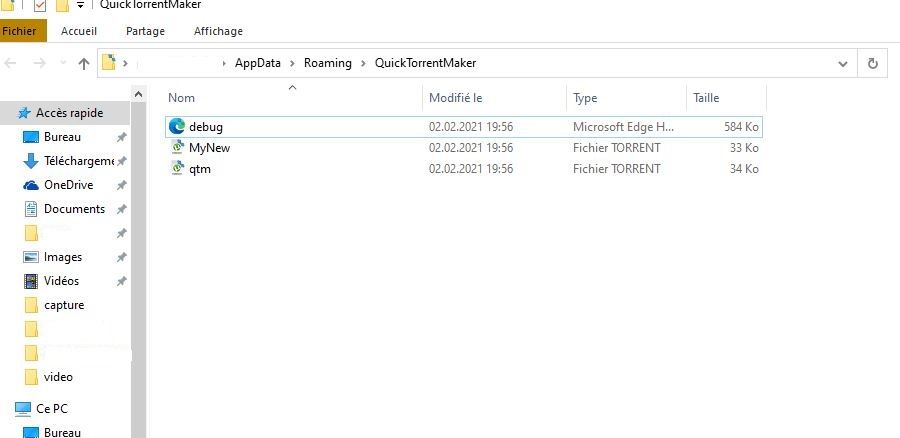
  • Unable to load "qtm.torrent": torrent contains no piece hashes!

    1
    0 Votes
    1 Posts
    36 Views
    No one has replied
  • 0/0 status because can't figure out my own torrent!

    1
    0 Votes
    1 Posts
    16 Views
    No one has replied
  • How to input a category in QTM?

    2
    0 Votes
    2 Posts
    16 Views
    R
    just try using a VPN. If you r living in a place where you can only access the site with VPN, then you ll have to use VPN in order to use QuickTorrentMaker too.
  • Reposting previous files

    2
    0 Votes
    2 Posts
    39 Views
    E
    @Alos: how can i make a torrent that i have already uploaded before show up again as a new one?? If it's been deleted off the system, you can start over again and it will show up as new. If it's still on here, it would have to be "promoted" by a moderator and it would show up with with new torrents with the recycle symbol in front of it.  I don't know how the moderators decide which old torrents to promote/recycle.  With nearly 150,000 torrents on the tracker, they can't do this for all of them.  Perhaps a moderator will shed some light here.
  • QTM not sending torrent to uTorrent

    2
    0 Votes
    2 Posts
    37 Views
    S
    1. I used the QTM and filled everything and selected the single file. Good 2. It uploads to the site (the torrent is there, dead) and nothing happens. Yes. 3 I read that after the upload, QTM sends the task automatically to uTorrent, but it didn't happen here, my uTorrent showed nothing. Hmm… When the torrent has been uploaded successfully, and the auto re-download + launch on uTorrent didn't happen, you can try: manually downloading this torrent file onto your computer (click the download on the torrent page), open it in uTorrent, locate the files on your computer meant for the share, force re-check, make sure it goes to 100%, and START the torrent.
  • Seeding/Uploads not being counted

    4
    0 Votes
    4 Posts
    87 Views
    L
    bump, still not solved