@blipblaap said in Browse New with Text Description:
Is there a way to browse new torrents with the title of the torrent
YES ...
On top of the page select and point to "search"...

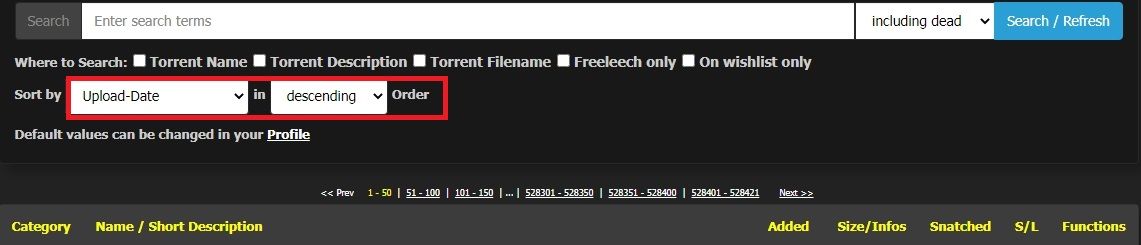
[OPTION] SORT by RECENT/ORDER ... etc ...
 Offline
@blipblaap said in Browse New with Text Description:
Is there a way to browse new torrents with the title of the torrent
YES ...
On top of the page select and point to "search"...
[OPTION] SORT by RECENT/ORDER ... etc ...
All media digital content such as video, electronic images, software, games, music and others are copyright content protected by law ...
https://www.copyright.gov/help/faq/faq-general.html
Again ... The site prohibits not to discuss this matter in forum or in public ...
https://community.gaytor.rent/topic/58255/dmca-takedown/2?_=1649414008445
https://community.gaytor.rent/topic/58131/copyright-enfringement-information?_=1649414008435
https://community.gaytor.rent/topic/58283/upload-privileges-revoked-for-90-days?_=1649414008450
What does “413 Request Entity Too Large” mean?
A 413 HTTP error code occurs when the size of a client's request exceeds the server's file size limit. This typically happens when a client attempts to upload a large file to a web server, and the server responds with a 413 error to alert the client.
413 - Request Entity Too Large
https://blog.hubspot.com/website/413-request-entity-too-large#:~:text=What does “413 Request Entity,error to alert the client.
If the torrent is dead and the link still exist it is possible to re-seed and re-post the content ...
However if the link is deleted and the torrent files are gone, Unfortunately ... NO ...
Unless you know exactly where the torrent source is ...
@leeniedo Yes Thank you ... I remember this my reference before 

This has been discussed before but I cannot find the topic so here I start a new one ...
I recently notice that some posters are not aware on this ...
Submitting upload w/ a lot of padding file volume ...
w/c affects users to download unwanted files ...
BitComet Pollutes BitTorrent with Junk Data
What are they ???
Padding files are created by BitComet. Their use. ensures that no two data files in a multi-file torrent occupy the same BitTorrent "piece".
They are supposed to be hidden or invisible to BitComet users but can actually harm the performance in other clients because these files are transferred,
which takes up bandwidth.
https://answerstoall.com/common-questions/what-are-padding-files/#What_are_padding_files
https://torrentfreak.com/bitcomet-pollutes-bittorrent-with-junk-data/
https://github.com/transmission/transmission/issues/579
How to disable BitComet from creating Padding files in torrents
https://www.cometforums.com/topic/12796749-how-to-disable-bitcomet-from-creating-padding-files-in-torrents/
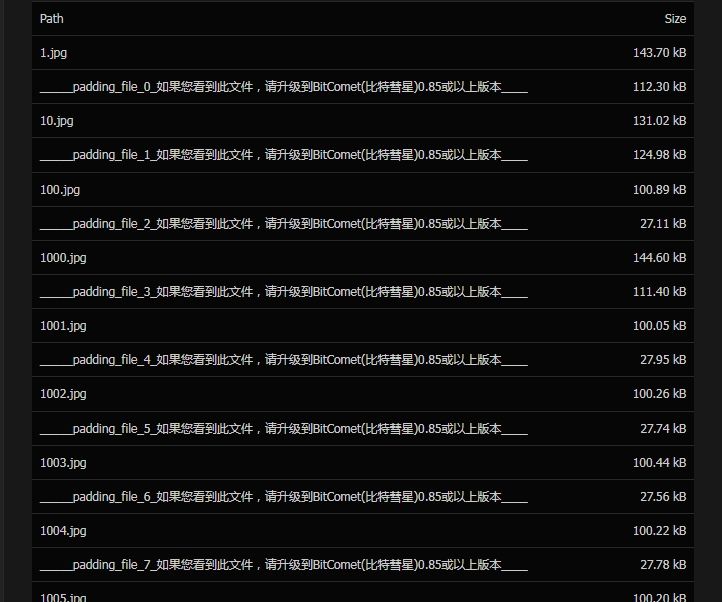
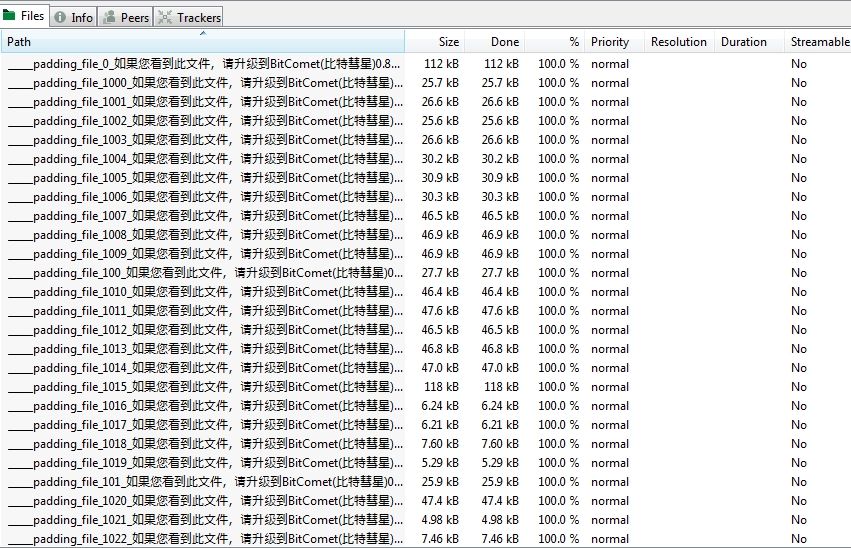
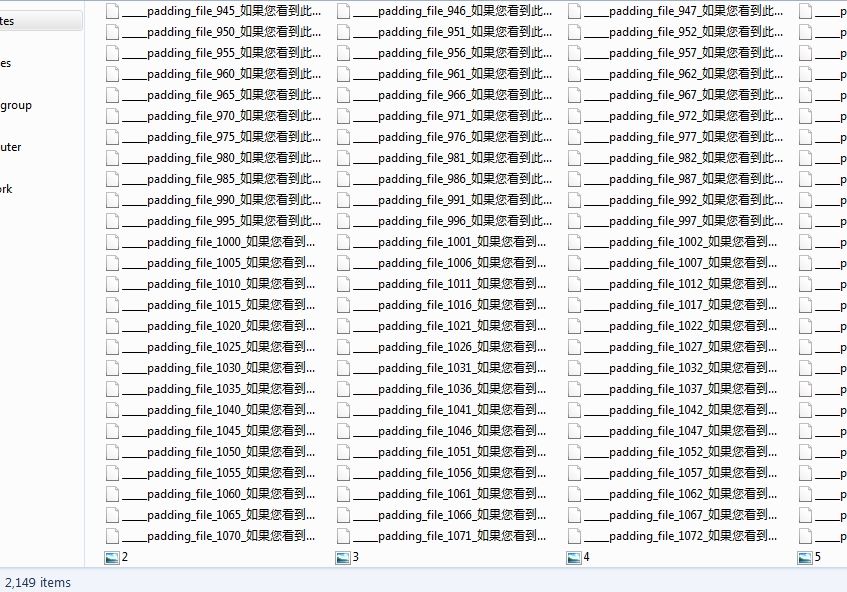
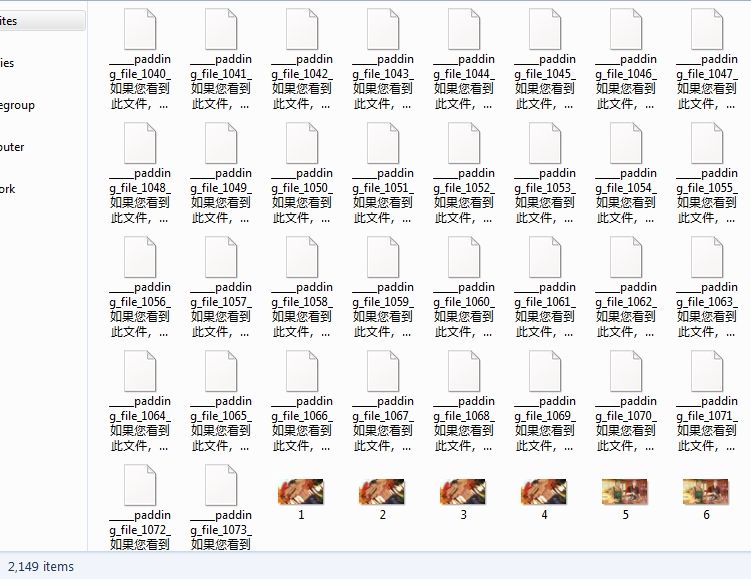
Below is an actual image that I captured here... w/ bunch of padding file included in a single folder ...
https://www.gaytor.rent/details.php?id=c027ac7e719614b7889730199b0dd33db4cb58736b71f72e&filelist=1#filelist
It happen to me as well ...
Tried several times 1...2... and it works !!! ...

This is related to bandwidth / server issues or the system is currently busy ... [As well as your PC is doing multiple task] ...
Regardless of pixel as long as the file size do not exceed 500 kb and you have a good bandwidth the system will accpet the process ...
The description below relating to picture pixel [width/height/dimension] Quality ... [not file size] ...

I suggest do a web search on this ...
As most of us has different nationality from accent and pronunciation ...
plus there are various types of English
RELATED ONLINE SOURCE: https://www.dictionary.com/e/fluency/
@DandyLion said in Memberships... auto-approved:
The "Auto-Approval" is for their UPLOADS to be allowed, instead of going into a queue where a moderator has to verify everything about the upload.
Sure a few bad uploads slip through but they are quickly removed.
"FLOODED with duplicates from people just trying to hit their quota to keep their accounts."
"We like to keep our uploads on the side of Quality over Quantity."
@ Dandy, about this prospective, Thank You !!! for this input. make sense @ all ...
This is a common issue specially when your torrent is too large in size and still checking your data for instance ...
Once check status is completed it will start seeding and updates every 30 minutes ...
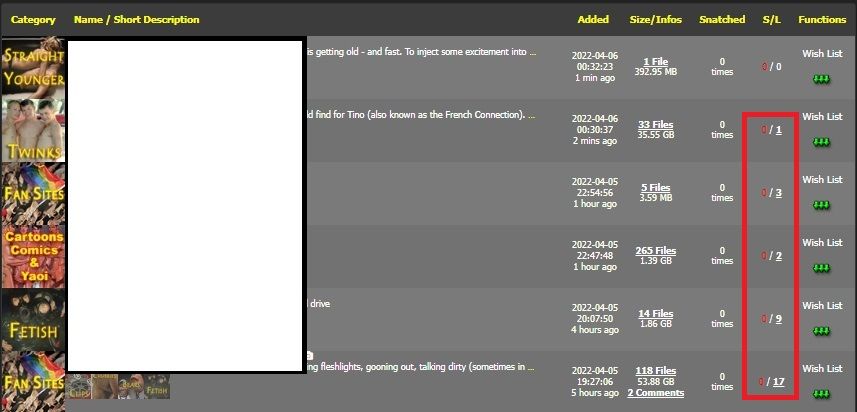
The reason why your torrent is being downloaded as others already know and are aware of showing dead torrent from the search field ...
If your torrent appears to be dead while seeding or still not present from the search field ...
Stop the processs exit your client and restart in order to update the process ...
If you still run into issues write to helpdesk: https://www.gaytor.rent/helpdesk.php
@tombrick Flozen is not available @ this moment ...
However he will get back as soon as he read this ...
Your question ...
I have several downloads in my qbit torrent queue that have been stalled because my download rights have been revoked.....should I keep them in my queue for when the time that my ratio becomes acceptable, or should I just delete them?
You can keep them if you want or delete them if it bothers you and taking space from your hard drive or etc ...
There is no point seeding a torrent w/c are stalled or no peers connected and not seeding] ...
For the meantime look for freeleech w/c can help to built ratio ... [If you are limited try next day or ask helpdesk]
What is freeleech and how can it help my ratio?
https://www.gaytor.rent/faq.php#550
SORT by size/leecher/amount of time ... and keep seeding
[you can partially download some not the whole piece known as partial seeding it works most all of the time ... ]
https://www.gaytor.rent/browse.php?search=&incldead=1&infl=1&orderby=size&sort=desc
[This will not count against ratio]
any other question always ask. [everyone is welcome]
there are bunch of members and others who can support ... esp helpdesk ...
@fredfranco said in Upload privileges revoked for 90 days?:
Anyway, I'd never been suspended because of this before. I haven't posted anything against the rules, they're all only DMCA takedowns...
[edit]
Abusing the Copyright/DMCA Notice procedures set forth above, or misrepresenting facts in a DMCA Notice or Counter-Notification will void any request submitted to the site. A third of all takedown requests have been linked to fraudulent competitive marketing strategies. Accordingly, we require verification of any third-parties claiming to be an agent or representative of a copyright owner.
[edit]
Upon receipt of any notification of claimed copyright infringement, the site will expeditiously investigate, disable and/or remove access of any material that is believed in fact or circumstance to be infringed material. The affected user shall be notified and afforded the opportunity to submit a counter-notification within 14 days. After the site receives such counter-notification, it will replace the material at issue within 10-14 days unless the site receives notice that a court action has been filed by the complaining party seeking an injunction against the infringing activity. The site has the right to terminate the account of repeat copyright infringers.
see >>> https://community.gaytor.rent/topic/58255/dmca-takedown?_=1649158258707
ONLINE SOURCE:
The Stalled status usually appeared when you try to download torrents that have a low number of seed/peers. So you can check the number of speed/peer first.
You can reconnect to peers by reinserting torrent in it and the speed will recover a bit.
It's just a temporary fix but worth trying.
How to fix when qBittorrent is stalled?
https://geekdroids.com/qbittorrent-stalled/
How To Fix qBittorrent is Stalled - Driver Easy
https://www.drivereasy.com/knowledge/how-to-fix-qbittorrent-is-stalled/#:~:text=The Stalled status usually appeared,temporary fix but worth trying.
How to Fix the “qBittorrent Stalled” Error?
https://www.partitionwizard.com/resizepartition/qbittorrent-stalled.html
How To Fix When QBittorrent Stalled?
https://keepthetech.com/qbittorrent-stalled/
What should I do when my qBittorrent stalls while torrenting?
https://www.quora.com/What-should-I-do-when-my-qBittorrent-stalls-while-torrenting-1
Qbittorent and stalled
WEB SOURCE: https://www.google.com/search?q=Qbittorent+and+stalled&rlz=1C1OKWM_enUS993US993&oq=Qbittorent+and+stalled&aqs=chrome..69i57.8408j0j15&sourceid=chrome&ie=UTF-8
Try to bring this to helpdesk: https://www.gaytor.rent/helpdesk.php
so they can address to site sys OP ...
Try to highlight right click on torrent and Update Tracker, it normally updates itself every after 15 min if it is OFFLINE TIMEOUT ...
or exit your client restart and try again ...
IMPORTANT THINGS you should know here ...
What is “Seed Bonus”, how is it computed and how do I improve my Ratio using it?
see >>> https://www.gaytor.rent/faq.php#266
What is freeleech and how can it help my ratio?
see >>> https://www.gaytor.rent/faq.php#550
So, what's MY ratio?
see >>> https://www.gaytor.rent/faq.php#9
Rationator 3.0 https://www.gaytor.rent/rationator.php
SOURCE: https://www.gaytor.rent/faq.php
@tombrick said in Redeeming bonus points....:
Soooo- I redeemed 100 bonus points, which is supposedly going to let me use 1 gb???
Explanation:
If you trade your 100 SB points = 1 GB upload will added to your ratio and so forth ...
BONUS POINTS are added to your ratio once you trade into traffic ... (If the buttons deactivated, you have not enough to trade.)
1.0GB Uploaded
If you reach the points for this case, you can exchange these points on the fly into traffic, we take off the points and you receive the traffic.
2.5GB Uploaded
If you reach the points for this case, you can exchange these points on the fly into traffic, we take off the points and you receive the traffic.
5GB Uploaded
If you reach the points for this case, you can exchange these points on the fly into traffic, we take off the points and you receive the traffic.
10GB Uploaded
If you reach the points for this case, you can exchange these points on the fly into traffic, we take off the points and you receive the traffic.
1 Invite
If you reach the points for this case, you can exchange these points on the fly into invites, we take off the points and you receive your invite.
2 Invites
If you reach the points for this case, you can exchange these points on the fly into invites, we take off the points and you receive your invites.
@Etlutu said in Ratio not being registered?:
How can I make sure my upload is being counted towards ratio?
see your profile:
From time to time all your activities are recorded here upload/download [regarding your bandwidth speed & measurement] ...
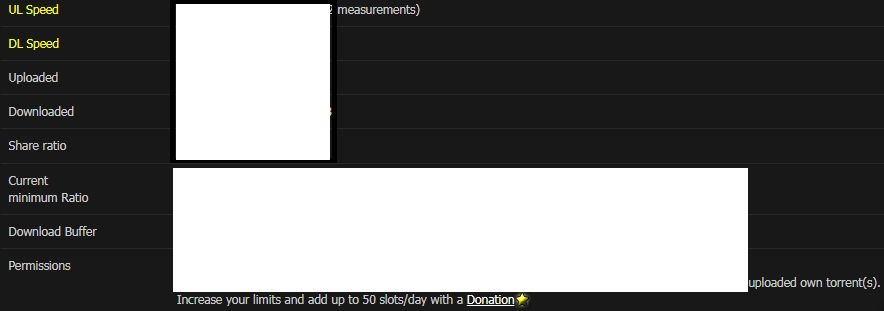
Located @ left from your profile
To understand these values see RATIONATOR 3.0
https://www.gaytor.rent/rationator.php
[These explains your activities ...]
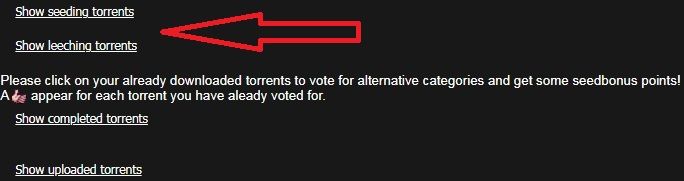

500 MB [+] upload = plus 1 added to your ratio
500 MB [+] download = minus 2 deducted ...
[upload relies on your bandwidth speed]
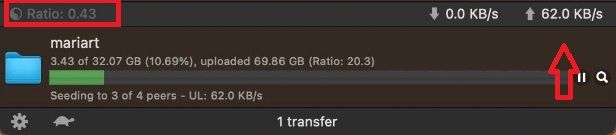
ratio [above highlighted] indicates the amount of shares you distributed from the peers while you are seeding ...
up arrow @ right indicates the bandwidth speed and measurement values ...
any other question write to helpdesk: https://www.gaytor.rent/helpdesk.php
@BroZeph you did everything right from creating torrent and posting here ...
However you locate the file in wrong directory ...
[w/c is why you are downloading instead of seeding and stuck in finding peers] ...
To resolve this stop the torrent, right click and delete/remove the torrent not the torrent file ... And start all over again ...
[make sure to re-download the torrent here not the torrent created by your client [it won't work] ...
Below is the image I provided for you to understand:
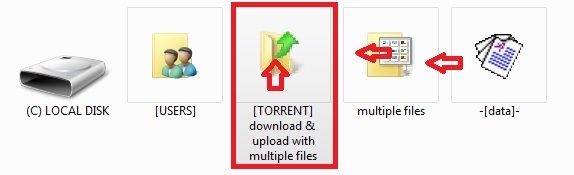
To add directory file folder select [TORRENT] w/c contains the folder w/ multiple files you are trying to post ...
[not the folder w/ multiple files] ...
To add file or single file point to multiple files containing data or data ...
Always know where your upload/download folder location is ...
Review where you locate all your files: path/folder/name/directory location to get familiar w/ ...
How to Reseed?
https://www.gaytor.rent/faq.php#28
GUIDE: https://www.gaytor.rent/uploadguide.php
[please review all the details here all the information is provided]
you need to download the small torrent here and locate the correct location ...
your torrent upload/download path location is not right
[that is why you are downloading instead of seeding] ...
choose the directory [torrent upload/download folder] where the torrent folder you are posting not the torrent folder name with multiple files you are posting ...