Any free software to download youtube video?
-
@amelia I've been using Stacher for a while, which I discovered from browsing Reddit when I was also looking. It's free and customizable (you can select which audio format, which video format in which available resolution, etc). I think it works with other video websites too, though I had only used it for youtube.
-
@eobox91103 Its not good enough. I tried but basic free software only allow me to download 480p or below.
-
-
@amelia
If you're on a Desktop PC running Windows, Linux, MacOS, etc, and you're comfortable with using command prompts, a really powerful YouTube downloader is "yt-dlp"It's open-source, updated regularly to adapt to the roadblocks YT develops, can list all files & resolutions available for download, but normally it DLs the best video/audio available.
I use it to DL videos, but also to DL audio-only formats such as mp3, mp4, etc... It can batch DL playlists if you're savvy enough, but there are GUI's as well for more of a traditional experience...
It can be found here...
https://github.com/yt-dlp/yt-dlp/wiki/Installation
Regards...
-
if you use mac or linux:
yt-dlp
you need to:
- have Brew installed.
Brewis the package manager.- do it via terminal [cmd+space > terminal].
/bin/bash -c "$(curl -fsSL https://raw.githubusercontent.com/Homebrew/install/HEAD/install.sh)"- install
yt-dlp.- also in terminal, type:
brew install yt-dlpthat's it.
youtube will always require cookies. so, usually the command will be:
yt-dlp --cookies-from-browser [safari/chrome/firefox/etc] http://youtube.com/videoworks for (almost) every page/site with video. x/twitter, reddit, etc.
note: to make life easier, i save the config file (
~/.config/yt-dlp/config) with the following content:-f bestvideo+bestaudio/best --audio-quality 0 --concurrent-fragments 8 --retries 10 --fragment-retries 10 --file-access-retries 5 --cookies-from-browser safari --restrict-filenamesto do this via terminal:
mkdir -p ~/.config/yt-dlp
cat > ~/.config/yt-dlp/config <<'EOF'
-f bestvideo+bestaudio/best
--audio-quality 0
--concurrent-fragments 8
--retries 10
--fragment-retries 10
--file-access-retries 5
--cookies-from-browser safari
--restrict-filenames
EOF
on Windows, or if you need extra help, any AI chat can help youuu.

- have Brew installed.
-
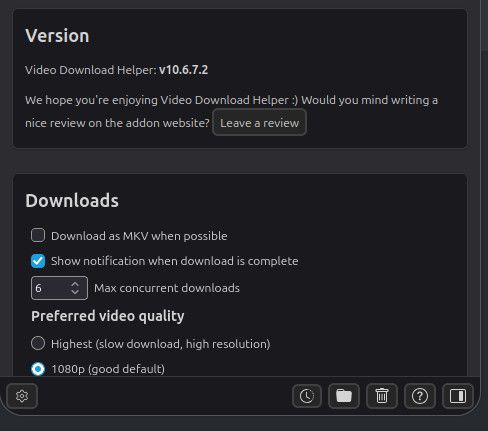
@amelia I use Video Download Helper on Firefox to download from YouTube constantly. (I'm now on Linux, but I'm fairly sure I used it when on Windows too.)
I download multiple videos daily. Every now and then it does stop working, but usually a simple browser restart fixes it. I think there have been a couple of times I had to reboot, and there was once a period of a day or two when it stopped, so I had to save stuff to my Watch List to grab wn it started working again.
-
If you use Firefox, I find Video Download Helper works GREAT. Always has for me.
-
I have used JDownloader 2. It's an app/program (not an extension). Some of the features I like are -
Automatic Clipboard parsing, which adds to the "Link Grabber" tab and then you can trigger downloads (one or more, based on selection)
Also works with Playlist.
Default variant can be set for each site (e.g. I generally go for 480p, mp4, 128kbps audio, 30 fps etc.)
supports member credentials. It can be saved in settings, so don't need to enter again and again.What I don't like (but not too much that I stop using
) -
some websites when copied to clipboard and there are hundreds of links on the page (includes txt, image, gifs, ad snippets etc.) they all get copied -
I use yt-dlp for a long time and miss nothing. With all the possible combinations on the -f (or in .config/) you can exactly define what you want. Î run it with deno as JS-Interpreter.
On Windows i run it into a WSL Ubuntu. In the past i used Cygwin for that.
Important is to have ffmpeg working to merge video+audio or convert something.
Stacher is not bad, i tested it but rarely used it. It comes with all you need. I have more fun hammer it into a shell
With your own youtube API key you can automize downloading of unseen videos of favourite channels. Or like me, i got an overview of new Videos from a list of channels linked in my Telegram bot, so i can directly access. Search and Sort in Channels is a pain in the youtube android tv app. Just playd around a bit.
The youtube-dl fork (yt-dlp) is very well maintained and up to date. Specially when a website change something, the yt-dlp modules for it will be updated fast.
I can't suggest any other software i haven't used. If you are not so into command line stuff the best is to try Stacher. All other GUI's i know are for linux.
Have fun. Tell us if you like it.
Doobie.
-
@eusanderse Yeah, it works for me. But i dont know why after using it for a while, it stopped working and a error message showing asking me to sign in. I must stop using it for few hours then restart the software and it works again but only for a while before same error message showing up again.
-
@amelia Hmm I never had that problem before. That is a very strange error. I should mention that I'm using the older software version (6.0.28) for Windows since I never felt the need to update it.
Are you using the most recent version of Stacher 7, by the way? That might have something to do with the error, though I would assume that newer versions should be more bug-free. I'll recommend looking at the reddit thread r/StacherIO and see if any other users mentioned the same issue as you do. Perhaps someone might have the solution.
Otherwise, I would just try to reinstall the software and see if the problem persists. If all else fails, try to get older installation version, if that is possible.






Hello! It looks like you're interested in this conversation, but you don't have an account yet.
Getting fed up of having to scroll through the same posts each visit? When you register for an account, you'll always come back to exactly where you were before, and choose to be notified of new replies (either via email, or push notification). You'll also be able to save bookmarks and upvote posts to show your appreciation to other community members.
With your input, this post could be even better 💗
Register Login