Any free software to download youtube video?
-
Youtube is making it difficult for us to download their videos nowadays. The firefox addon that I have been using for sometime isnt working anymore. So, Im wondering what tools you guys using to download the youtube vids.
-
@amelia I use Viddly (https://viddly.net/eng13) which seems to work very well and has an intuitive interface.
I think the basic version free, and a more fully-featured version is 20 USD. I have the basic version and I'm quite happy with it.
I run this on a Windows 10 machine. It will start automatically if you copy a YouTube URL into your clipboard, which can be annoying if all I want to do is paste a URL into an email. By going to task manager and turning Viddly off at startup, you can avoid this, but then you'll need to start Viddly manually if you want to use it. which can be done easily by putting a shortcut on your desktop or searching for Viddly in the Windows search box at the lower left of your primary window.
Note that the current version of Viddly requires Windows 10 (or greater), 64 bit. If you have a Mac or an older Windows machine, there are probably solutions that other users can suggest.
-
@amelia I've been using Stacher for a while, which I discovered from browsing Reddit when I was also looking. It's free and customizable (you can select which audio format, which video format in which available resolution, etc). I think it works with other video websites too, though I had only used it for youtube.
-
@eobox91103 Its not good enough. I tried but basic free software only allow me to download 480p or below.
-
-
@amelia
If you're on a Desktop PC running Windows, Linux, MacOS, etc, and you're comfortable with using command prompts, a really powerful YouTube downloader is "yt-dlp"It's open-source, updated regularly to adapt to the roadblocks YT develops, can list all files & resolutions available for download, but normally it DLs the best video/audio available.
I use it to DL videos, but also to DL audio-only formats such as mp3, mp4, etc... It can batch DL playlists if you're savvy enough, but there are GUI's as well for more of a traditional experience...
It can be found here...
https://github.com/yt-dlp/yt-dlp/wiki/Installation
Regards...
-
if you use mac or linux:
yt-dlp
you need to:
- have Brew installed.
Brewis the package manager.- do it via terminal [cmd+space > terminal].
/bin/bash -c "$(curl -fsSL https://raw.githubusercontent.com/Homebrew/install/HEAD/install.sh)"- install
yt-dlp.- also in terminal, type:
brew install yt-dlpthat's it.
youtube will always require cookies. so, usually the command will be:
yt-dlp --cookies-from-browser [safari/chrome/firefox/etc] http://youtube.com/videoworks for (almost) every page/site with video. x/twitter, reddit, etc.
note: to make life easier, i save the config file (
~/.config/yt-dlp/config) with the following content:-f bestvideo+bestaudio/best --audio-quality 0 --concurrent-fragments 8 --retries 10 --fragment-retries 10 --file-access-retries 5 --cookies-from-browser safari --restrict-filenamesto do this via terminal:
mkdir -p ~/.config/yt-dlp
cat > ~/.config/yt-dlp/config <<'EOF'
-f bestvideo+bestaudio/best
--audio-quality 0
--concurrent-fragments 8
--retries 10
--fragment-retries 10
--file-access-retries 5
--cookies-from-browser safari
--restrict-filenames
EOF
on Windows, or if you need extra help, any AI chat can help youuu.

- have Brew installed.
-
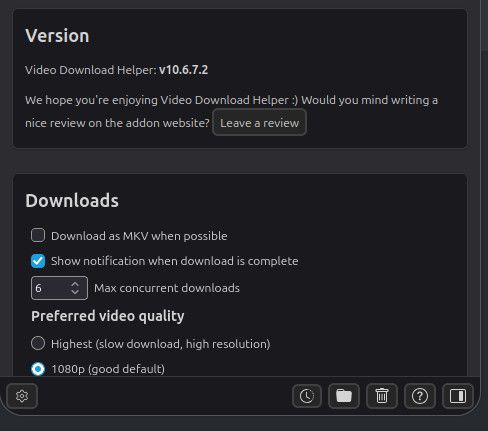
@amelia I use Video Download Helper on Firefox to download from YouTube constantly. (I'm now on Linux, but I'm fairly sure I used it when on Windows too.)
I download multiple videos daily. Every now and then it does stop working, but usually a simple browser restart fixes it. I think there have been a couple of times I had to reboot, and there was once a period of a day or two when it stopped, so I had to save stuff to my Watch List to grab wn it started working again.



Hello! It looks like you're interested in this conversation, but you don't have an account yet.
Getting fed up of having to scroll through the same posts each visit? When you register for an account, you'll always come back to exactly where you were before, and choose to be notified of new replies (either via email, or push notification). You'll also be able to save bookmarks and upvote posts to show your appreciation to other community members.
With your input, this post could be even better 💗
Register Login