Question about the "Search In" filter
-
I've always struggled with getting this to work properly, and I'm wondering if it's just simple user error (or perhaps "simple user" error?)
While I sometimes get results I'd expect near the top of the search, many results don't seem to match up with my understanding of the function. I just tried a few random words that I thought might not garner too many results, and an example is shown below.
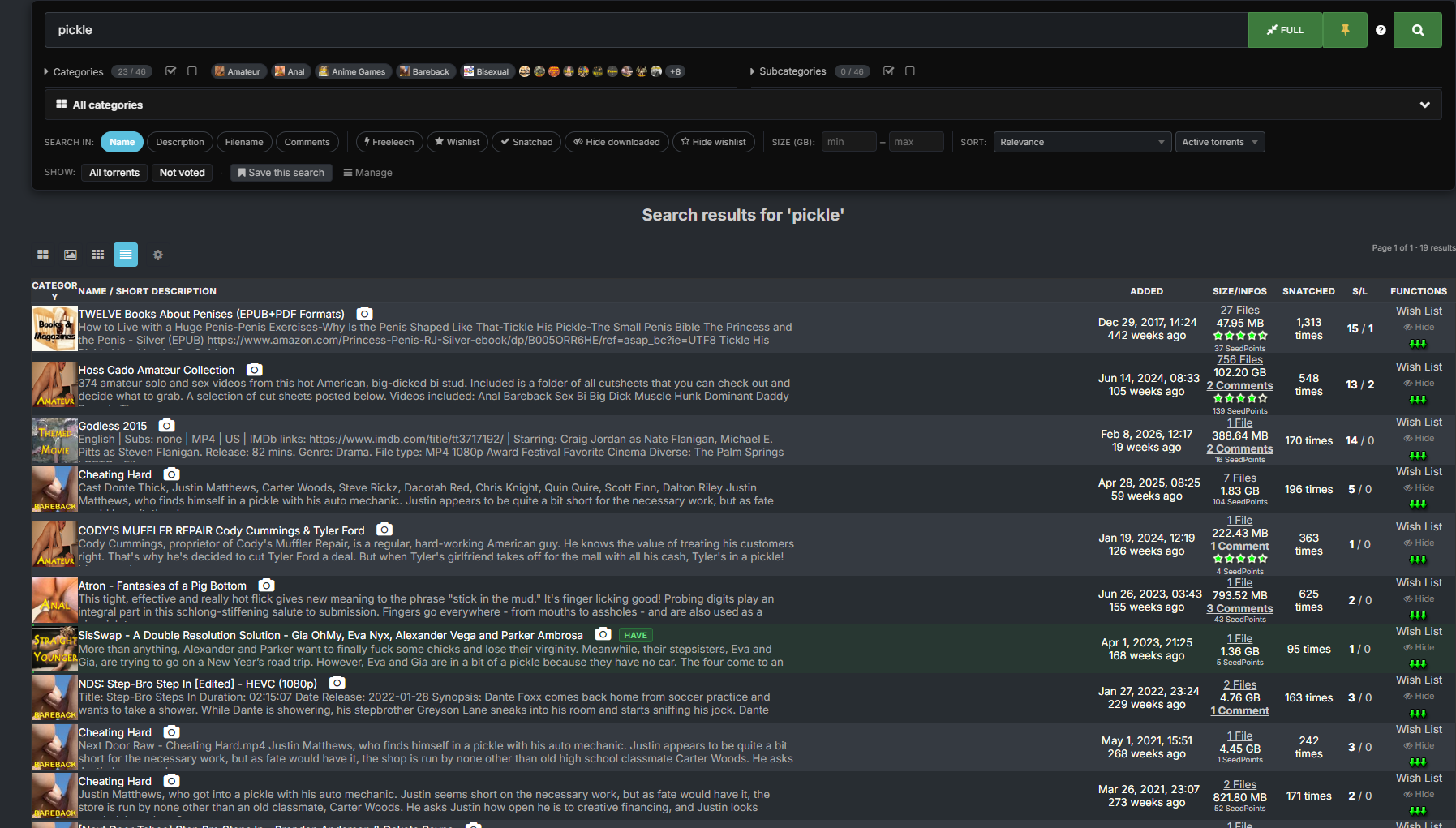
As you can see, I searched for the word "pickle" supposedly just in the upload name field, but none of these titles contain the word pickle. If you look at the top result you can see it in the description, but I thought I was only searching the titles.
So, is there an error in the search or am I just doing it wrong?
EDIT: Just to add, it doesn't matter if I select Name, Description or Filename on their own. I seem to get the same results for each despite many of them not actually being a match for the search.
Taste the rainbow! Eat crayons!
-
@frostycab i finally managed to trace the root of your problem. In the settings, in the search tab, there are sliders to set the default state for "name, description, filename"
If you enable any of those options, any search you perform will fall back to that rule, even if toggle them manually in the search panel, and it seemingly being applied, under the hood the rules being applied are still the ones you have in your settings.
I never enabled any of those options, while I was trying to reproduce your results, everything only worked as expected.
Definitely something for Joker to investigate.
In the meantime you can disable the default values in your preferences.
-
@ianfontinell EPIC!!! Well done you for finding that! Just tried it and it works. I've had that problem since I first joined 18 years ago, and can't remember if those toggles are a new thing or not, but it's fixed. You may award yourself a pat on the back.
-
@frostycab Click the little question mark to the right of the yellow pin for a handy little guide.
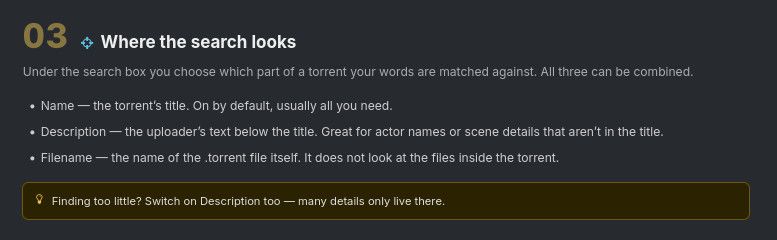
Those first three - name, description, filename are, I believe, "OR" operators, so if what you're looking for is in one or more of what you've selected, you'll get a hit.
If you search for "bunny rabbit" with only "Name" and "Filename", you won't find a torrent called "Fluffy Stuff" with the file "lettuce_eaters.mkv", even if it says in the description "Here's a cute little bunny rabbit eating his greens." Had you included "Description", that should pick that torrent up.
The rest on that same line are, I believe, "AND" operators... sio if you select "Freeleech", it will only show torrents that are currently freeleech, even if they otherwise match everything else.
Edit: Just seen @ianfontinell.s post. Yeah, I have mine disabled as defaults. I was obviously answering a slightly different question, or misunderstanding the underlying issue. I'll leave the above here though, in case someone stumbled on it looking for that answer.
-
@Kevin4fm if you check the tooltip for "filename" you'll see that it refers to the name of the torrent file. You'd never get any result for "lettuce_eaters.mkv" simply by enabling the filename option, unless if that's exactly the name of the torrent file.
-
@ianfontinell Good point, though in the case of many single file torrents, the .torrent and the actual file names are actually the same, though it may need * at the end in case it has appended .mp4 or .mkv, etc.. I'm not going to test that though. I already have enough rabbit-related material.
-



Hello! It looks like you're interested in this conversation, but you don't have an account yet.
Getting fed up of having to scroll through the same posts each visit? When you register for an account, you'll always come back to exactly where you were before, and choose to be notified of new replies (either via email, or push notification). You'll also be able to save bookmarks and upvote posts to show your appreciation to other community members.
With your input, this post could be even better 💗
Register Login