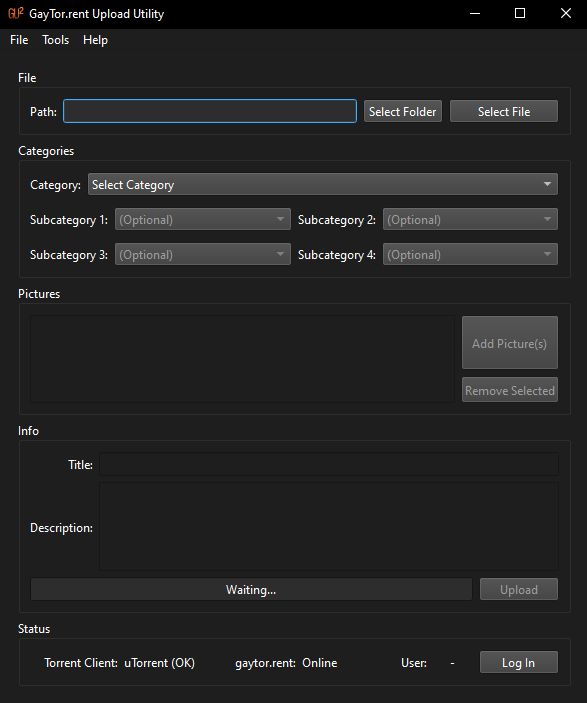
[Software Release] GayTor.rent Upload Utility
-
@ianfontinell-0 I learned some things from your post. Thanks! In particular, I never understood why parts of some files got downloaded that were not selected to be downloaded.
BUT, I still don't get why Utorrent and QTM fail to make multi-part torrents correctly.. but.. Qbittorrent DOES.
The only way I can upload mulitipart torrents is to create a files-only torrent with Qbittorrent, then use the online interterface on GTRU to make a torrent that includes the file torrent from Qbittorrent.
-
@ianfontinell-0 thanks for the info! I am using utorrent 2.2.1
When i create a new torrent (with mutliple files) and upload it on the gay torrent site on my own it works.
When i try to create the same torrent with the torrent maker, i'll get those padding files and the torrent gets "stuck" at downloading those padding files instead of seeding.
-
@PrototypA5 that is a very old build lol, i know it's not worth upgrading to newer versions as utorrent itself has become a cryptojacking junk. Consider moving to a newer client, I suggested qbittorrent because it is the most popular, open source and maintained with regular updates.
As I mentioned before the padding files are created by the client itself, never downloaded.
It's still worth pinging @vancer to suggest making the v2 protocol optional in the settings or sticking only with v1 for compatibility issues.
-
@ianfontinell-0 @PrototypA5 Personally I would recommend to everyone to update their torrent software not just for the functionality but mostly due to security reasons. Although if someone strictly wants to use a client which does not support V2 for whatever reason I can of course add an option for that in the settings.
The question is, which should be the default? This should depend on what torrent clients most people here use, but I don't have such information.
-
@ianfontinell-0 said in [Software Release] GayTor.rent Upload Utility:
qbittorrent
okey, i'll switch to qbittorent then

I am using utorrent 2.2.1 cause it was the last one without advertisment and so on. And it still works fine. Also as said creating torrents with multiple files works in utorrent itself and also worked with the old gaytorrent uploader.
@vancer as far as i can see, people use
- vuze 5.7
- utorrent 3.5
- utorrent 3.6 (3x)
- qbittorent 5.0
- bittorrent 7.11
- transmission 4.0
- libtorrent 1.2
-
GayTor.rent Upload Utility v17 has been released!
Changelog
- Add option to force V1 torrent creation ( @ianfontinell-0 @PrototypA5 )
Download
-
@vancer is that an update to QTM 1.4?
-
@lololulu19 No, this is different software than QTM. Please read the first post in this thread for more info.
-
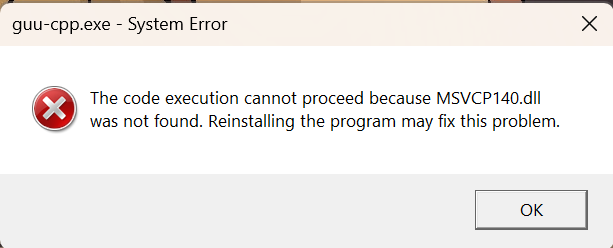
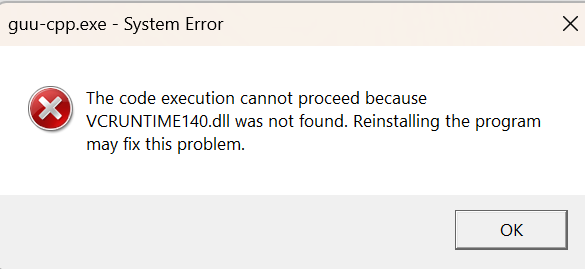
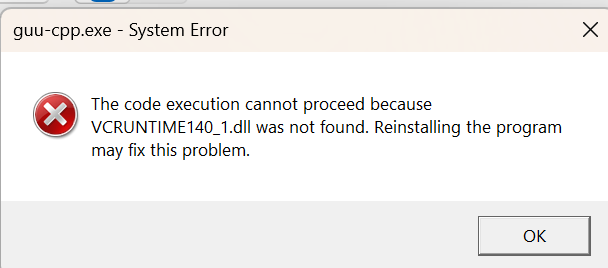
I am going to need some help. I had my last computer crash and I had to get a brand new one. I had this program before and loaded it no problem but for this round, I am getting a whole bunch of error messages. See pics below. Is there something I am doing wrong or missing? Has anyone else had this issue and if so, how did you fix. It was the latest download link I used.
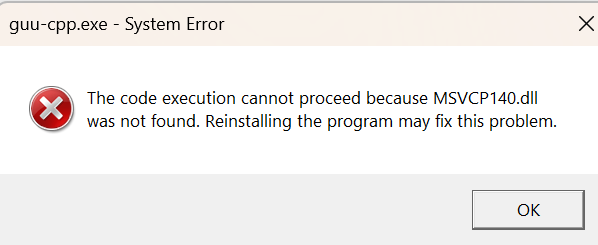
-
Please disregard my post. I did more digging and found out the work around. Thanks for the program
-
Hi vancer, GUU works! But do you know where the torrent file is created on my Windows computer after the upload?
-
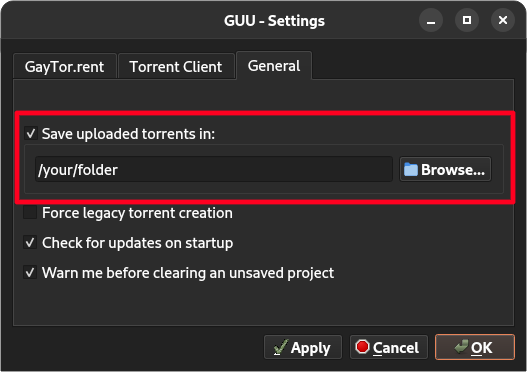
@geniusacamel There is a setting that allows you to specify a directory where you want your torrents to be saved, although it is disabled by default so you should check it out.
-
I'm trying to download a torrent created with this utility, but my download client keeps giving me a "Null" error.
Is this an error with the torrent file, or my downloader? I don't get this error with anything else.
I'm using Vuze 5.7.7 for macOS. -
@mearsfan25 said in [Software Release] GayTor.rent Upload Utility:
I'm trying to download a torrent created with this utility, but my download client keeps giving me a "Null" error.
Is this an error with the torrent file, or my downloader? I don't get this error with anything else.
I'm using Vuze 5.7.7 for macOS.disregard..it was vuze. I upgraded to biglybt.
-
F frostycab referenced this topic on
-
Hey, i wanted to create an torrent, but the maker says, error creating torrent.
It seems i cant add any pictures anymore? I tried with 4-5 different ones. This is a regular .jpg with 118 KB created by screenshot. I have dont this several times withoug issues. Anything changed on GT?
Log:
INFO | (null) | "GayTor.rent Upload Utility" 17 INFO | (null) | Showing splash screen INFO | (null) | Loading settings INFO | (null) | Loaded settings INFO | (null) | Checking for updates INFO | (null) | No new version found INFO | (null) | Performing startup login INFO | (null) | Logged in INFO | (null) | Initialized torrent client: "qBitTorrent" INFO | (null) | Loaded categories INFO | (null) | Updating status INFO | (null) | Server online INFO | (null) | Current user: "XXXXX" INFO | (null) | Cleared document INFO | (null) | Loading project: "C:/Users/XX/Desktop/wm.guu" INFO | (null) | No new version found INFO | (null) | Starting upload INFO | (null) | Categories: "65" "34" "12" "" "" Title: "Fighting Males" | Path: QDir( "C:/Users/XX/Desktop/Wrestling" , nameFilters = { "*" }, QDir::SortFlags( Name | IgnoreCase ) , QDir::Filters( Dirs|Files|Drives|AllEntries ) ) | Pictures: 3 INFO | (null) | Creating torrent INFO | (null) | Uploading torrent CRITICAL | (null) | Error uploading picture D:/Users/XX/Downloads/codiert/3.jpg | 520 CRITICAL | (null) | Upload failed: "An error occured while uploading the torrent." INFO | (null) | Upload thread finished -
@PrototypA5 I had this error for a few days already.
-
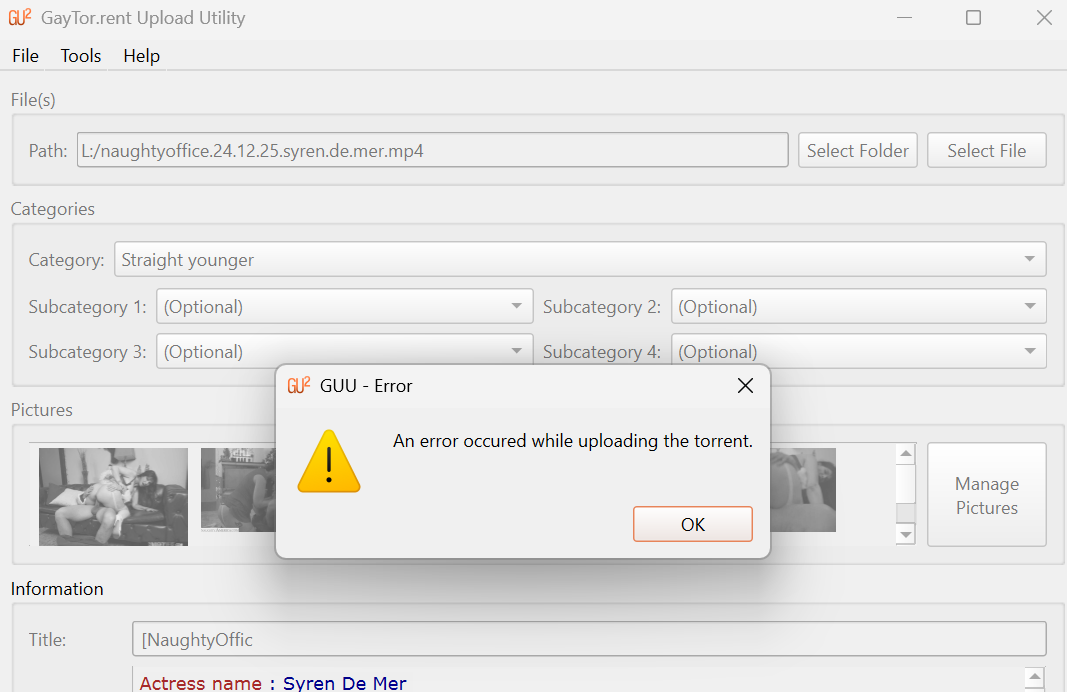
I am now starting to get this error message. I checked and I have the latest update but now it was a couple times this showed up to every time now for the past couple days
-
Yes guys, the application is not working at this moment, it can be due to changes in the torrent upload page, it needs further investigation. Until then you will need to either try your luck with QTM, or create the torrent manually. This page contains a guide on how to do it:
-
Hi everyone, thanks for bringing this to my attention. I will investigate this and fix the problem as soon as I can. I'll keep you updated.
-
@vancer HI there
Has there been update on this? I found this program so amazing to use

Hello! It looks like you're interested in this conversation, but you don't have an account yet.
Getting fed up of having to scroll through the same posts each visit? When you register for an account, you'll always come back to exactly where you were before, and choose to be notified of new replies (either via email, or push notification). You'll also be able to save bookmarks and upvote posts to show your appreciation to other community members.
With your input, this post could be even better 💗
Register Login