[Software Release] GayTor.rent Upload Utility
-
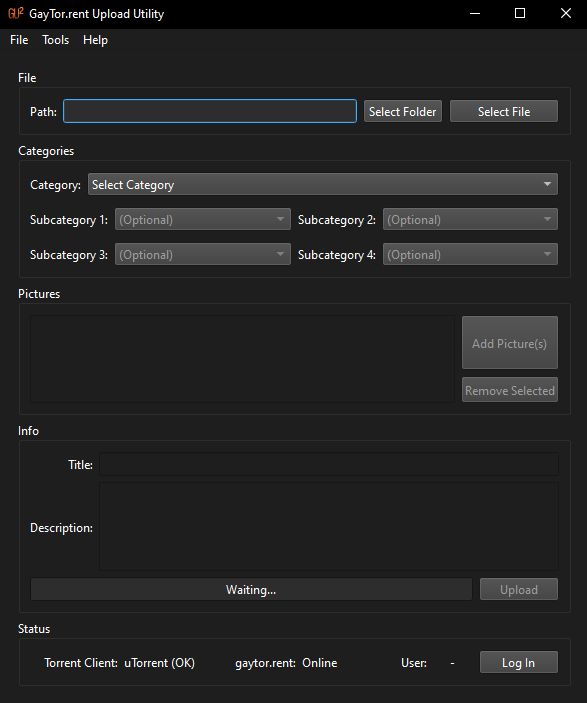
GayTor.rent Upload Utility v15 has been released!
Changelog
- Fixed torrent creation from folders
- Improved some error messages
Download
-
GayTor.rent Upload Utility v16 has been released!
Changelog
- Show progress of torrent creation & upload
- Keyboard (deleting and moving) and mouse (Ctrl + scroll for zoom) control in picture list
- Fix picture uploading
- Small fixes
Download
-
@dhougie did it have an error even if you picked just ONE file to make a torrent instead of a folder of files?
-
@lololulu19 Sorry for not responding, I was offline, I will redo the tests on the new version. Thank you very much for the support provided.
-
@lololulu19 Sorry if I bother you, I just want to try to help with the comments in some way, when installing it updated to V 16, I only created a torrent of 1 single file, I tried twice, this time, the torrent was created, but it did not upload.
-
@dhougie Hi, you should be able to create torrents from folders noe.
What error did you get when uploading? (It would also help to provide the logs) -
@vancer
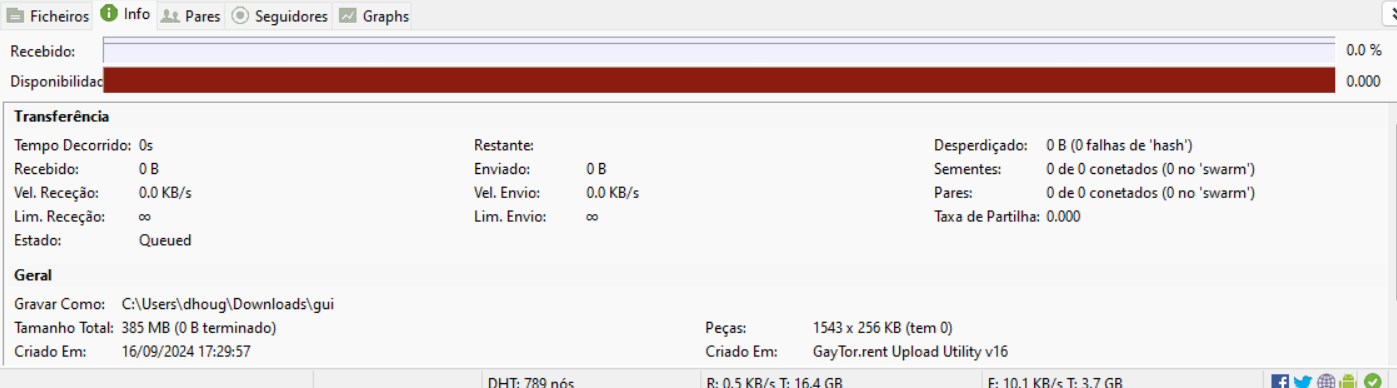
There is no log, the torrent is created, individually or in a folder, but there is no seeding. -
I tested on Windows using GUU v16 and qBittorrent, both single file and folder upload worked perfectly, started seeding immediately after the upload complete dialog box.
-
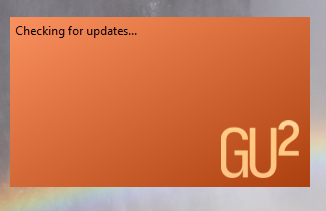
Hola yo tengo Windows 11 y el programa no me inicia , descargue la ultima versión mapearse la pantalla de inicio de programa y se cierra .
Hello, I have Windows 11 and the program does not start, download the latest version, map the program start screen and close.
-
@ferreiro Hi! Does the program show any error?
Also could you also send me the log file found inC:\Users\(your_user)\AppData\Roaming\guu\log.txt?
Thanks. -
V vancer referenced this topic on
-
esto es lo que contiene el archivo
this is what the file contains :
INFO | (null) | "GayTor.rent Upload Utility" 16
INFO | (null) | Showing splash screen
INFO | (null) | Loading settings
INFO | (null) | Loaded settings
INFO | (null) | Checking for updates
te dejo el archivoI leave you the file:
https://drive.google.com/file/d/16o5Skq8X5hZptO_zGPrSaazSOS1qJVn2/view?usp=sharing
-
directamente no me arranca el programa
the program does not start directly
-
F frostycab referenced this topic on
-
@ferreiro That's weird. Would it be alright if we continue this discussion in a private message so we can resolve this?
-
Hi guys, I have been trying to upload file but failed to proceed as there is no category to choose from in the drop down menu. Any suggestion please?
-
@tandemblue I'll assume you are talking about GUU and not QTM. If this is related to QTM, this is not the right thread to post this.
To display the list of categories, you must be logged in. Make sure you have clicked "Log In" in the bottom right and your username appears correctly in the status box. -
@vancer @lololulu19 Thank you very much for the support, I was using Utorrent last time and it didn't work either, I used Qbtorrent in V 16 and it works for both folders and individual files.
-
@vancer if there is no problem
-
F frostycab referenced this topic on
-
F frostycab referenced this topic on
-
Hello, ive been trying to create a new torrent. I selected the folder with 2 folders inside (only pictures)
Torrent gets created and uploaded, but also a for every file a "pad" file is created and also a "pad" folder.
So when trying to seed this torrent then, it says missing files (because those pad folder and files dont exist.
-
@PrototypA5 oh but it works fine with a single file
-
@PrototypA5 said in [Software Release] GayTor.rent Upload Utility:
So when trying to seed this torrent then, it says missing files (because those pad folder and files dont exist.
I will try to explain this.
Starting from the very beginning, the bittorrent protocol utilizes something called piece size to increase sharing efficiency. Suppose you have a 100MB file. During the torrent creation, it will split this file into multiple pieces. When seeding, you can send different pieces to different peers. This allows peers to share pieces with each other, increasing the theoretical download/upload speed of all peers, regardless of the initial seeder's bandwidth.
For single files, this is very simple, as everyone is downloading the exact same thing. For multiple files, some users might download all pieces, while others only choose a few files.
The problem is: those pieces can store parts of more than one file. Meaning that, to download one file, you are required to download a portion of a different file. And worse than that, let's suppose you downloaded 3 files and deleted one, in hopes that you'd still be able to seed the other 2, but since one of the files share a chunk with the deleted file, the client will report that the file is incomplete, even though it's not.
To fix this, Bittorrent V2 introduced padding files. Those are created by the client ONLY WHEN NECESSARY, creating empty pieces, with the purpose of increasing piece alignment efficiency. So different files will never be stored in a same piece, preventing peers from having to download parts of files they don't want, and allowing them to be able to seed all files they have without the need for downloading extra bytes from other peers.
THAT SAID....
The reason why you cannot seed your torrent is: you are either setting the download location to the wrong directory, or you are using a torrent client that does not support bittorrent v2. Try migrating to qbittorrent, it that is the case.


Hello! It looks like you're interested in this conversation, but you don't have an account yet.
Getting fed up of having to scroll through the same posts each visit? When you register for an account, you'll always come back to exactly where you were before, and choose to be notified of new replies (either via email, or push notification). You'll also be able to save bookmarks and upvote posts to show your appreciation to other community members.
With your input, this post could be even better 💗
Register Login