• Categories
    • Recent
    • Tags
    • Popular
    • Users
    • Groups
    • Torrents
    • Login

    A connection attempt failed in download

    Scheduled Pinned Locked Moved Downloading
    76 Posts 22 Posters 612 Views 7 Watching
    Loading More Posts
    • Oldest to Newest
    • Newest to Oldest
    • Most Votes
    Reply
    • Reply as topic
    Log in to reply
    This topic has been deleted. Only users with topic management privileges can see it.
    • D Offline
      DirtyNick
      last edited by

      Let's hope.

      1 Reply Last reply Reply Quote 0
      • john32123666J Offline
        john32123666
        last edited by

        I did re-started my PC and client several times and all my torrentz came back to life ...
        I am no longer seing period timedout/updating issues ...
        And those torrentz reset succesfully and cleared @ profile stats, so hoping the issue is gone ...

        [œùæ] : " Mahirap mag dunong dunongan, Kung wala kang kaalam alam " ...

        1 Reply Last reply Reply Quote 0
        • T Offline
          tnar @tnar
          last edited by

          @tnar said in A connection attempt failed in download:

          @MrMazda
          disabling IPv6 seems to be working for me. All ~250 torrents I am seeding are now showing a normal status - none are timed out. I'll check back in the morning and see if that's still the case.

          Update: ~12 hours later, I'm back to 2/3 of the torrents timed out.

          john32123666J 1 Reply Last reply Reply Quote 2
          • john32123666J Offline
            john32123666 @tnar
            last edited by

            @tnar ...
            Yes it came back ...
            Tracker glitch is acting up again, and it has nothing to do w/ your network ipv4/ipv6 settings ...
            If your client setting is unstable then the rest is affected ...
            The issue is coming from here ...
            Not on your end ...

            [œùæ] : " Mahirap mag dunong dunongan, Kung wala kang kaalam alam " ...

            1 Reply Last reply Reply Quote 3
            • john32123666J john32123666 referenced this topic on
            • Y Offline
              yepyep7891
              last edited by

              Still not solved for me... it was good... for a while...

              T 1 Reply Last reply Reply Quote 4
              • V Offline
                Vincent9756
                last edited by

                It seems a little better after unchecking IPv6 in Windows Network settings. Now, instead of "unreachable", I get connection timeouts.

                Regardless, there's always some amount of errors when I check my client during the day. The problem is still not solved for me either.

                1 Reply Last reply Reply Quote 2
                • john32123666J Offline
                  john32123666
                  last edited by

                  IPv4 uses globally unique public addresses for traffic and “private” addresses.

                  IPv6 uses globally unique unicast addresses and local addresses

                  Can you use both IPv4 and IPv6?
                  Yes. A device that supports dual-stack IPv4/IPv6 addressing can interoperate equally with IPv4-only,
                  IPv6-only, and other dual-stacked IPv4/IPv6 devices.
                  When two communicating devices are both dual stacked, they agree on which IP version to use.
                  SEE : https://www.juniper.net/us/en/research-topics/what-is-ipv4-vs-ipv6.html

                  IPv4 vs IPv6: what are they and what's the difference?
                  SEE : https://cybernews.com/what-is-vpn/ipv4-vs-ipv6/

                  [œùæ] : " Mahirap mag dunong dunongan, Kung wala kang kaalam alam " ...

                  1 Reply Last reply Reply Quote 0
                  • T Offline
                    tnar @yepyep7891
                    last edited by

                    @yepyep7891
                    No timed out connections for 24+ hours now. Seems to be fixed for me, finally.

                    V 1 Reply Last reply Reply Quote 0
                    • V Offline
                      Vincent9756 @tnar
                      last edited by

                      @tnar I haven't had any connection errors in the last 12 hours. I've been checking since 6:00 am (CST) this morning. Hope it stays this way.

                      1 Reply Last reply Reply Quote 1
                      • A Offline
                        Arisugava000
                        last edited by

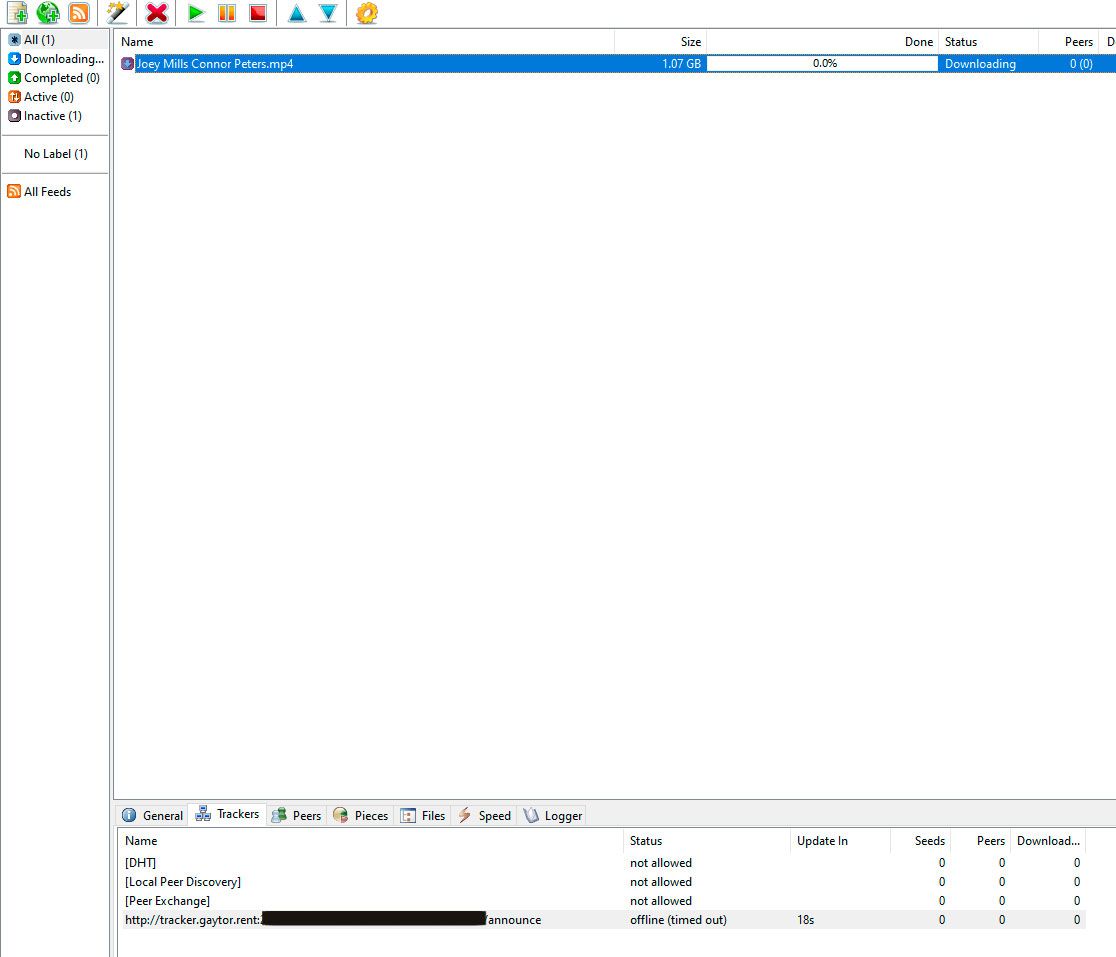
                        Downloads in the qBittorrent client have turned red.
                        Status: Not working, server not responding.
                        This has been going on for 3 days now. What is happening?
                        00.jpg

                        1 Reply Last reply Reply Quote 1
                        • JokerJ Offline
                          Joker
                          last edited by

                          Hi @Arisugava000,

                          thanks for the report. Several members have reported the same tracker problem since the weekend, so it is not something on your side. We are looking into it. Please keep your torrents in the client for now.

                          Joker

                          1 Reply Last reply Reply Quote 1

                          Hello! It looks like you're interested in this conversation, but you don't have an account yet.

                          Getting fed up of having to scroll through the same posts each visit? When you register for an account, you'll always come back to exactly where you were before, and choose to be notified of new replies (either via email, or push notification). You'll also be able to save bookmarks and upvote posts to show your appreciation to other community members.

                          With your input, this post could be even better 💗

                          Register Login
                          • 1
                          • 2
                          • 3
                          • 4
                          • 3 / 4
                          • First post
                            Last post