Trying to upload but it keeps saying "Stalled" under status
-
Hi
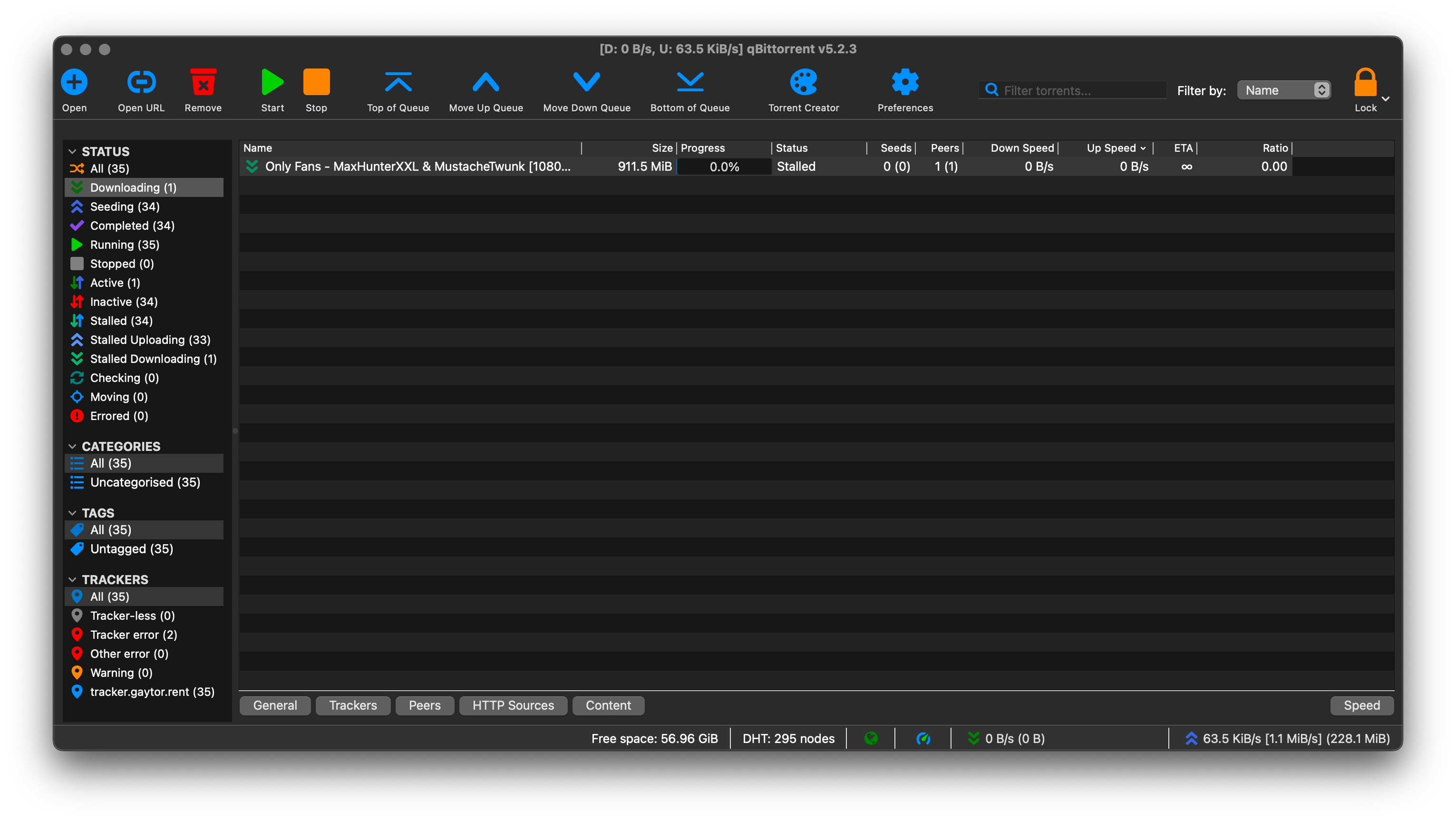
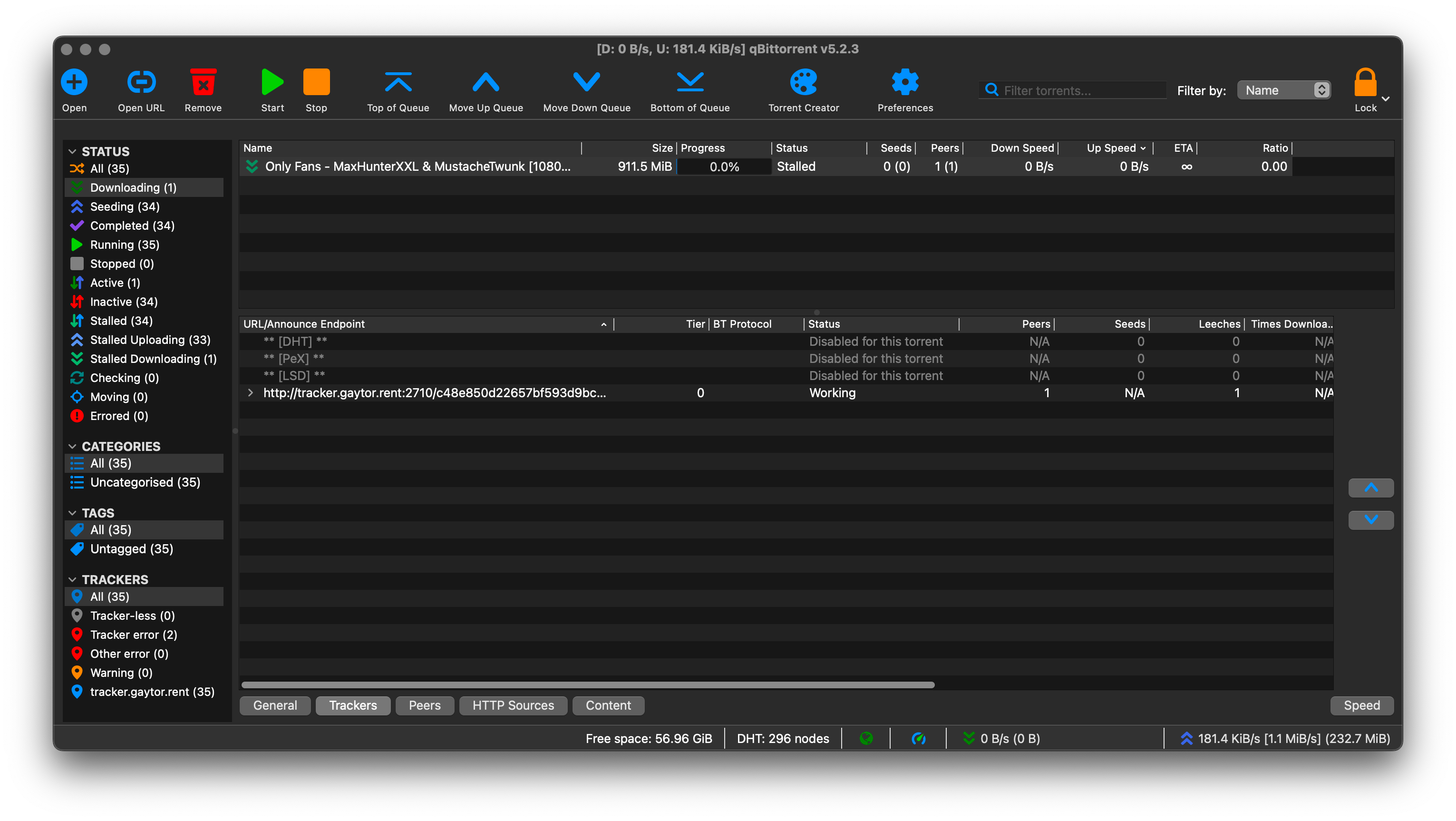
I'm using qbittorrent as my client. I have uploaded a few torrents before and have had no issues. Today, I am attempting to upload a video and I go through all the usual steps and after checking the file and starting to upload it says "Stalled" under status. I've checked the directory, the tracker url and my ports and don't understand why it's stalling. Any help? I've included screenshots of qbittorrent.
This the upload https://www.gaytor.rent/details.php?id=9iESkyGea2btMObLcu8kDQ
I tried using both the classic uploader and the upload manually, both showing status as stalled.
Thanks
-
@nrgbolt Are you absolutely certain you've got the downloaded torrent pointing at the correct directory - i.e. one that contains a copy (or the original) of the file?
Switch to the "General" tab, and double check the "Save Path". On more than one occasion I've initially got it wrong and ended up trying to download it one level too deep - e.g. should be ".../here-it-is/" but I've pointed to ".../here-it-is/here-it-is/". This is particularly easy when you've included a directory when you've created a torrent, not just specific files.
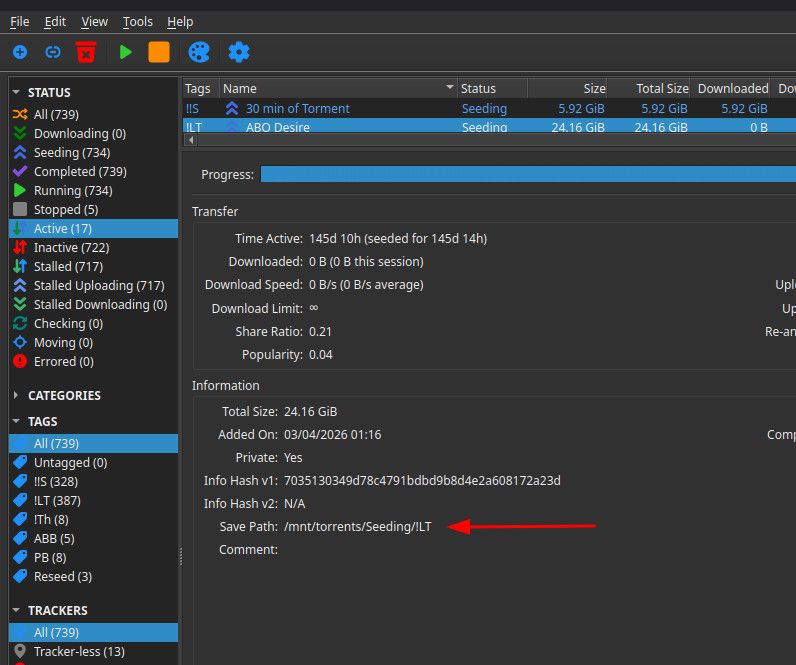
If it is incorrect, simply pause the torrent, right-click it, choose 'Set location', then navigate to the correct directory. It can be a bit tricky sometimes. I often choose a completely different directory a level or two higher up first, so I can then drill down cleanly in the correct directory.
-
I've checked and the save path is definitely correct. I've even rechecked the torrent using qbittorrent and it finds it 100%.
-
@nrgbolt that's not what your screenshots suggest, it says you have 0% of the file. if qbittorrent is indeed checking the file when the torrent is added, but returns a 0% progress after that process, it means you are trying to seed a different file.
if you have a file with the same name, qbittorrent will hash it, if it matches 100% the progress will be 100% and the file status will change to seeding.
if you have the exact same file, same name, same path and yet it always fails to perform a successful check, you will have to create the torrent file again preferably using a different tool/client.
i could be wrong but to me it sounds like you have two different files with the same name, you created the torrent for one and is trying to seed the other.
-
@ianfontinell I only have one file with that name in one specific folder. It is completing the check the fine and when it moves to download it stalls.
-
It's working now!


Hello! It looks like you're interested in this conversation, but you don't have an account yet.
Getting fed up of having to scroll through the same posts each visit? When you register for an account, you'll always come back to exactly where you were before, and choose to be notified of new replies (either via email, or push notification). You'll also be able to save bookmarks and upvote posts to show your appreciation to other community members.
With your input, this post could be even better 💗
Register Login