A connection attempt failed in download
-
Still not solved for me... it was good... for a while...
-
It seems a little better after unchecking IPv6 in Windows Network settings. Now, instead of "unreachable", I get connection timeouts.
Regardless, there's always some amount of errors when I check my client during the day. The problem is still not solved for me either.
-
IPv4 uses globally unique public addresses for traffic and “private” addresses.
IPv6 uses globally unique unicast addresses and local addresses
Can you use both IPv4 and IPv6?
Yes. A device that supports dual-stack IPv4/IPv6 addressing can interoperate equally with IPv4-only,
IPv6-only, and other dual-stacked IPv4/IPv6 devices.
When two communicating devices are both dual stacked, they agree on which IP version to use.
SEE : https://www.juniper.net/us/en/research-topics/what-is-ipv4-vs-ipv6.htmlIPv4 vs IPv6: what are they and what's the difference?
SEE : https://cybernews.com/what-is-vpn/ipv4-vs-ipv6/ -
@yepyep7891
No timed out connections for 24+ hours now. Seems to be fixed for me, finally. -
@tnar I haven't had any connection errors in the last 12 hours. I've been checking since 6:00 am (CST) this morning. Hope it stays this way.
-
Downloads in the qBittorrent client have turned red.
Status: Not working, server not responding.
This has been going on for 3 days now. What is happening?
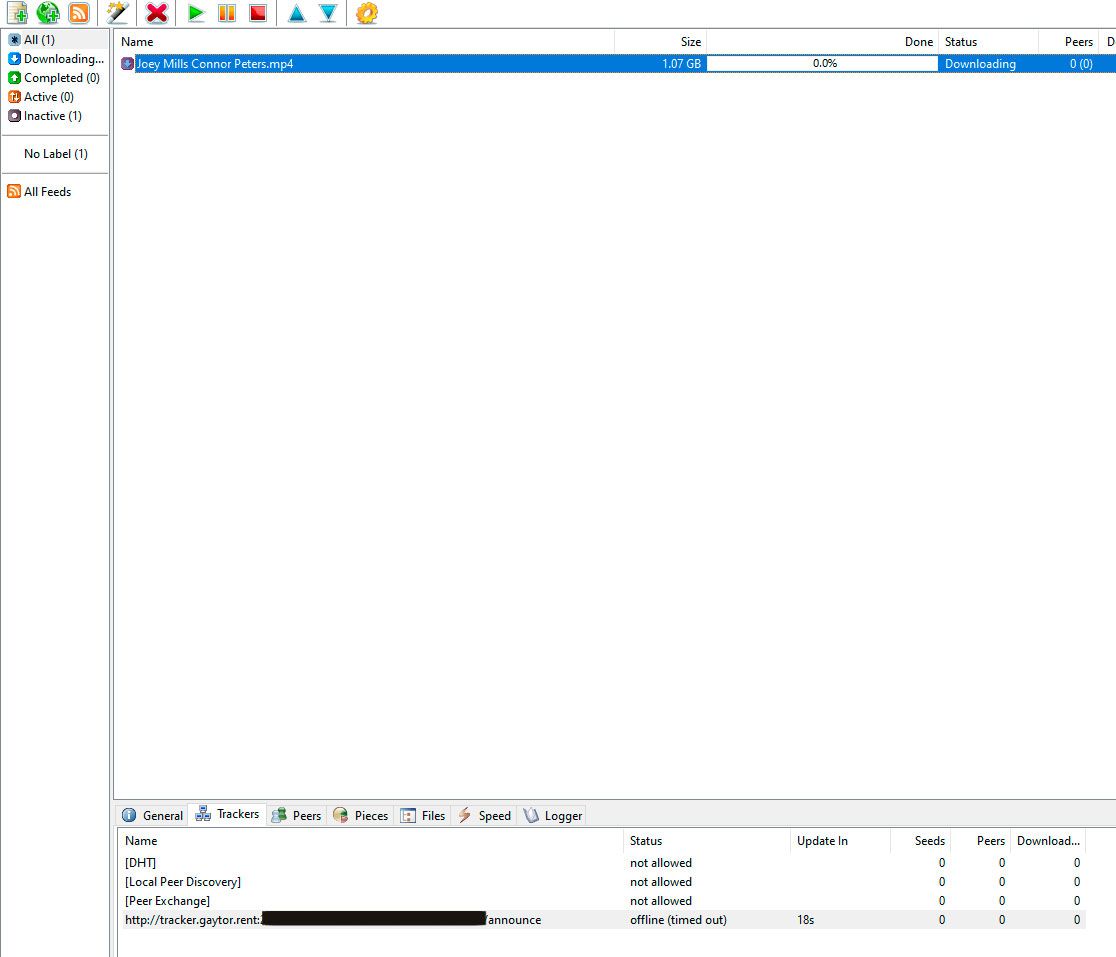
-
Hi @Arisugava000,
thanks for the report. Several members have reported the same tracker problem since the weekend, so it is not something on your side. We are looking into it. Please keep your torrents in the client for now.
Joker
-
@Joker I hope that you will resolve this situation soon, as it has been impossible to download anything for 4 days now. The server is dead and unresponsive.
-
Hi Arisugava000,
thanks for the report. Several members have described the same tracker timeout over the last few days, so it is not caused by your client or your settings. It has been passed on to the admin to check the tracker.
For now please leave the torrents in your client, they reconnect on their own once the tracker answers again.
Joker
-
@Joker Hi

Same problem here - nothing I am able to dl and nothing I am able to seed (all red). It came suddenly since weekend. All other torrents from other sites are working perfect. I am wonder then this situation will be solved?
Many thanks in advance. -
Hi @aaazzz111,
thanks for the report. This is the same tracker timeout several members have described since the weekend, so it is not caused by your client or your settings. It has been passed on to the admin.
Please keep your torrents in the client, they reconnect on their own once the tracker answers again.
Joker


Hello! It looks like you're interested in this conversation, but you don't have an account yet.
Getting fed up of having to scroll through the same posts each visit? When you register for an account, you'll always come back to exactly where you were before, and choose to be notified of new replies (either via email, or push notification). You'll also be able to save bookmarks and upvote posts to show your appreciation to other community members.
With your input, this post could be even better 💗
Register Login