GayTorrent Uploader - New tool for Windows users

-
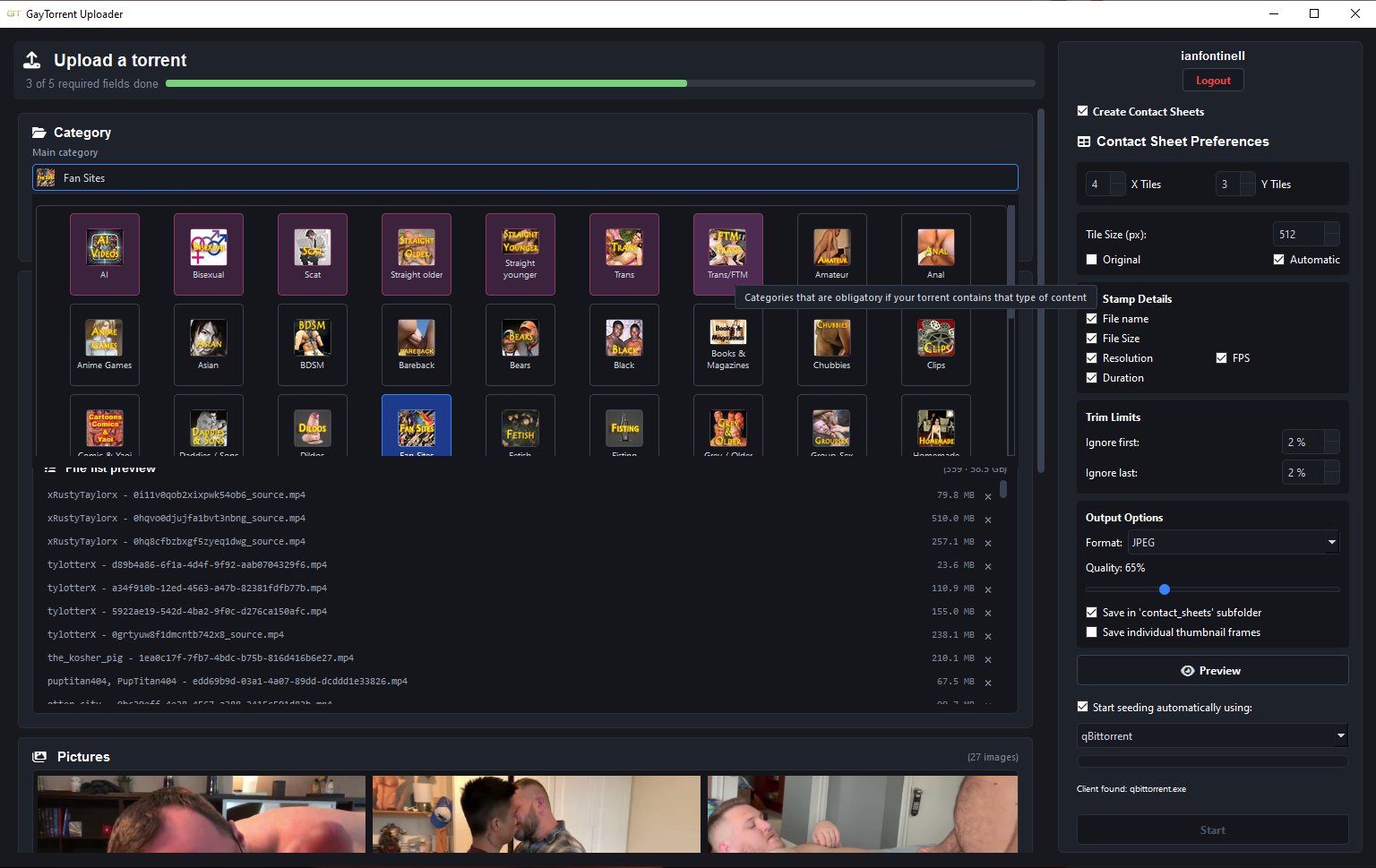
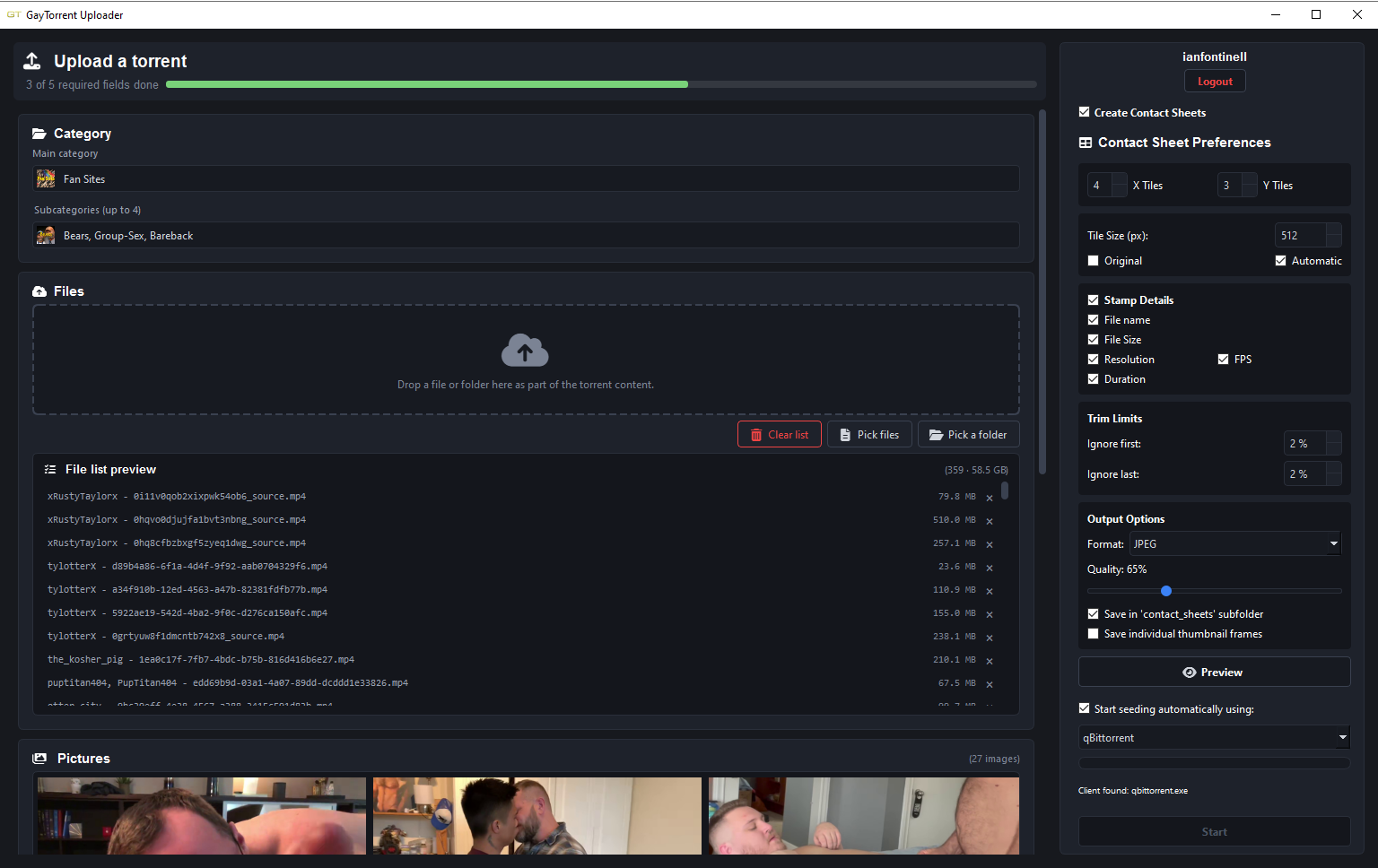
Example contact sheet:

Spent the last week working on this tool, to work as a temporary alternative while we all wait for the official QTM release.
Key Features
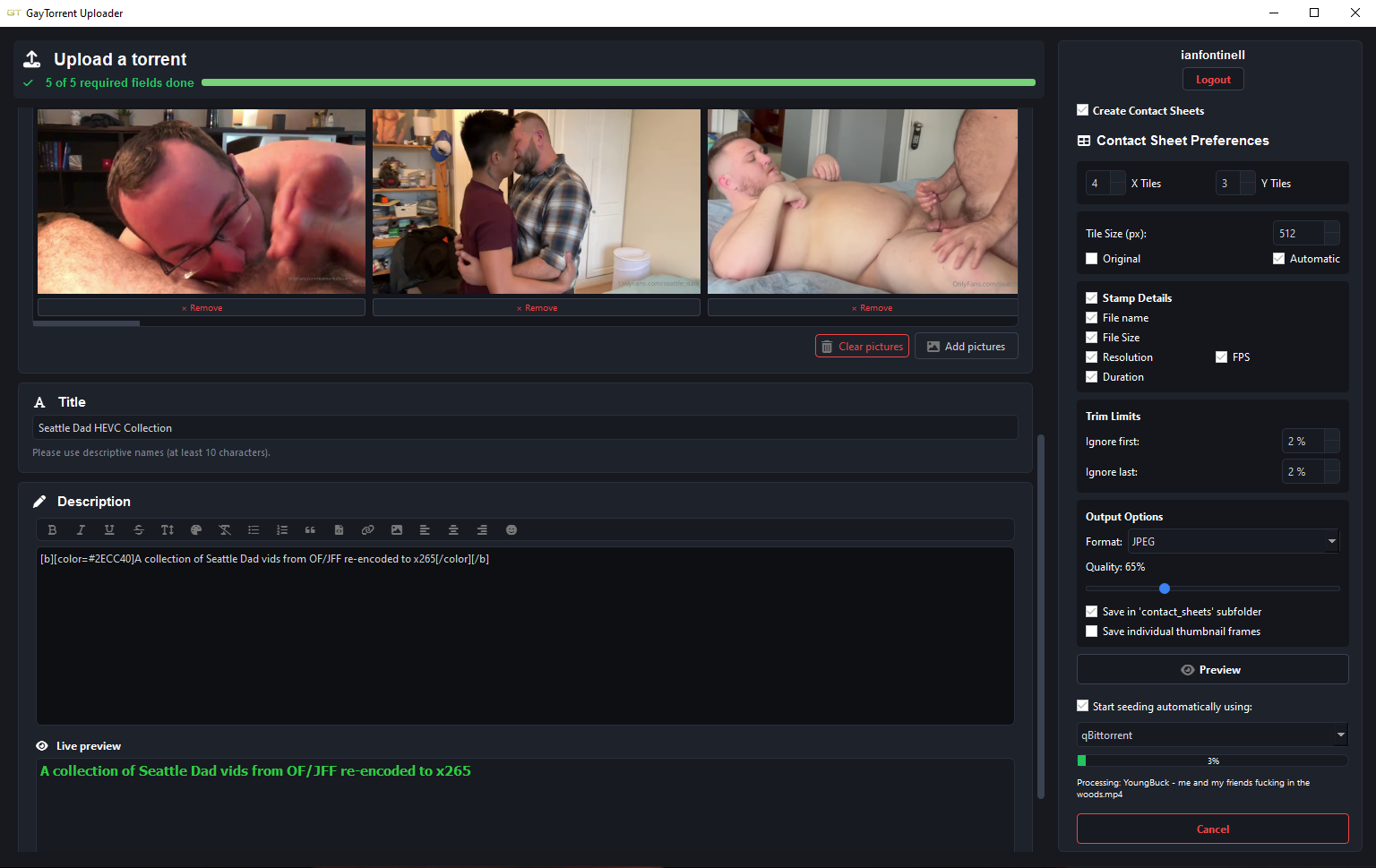
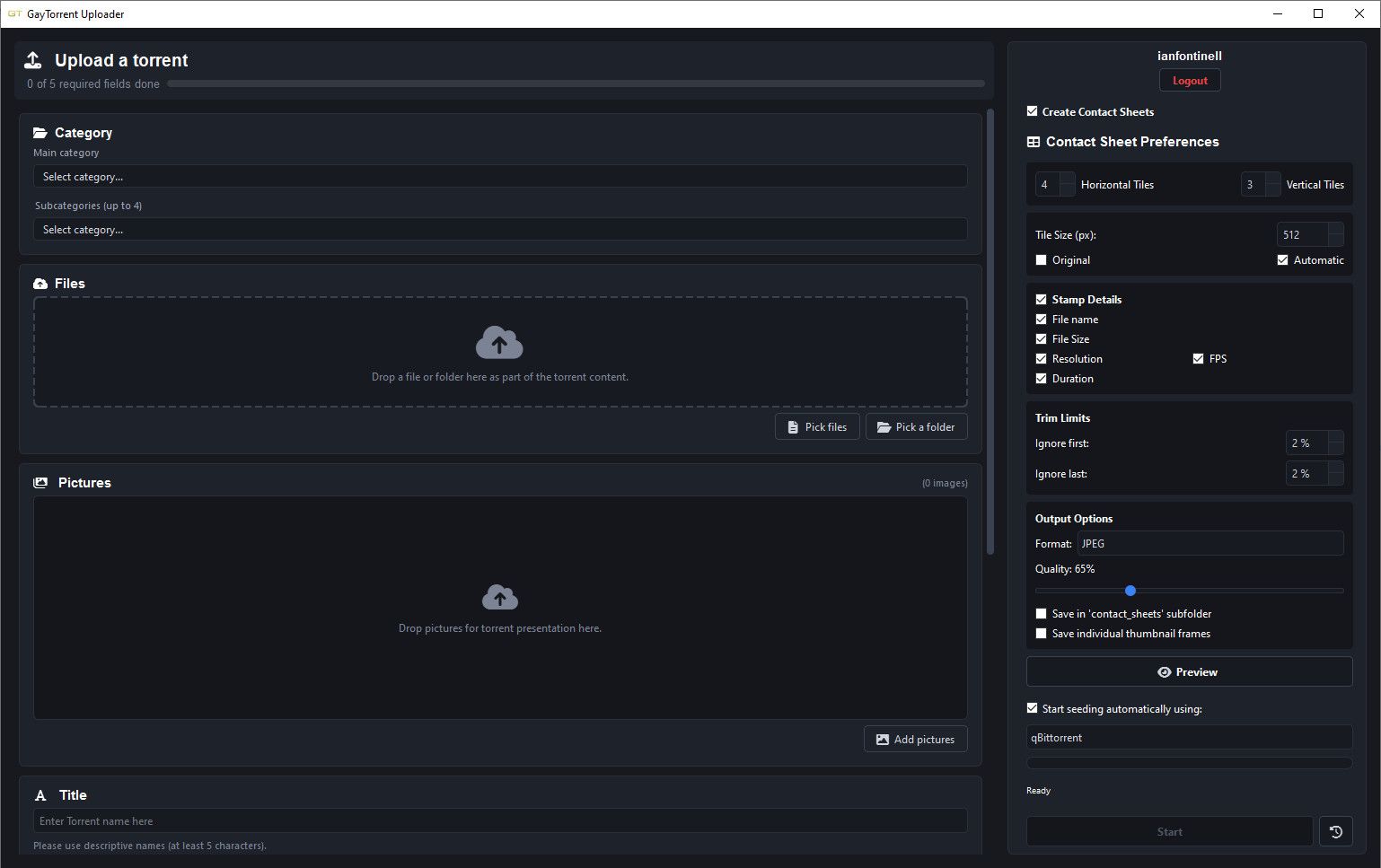
- Emulates the look and feel of the online upload page.
- Image files added to the torrent content automatically populate the torrent presentation pictures.
- Allows uploading to categories that the user has blocked for convenience.
- Has a built-in highly customizable Contact Sheet creator (can create contact sheets and individual thumbnail frames).
- Option to automatically start seeding the uploaded torrent using qBittorrent (currently this is the only client supported)
Security
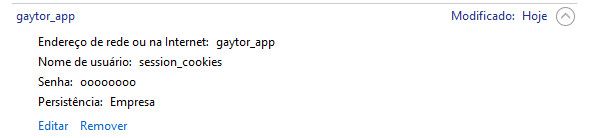
On the first launch, it uses Selenium to start a Chrome instance where you will login to your gaytorrent account. Once the login is successful, the browser will automatically close, and the session cookies will be safely stored into Windows Credential Manager, fully encrypted:
It is a very simple application, doesn't offer any settings page and doesn't keep any log of created torrents, I'll see if it's worth improving it if other people try it and report their opinions. If I'm being honest I will be surprised if it even run in other people's machines lol
It could as well work with Linux IF someone compiled it, which I can't, so for now it is exclusive to Windows. If you want to try it, you can find it in my Github: https://github.com/lucassantilli/gtupl/releases/download/gtul_a/GayTorrent.Uploader.zip
-
@ianfontinell Is this different from the following?
Quick Torrent Maker - In development
The old QTM desktop app retired together with the old site. Its replacement is being built right now: it will create the .torrent, announce it and hand off to your client in one go. Until it lands, use the browser upload next to this.
Also, the zip file, is there an executable file in it for us to auto-install or do we need to do so ourselves manually?
-
@imgayru2 not at all related with QTM and not affiliated with the site whatsoever, I just decided to make it because currently there isn't any dedicated upload tool. The zip is for a portable program, it doesn't require installation, you just have to run "gtupl.exe" and it will start. On the first run it will launch Google Chrome first (if you have it) for you to login. After that the actual upload window will open automatically.
-
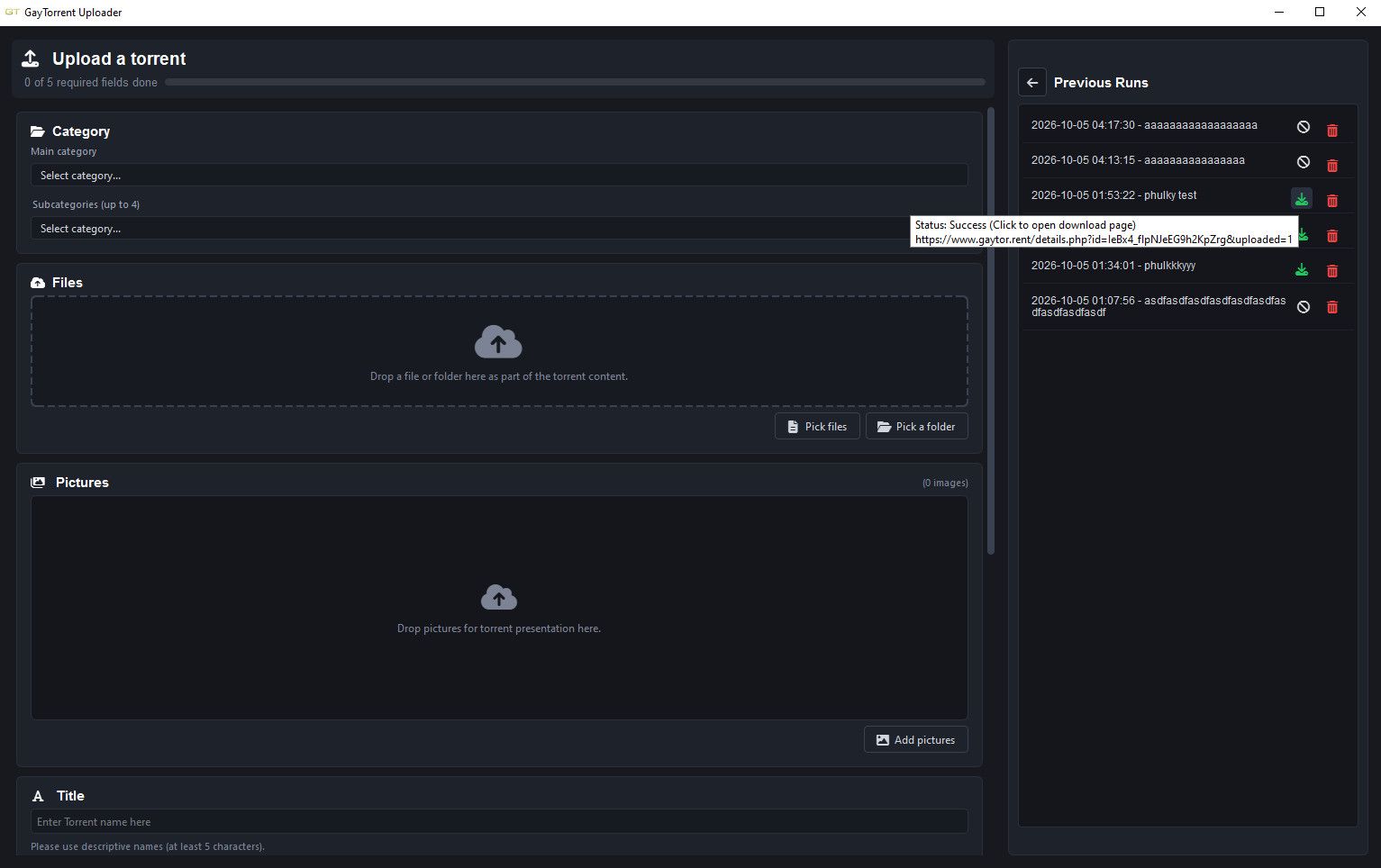
- [NEW] Added a history panel with previous runs, status & download link
- Created torrents are now v1-only for better compatibility
- Fixed the description formatting buttons that were not working properly
- Removed the WebUI entry from the clients list, I won't be supporting it anymore
- Made the progress labels more accurate to reflect when a task fails vs when it's cancelled
- Replaced the staging phase logic to use symlinks instead of full file copies for better performance and efficiency (if symlink creation is not possible it will fall back to regular file copy)
- Implemented log saving
- Last picked path is stored for convenience
- App finally has an installer/uninstaller now
Download: https://github.com/lucassantilli/gtupl/releases/download/gtupl10/GTUpl_Installer.exe
-
EDIT: Moved from using symlinks to hardlinks so the app can run without admin privileges
-
- Refactored the file list preview table to improve performance when adding thousands of files.
- Packed image assets into the program so if the files are accidentally deleted the program will restore them.
https://github.com/lucassantilli/gtupl/releases/latest/download/GTUpl_Installer.exe
-
Quick update: ianfontinell kindly handed this tool over to us, so it now has an official home and a new name, Gaytor.rent Uploader, and it runs on Mac too. Downloads and details: https://community.gaytor.rent/topic/70345
Thanks a lot, ianfontinell!
Joker


Hello! It looks like you're interested in this conversation, but you don't have an account yet.
Getting fed up of having to scroll through the same posts each visit? When you register for an account, you'll always come back to exactly where you were before, and choose to be notified of new replies (either via email, or push notification). You'll also be able to save bookmarks and upvote posts to show your appreciation to other community members.
With your input, this post could be even better 💗
Register Login