What torrent client should I use?
-
@Aestet Hmm. OK. It's quite an old torrent, so while there may be seeders, it does sometimes take a while to start. Also, there's this "port forwarding" thing I mentioned which also sometimes complicates things, but I won't get into that now as it'll just confuse you. It's odd, though, that your qB is showing no seeders when there are three. It should probably be showing that.
Can I make a suggestion? Let's start with a torrent that we know is working, so we can at least test it's working under "normal" conditions.
Go to the freeleech list, and pick any recent one from there. Not brand new freeleech though. Maybe the 10th one on the list. "Freeleech" doesn't count against your downloads, so it won't "cost" you anything. You don't even need to want it. You can simply delete it once we've proved it's working.
If you can't decide, use https://www.gaytor.rent/details.php?id=Lq6IQyS9Nb3mnl4NuE7MTQ
It's got 21 seeders, is a reasonable size so won't finish too quickly, and has about 70 hours left, so it might earn you some upload credit while you keep it.
-
@Aestet LOL. OK, I can see you're keen. Can we sort the issues one at a time though? Otherwise it gets confusing for both of us!
-
@Kevin4fm yeah, sorry!
Anyway, I downloaded that file, same issue. 0 peers, and 'stalled'
-
@Aestet OK. Your last screenshot cut off the bottom. Make the window a bit smaller so you can properly capture all of it.
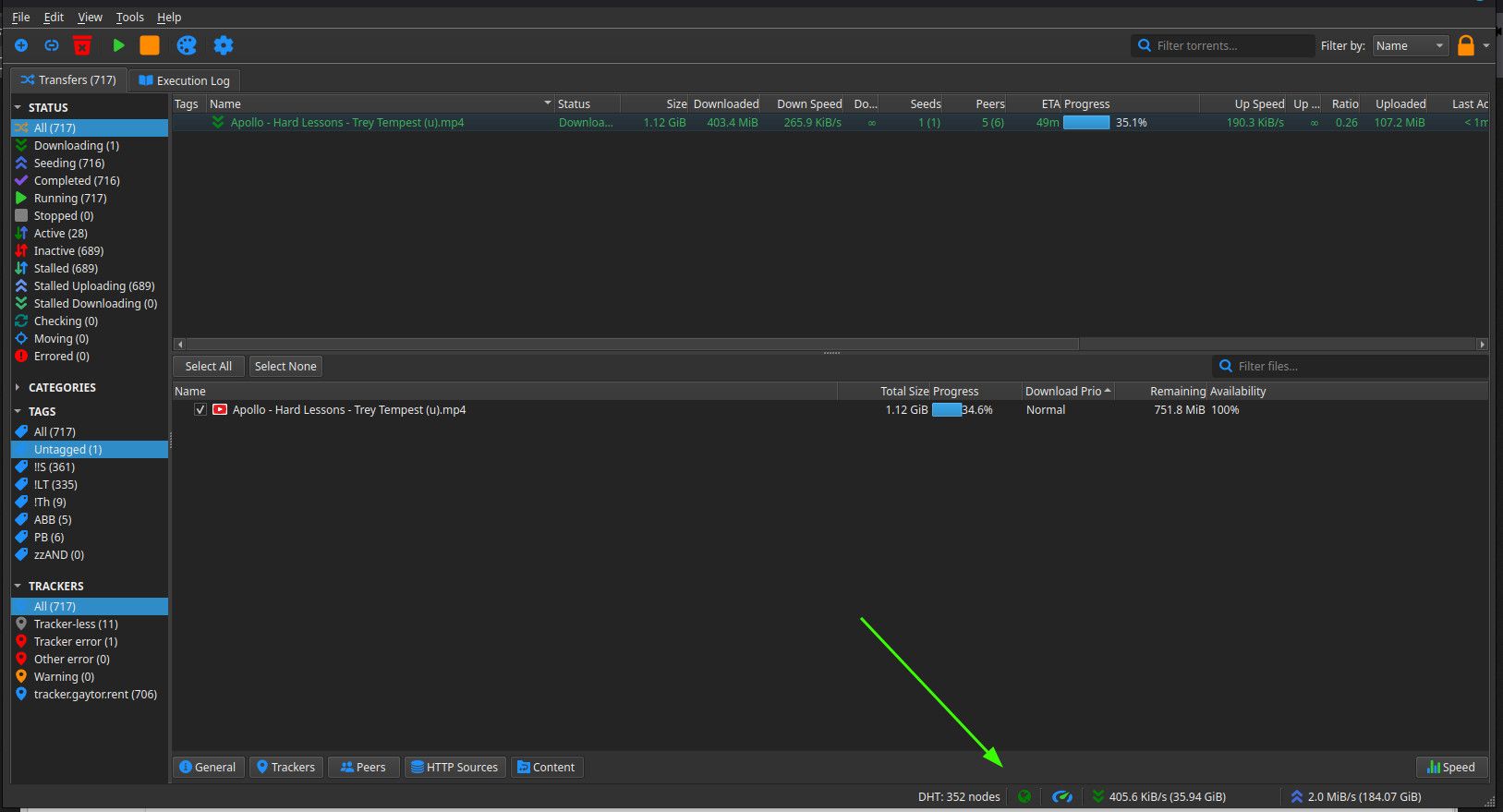
I'm interested in seeing both the two torrents you now have, and the bit at the bottom with the green arrow in my screenshot.
-
-
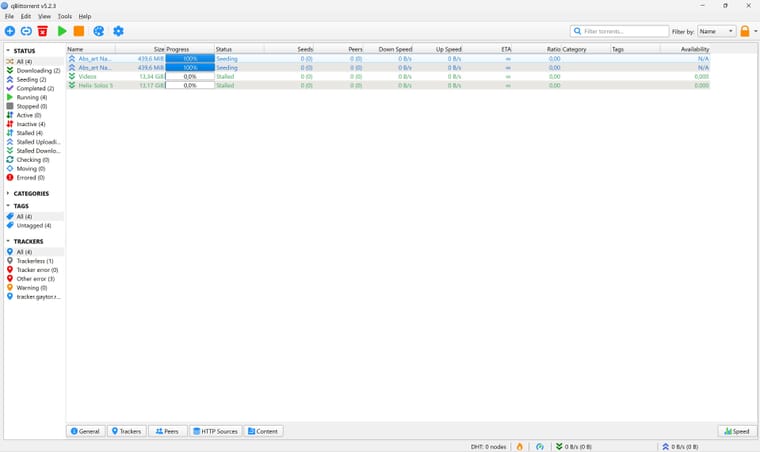
@Aestet OK. The words along the bottom - "General", "Trackers", etc. are tabs. Click any one of them and the bottom part of the window will be come a different panel. As you then click each word, the info in that panel will change. You need to have one of the torrent lines selected though. What shows in that panel is data about the torrent you've selected.
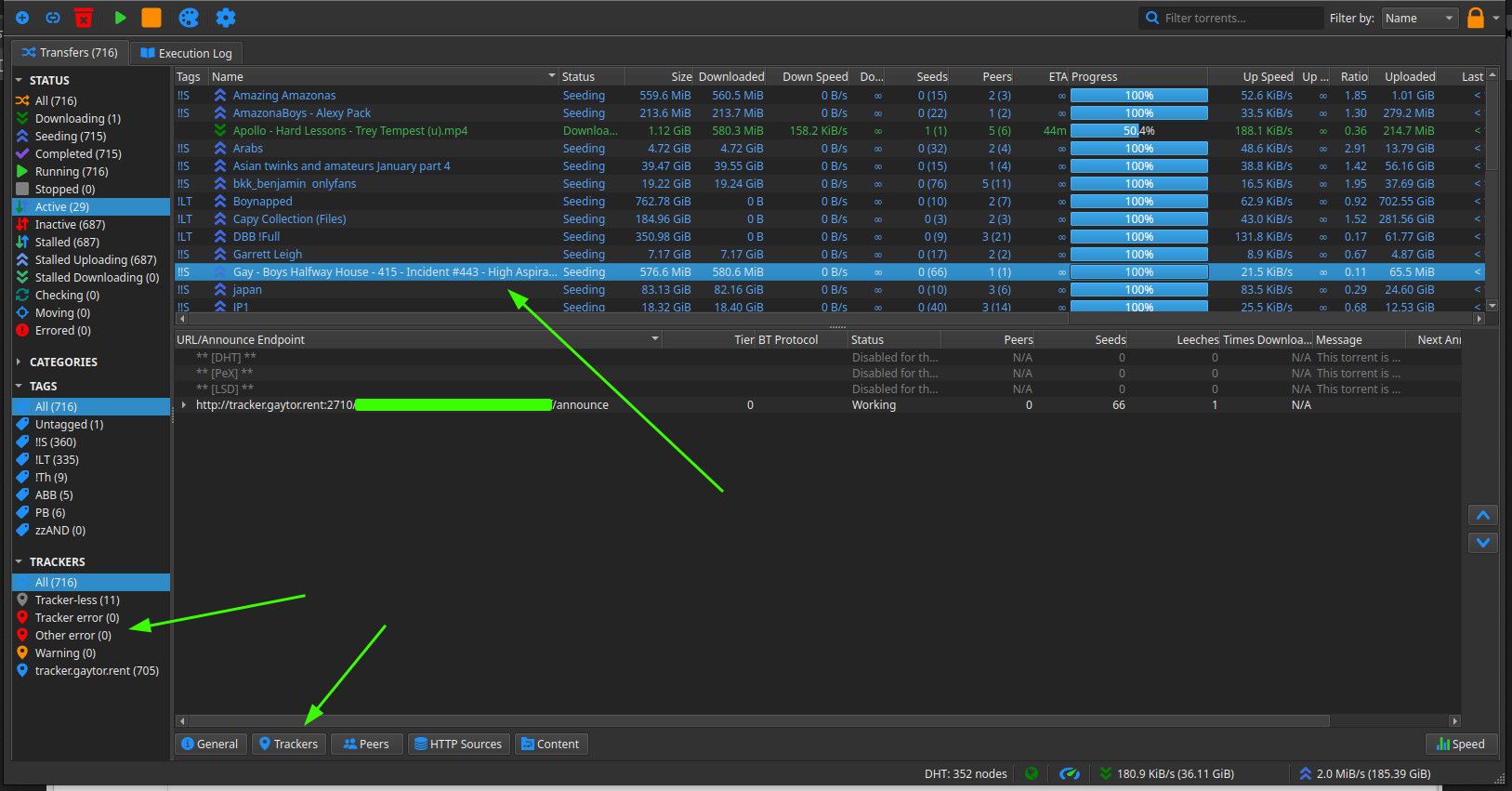
On the left side, under "Trackers", it's showing three errors. Two will be the torrents you've downloaded, and one will be one of the ones you've tried to create.
Can you select one of the two and "Trackers" at the bottom. And tell me what it says in that bottom panel? Or post a shot of it, cos it'll be quite a lot of info, most of which is not strictly relevant.
-
This post is deleted! -
Very sorry for the late response!
-
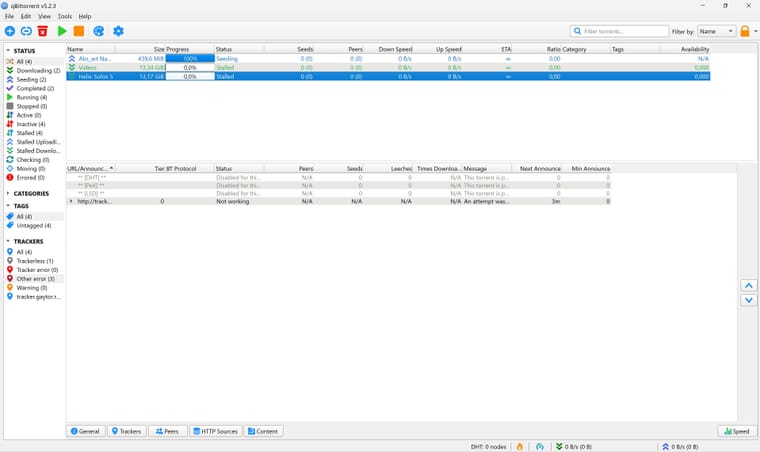
@Aestet OK. The first problem is that the trackers are showing as "Not working". This means your computer can't talk to the site to get details about the torrent, and who has the files you want.
Go into "Tools" at the top, then "Preferences". This will open up all the settings used to configure qB.
Go to "Connections" and see if (1) is set to TCP/uTP. If not, set it to that. Then make sure the option at (2) is ticked. So long as you've not set up port forwarding up on your VPN, the port number between them shouldn't be relevant, but you can also try changing this by clicking the "Random" button.
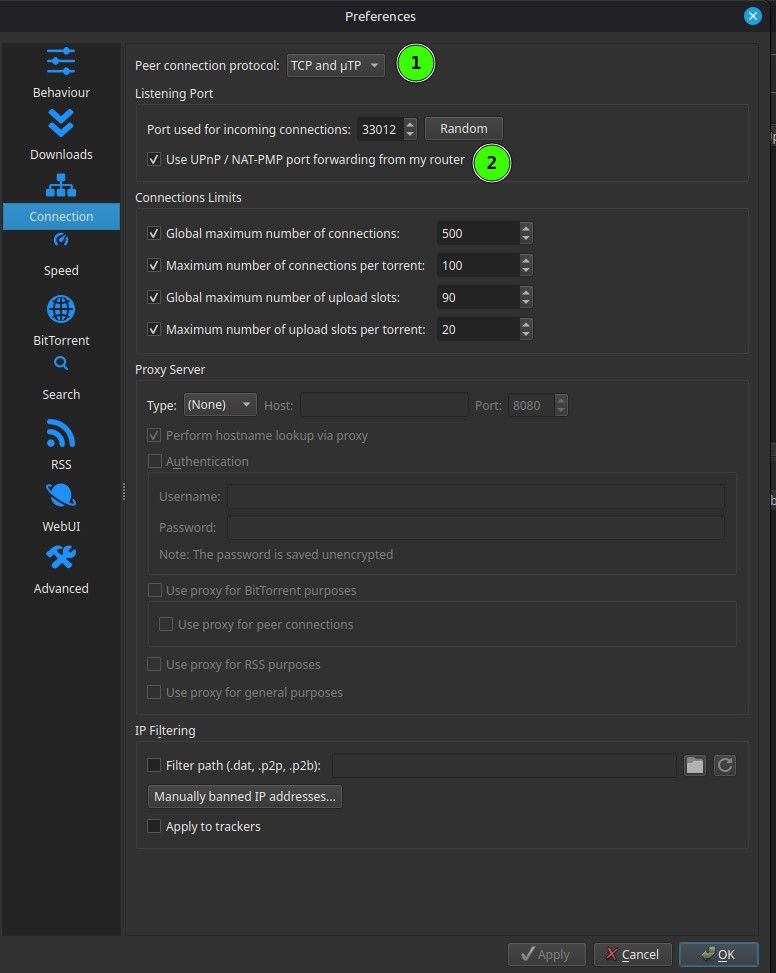
Save these settings by clicking "OK" at the bottom, then exit. See if it starts working after a few minutes. That column "Next announce" will tell you how long you nee to wait, but you can also force it by right clicking the line and selecting "Force Reannounce".
If this doesn't start things working, try a few variations of the same. For instance, change "TCP/uTP" to just "TCP" and try again. Try those options, then let me know.
Other opinions are also available. They're not right, obviously, but they are available.
-
Also, what VPN provider do you use? They sometimes have instructions on torrent client settings, so it's worth a look.
One other suggestion, and ONLY for a short time. Try turning your VPN off to see if qB works when it's not forced through there. Do this literally for just a few minutes, so your risk of exposure is very low. It would be worth setting your VPN not to start automatically on system start, then rebooting, before doing this, just to be sure everything is "clean".
-
@Kevin4fm it was already set to those options
-
@Aestet OK. Try it without the VPN for a short while. If it works when not behind the VPN, that's where the problem lies. If it doesn't, it's more fundamental.
-
@Kevin4fm
I will try it out tomorrow, it's getting quite late for me, sorry! -
@Aestet No problem. It's actually late for me too. I'm GMT+1. You?
-
@Kevin4fm UTC +1
-
@Aestet LOL. OK. Either I'm older than you or more British than you! Why mess about with perfectly good letters!?
-
@Kevin4fm I think you're both older than me, and more British, since I am not British!!
-
Aestet said:
I am not British!!
I actually am not utc+1, but technically we're utc+2, but IDGAF!! I hate the daylight saving thing it's so annoying having to wake up earlier....
-
Anyway, I'm trying without vpn, and now it's working
-
@Aestet Understood. Main thing is we're likely to be awake at similar times as we're in similar timezones.
Any change to your qB status? Or is it as we left it?

Hello! It looks like you're interested in this conversation, but you don't have an account yet.
Getting fed up of having to scroll through the same posts each visit? When you register for an account, you'll always come back to exactly where you were before, and choose to be notified of new replies (either via email, or push notification). You'll also be able to save bookmarks and upvote posts to show your appreciation to other community members.
With your input, this post could be even better 💗
Register Login