Testing
-
@trkr4life Ok. You keep running ahead. And unfortunately, not in the right direction.
Please close that. Delete the torrent from qB, then launch it again., JUST launch it. Then tell me "Yes" if that's the answer to my previous question.
-
@Kevin4fm its doing nothing no downloads
-
@trkr4life No, it won't. Please just do what I asked in my last message.
When you do stuff, please ONLY do what I've asked. Don't be tempted to guess what the next bit is ... it will likely be wrong and just means everything takes longer cos it has to be set up again.
-
it worked before
@Kevin4fm its doing nothing
-
@trkr4life Have you done what I asked? JUST that. DON'T click OK. I didn't ask you to, and I didn't want you to. If you do, you end up where your last screenshot showed.
-
@Kevin4fm i already clicked ok i fucked up i'm sorry
-
@trkr4life OK. So you don't need to scroll back, just close any dialogues that may be open, then delete the torrent from qB, then launch it again., JUST launch it.
JUST that. No "OK" No nothing.
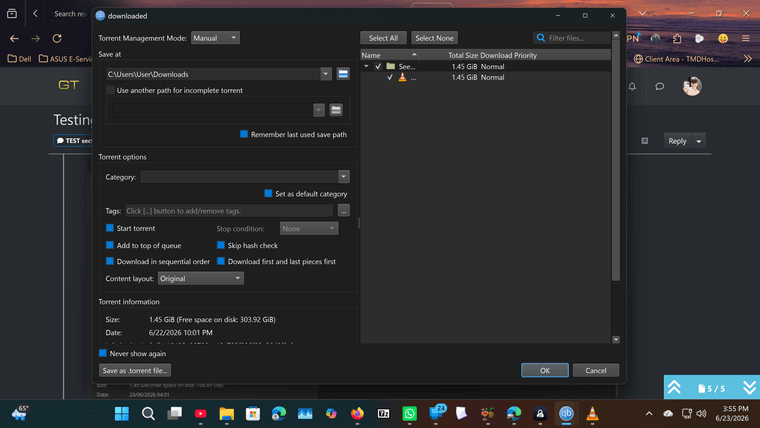
In the dialogue that pops up, Top left, it says "Save at". In that box it should say "C:\Users\User\Downloads" i.e. what it said last time.
When you've done that tell me "Yes" if that's the answer.
-
@Kevin4fm yes
-
@trkr4life Great.
Nolw, omn the right, it will say "downloaded" (1)
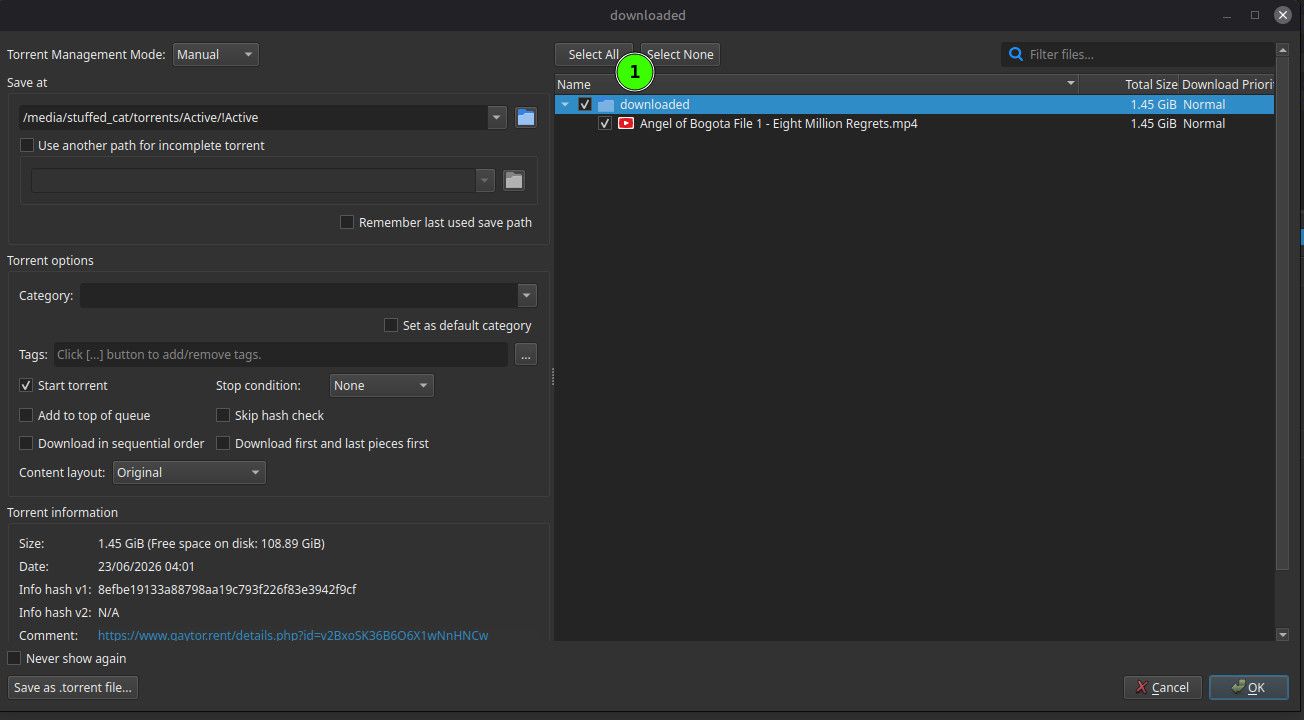
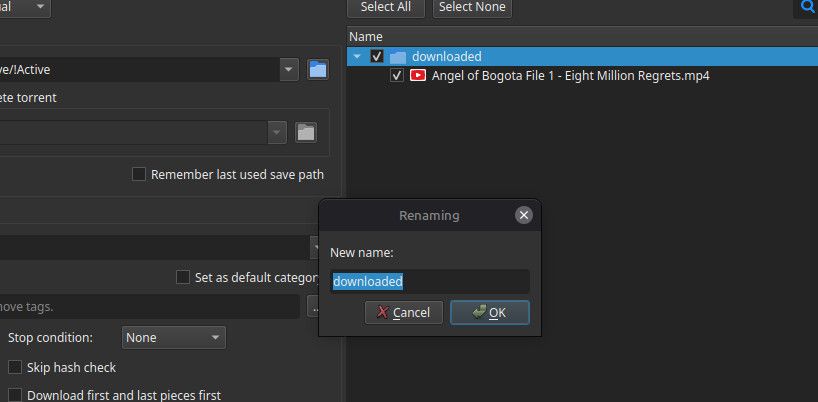
Double click that. A little popup will appear with "downloaded" in it. That's the name of the directory it will look for the file in. Change that to "Seeded" or whatever you called that directory. Write it exactly - Capitals where there are capitals, lower when lower.
Now you can click THAT "OK" .... not any other ones!
-
Other opinions are also available. They're not right, obviously, but they are available.
-
@Kevin4fm ok i clicked ok and it says seeding the name of my folder
-
So now it looks like this. (Ignore my "Save at" .. different OS and different path.
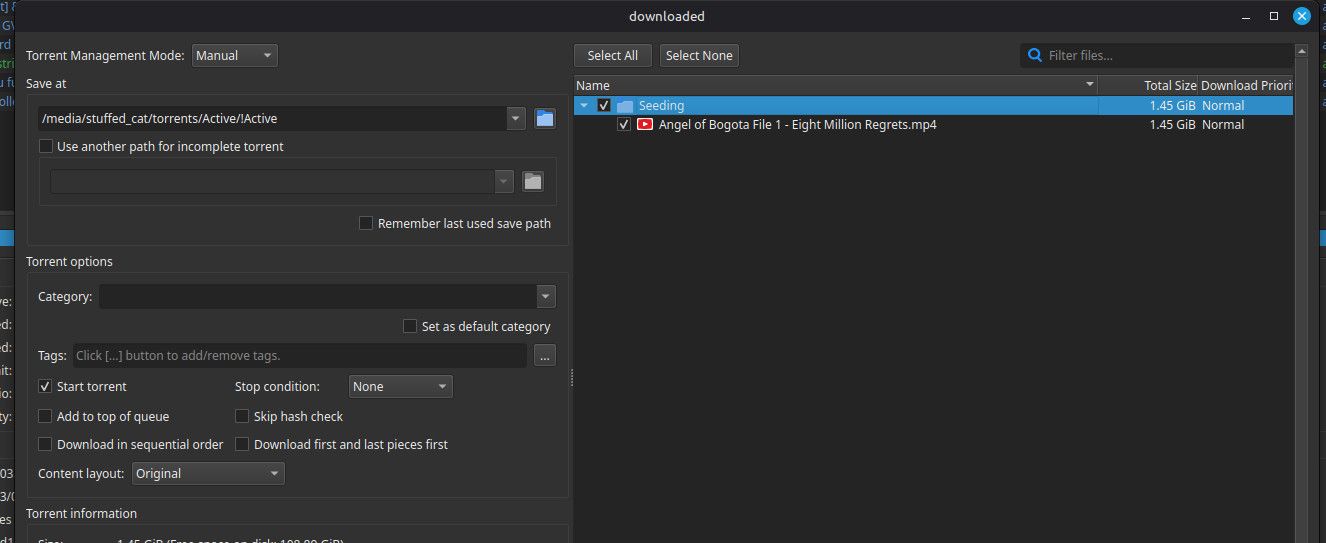
Check the file name it shows is EXACTLY the same as the file that is in that directory.
UNcheck "Start torrent (1)
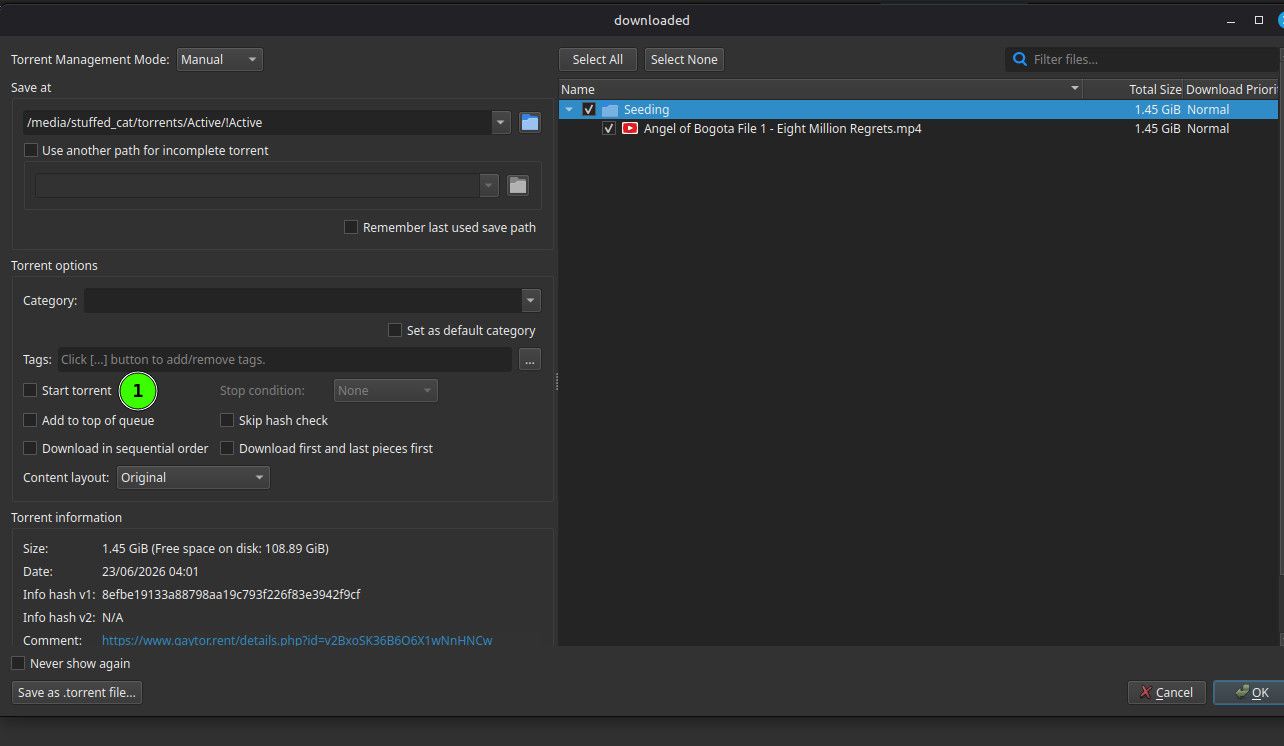
If the file name is right, and you've UNchecked "Start torrent", now you can click your favourite 'OK', bottom right.

Other opinions are also available. They're not right, obviously, but they are available.
-
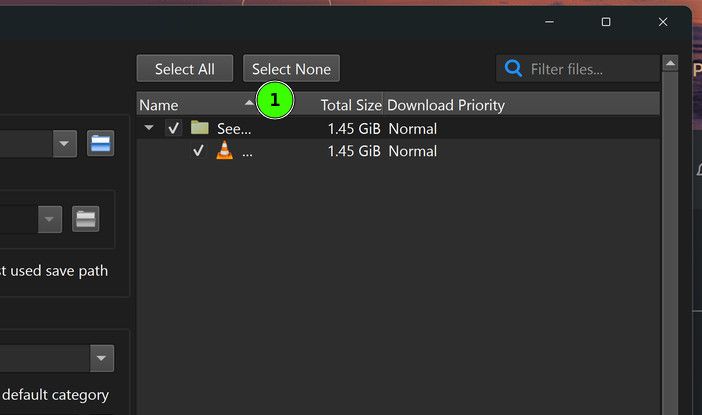
@Kevin4fm it doesnt have the name of the file
-
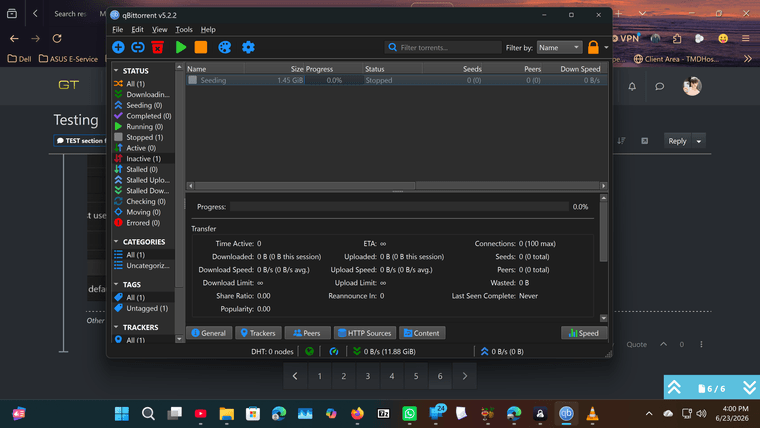
So now, you should have a torrent called "Seeding" in your qB list, which is shown as "Stopped".
If yes, right click that. In the menu that appears , click "Force Recheck" (1)
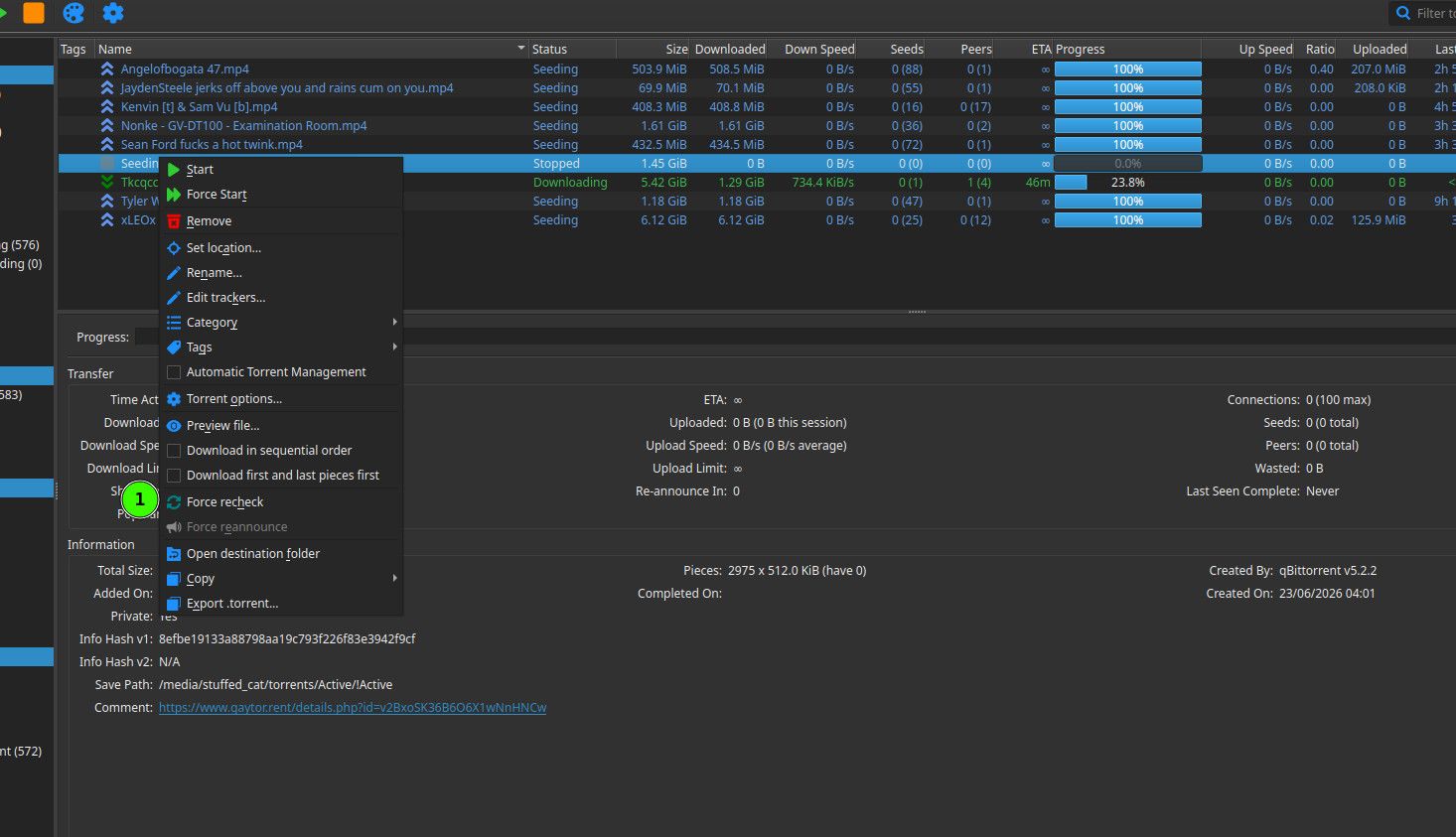
If it didn't show as "Seeding" in the list, tell me, BEFORE doing anything else!
-
@trkr4life That's because your column is too small. Make it bigger by clicking on the line in the title at (1), and dragging that to the right.
-
@Kevin4fm ok seeding is stopped
-
@trkr4life Great. Scroll up to my previous comment at
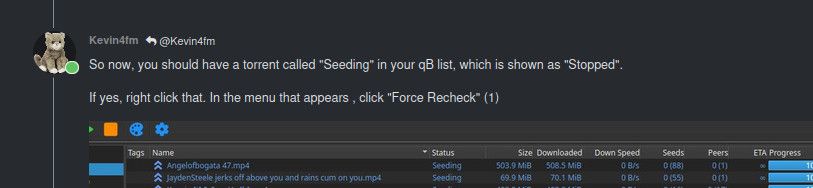
which I posted a little early, and now do that.
-
Oh, you don't need to scroll up. Unless you need to see the full pic.
-
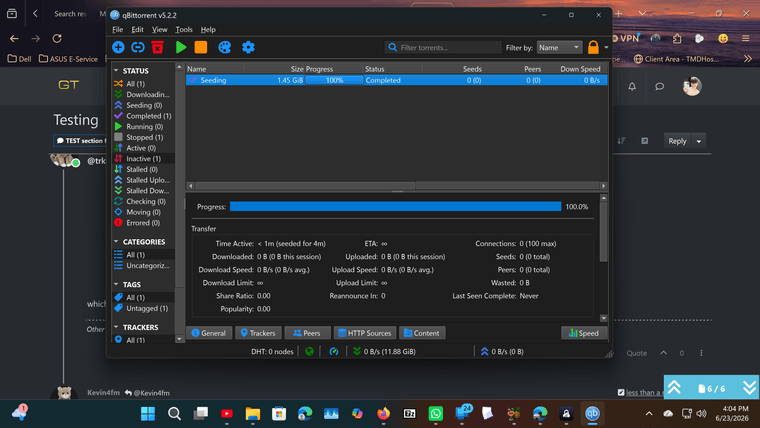
@Kevin4fm ok it downoaded
-
@trkr4life Excellent. Now simply highlight that torrent - I think you already have - and either click the "Start" icon, or right click and select "Start".


Hello! It looks like you're interested in this conversation, but you don't have an account yet.
Getting fed up of having to scroll through the same posts each visit? When you register for an account, you'll always come back to exactly where you were before, and choose to be notified of new replies (either via email, or push notification). You'll also be able to save bookmarks and upvote posts to show your appreciation to other community members.
With your input, this post could be even better 💗
Register Login