Testing
-
Leave it at "Seeding". We are starting to cross messages!
-
so now does the torrent just go in there or does the actual video i made the torrent of go in there too?
-
@trkr4life OK. Let's agree some words, cos it can get confusing:
.torrent is the torrent file you created with qB, and the one you downloaded from GayTor. Those are two different files. You only use the one you created in making the torrent page. GayTor uses that to create its own .torrent file, but they're not the same. Once you've uploaded yours, you never need it again.
torrent is, for all intents and purposes, the page and/or entry you see on GayTor that you created.
Files(s) is/are the contents of the torreent you created. In this case, just one "Angel of..... .mp4"
So, for now there only needs to be one file in your "Seeding" directory - that "Angel of... .mp4". OK?
-
ok so i will leave the torrent file and the video file in the folder for now! gotcha
i cant wait for the surprise lol!
-
i meant to say that i will leave my mp4 file in there sorry
-
@trkr4life OK. You only need that .torrent file for this, now. It can get a bit more complex than that, but that's for another day.
So now, we need to tell the .torrent where it can find the file it needs. So launch it again, if you closed the popup before.
Top left, it says "Save at". In that box it should say "C:\Users\User\Downloads" i.e. what it said last time.
Yes?
-
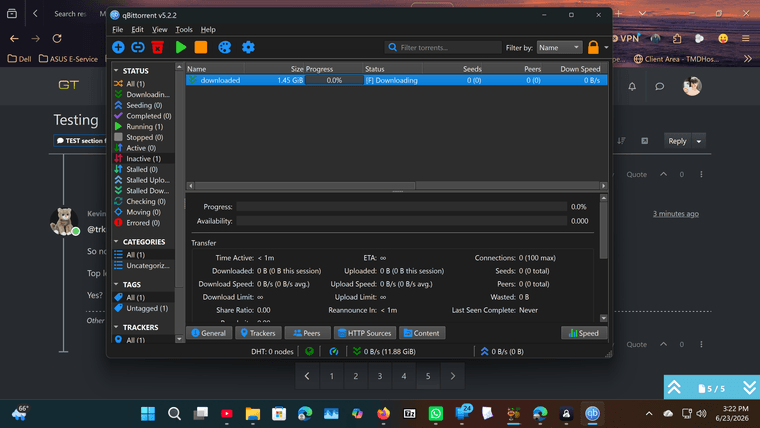
yes but its not downloading now since i changed the folder name
-
@trkr4life Ok. You keep running ahead. And unfortunately, not in the right direction.
Please close that. Delete the torrent from qB, then launch it again., JUST launch it. Then tell me "Yes" if that's the answer to my previous question.
-
@Kevin4fm its doing nothing no downloads
-
@trkr4life No, it won't. Please just do what I asked in my last message.
When you do stuff, please ONLY do what I've asked. Don't be tempted to guess what the next bit is ... it will likely be wrong and just means everything takes longer cos it has to be set up again.
-
it worked before
@Kevin4fm its doing nothing
-
@trkr4life Have you done what I asked? JUST that. DON'T click OK. I didn't ask you to, and I didn't want you to. If you do, you end up where your last screenshot showed.
-
@Kevin4fm i already clicked ok i fucked up i'm sorry
-
@trkr4life OK. So you don't need to scroll back, just close any dialogues that may be open, then delete the torrent from qB, then launch it again., JUST launch it.
JUST that. No "OK" No nothing.
In the dialogue that pops up, Top left, it says "Save at". In that box it should say "C:\Users\User\Downloads" i.e. what it said last time.
When you've done that tell me "Yes" if that's the answer.
-
@Kevin4fm yes
-
@trkr4life Great.
Nolw, omn the right, it will say "downloaded" (1)
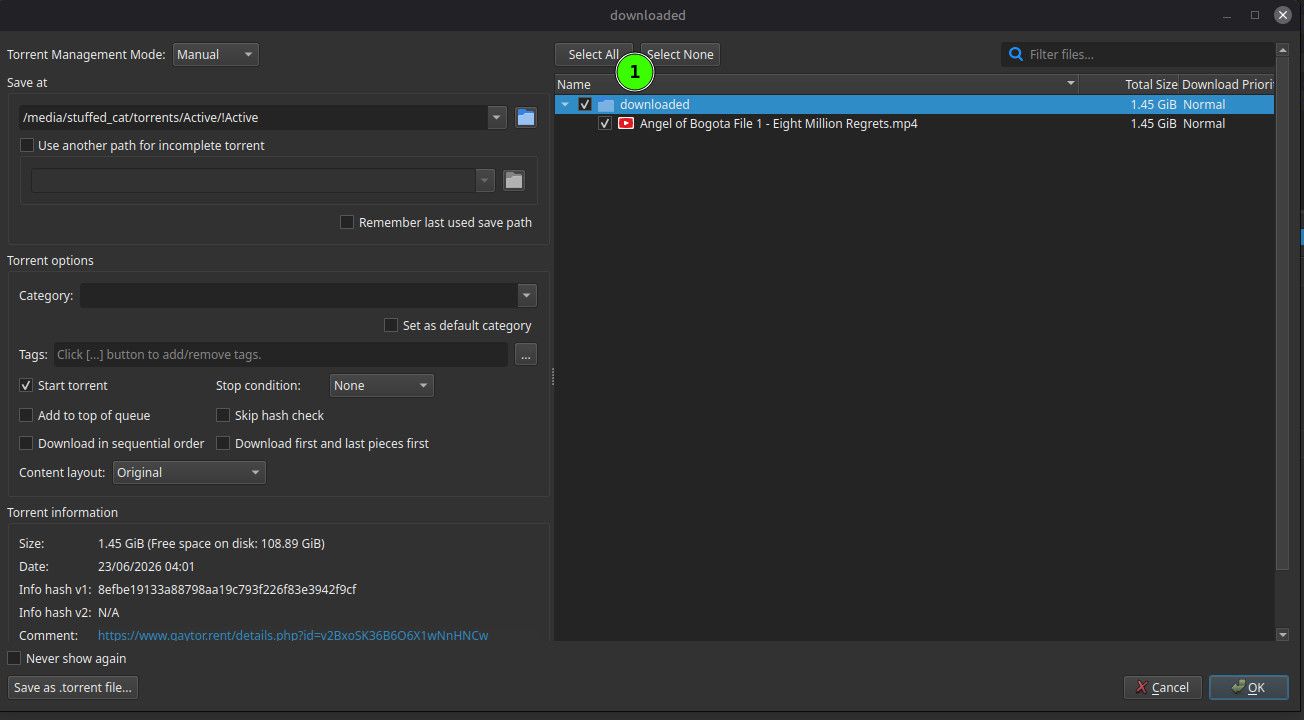
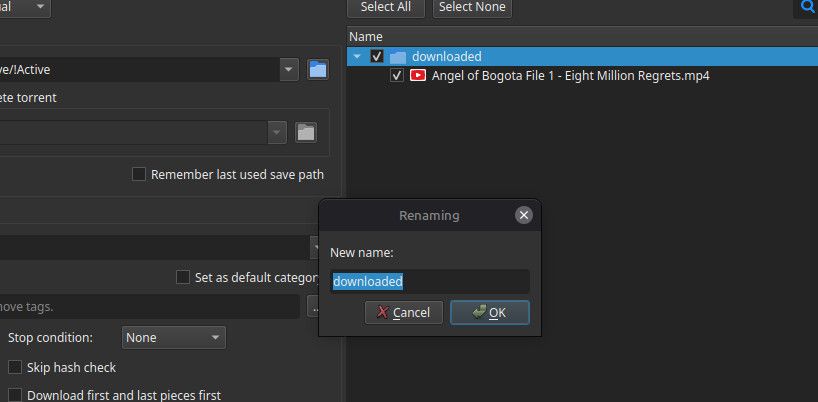
Double click that. A little popup will appear with "downloaded" in it. That's the name of the directory it will look for the file in. Change that to "Seeded" or whatever you called that directory. Write it exactly - Capitals where there are capitals, lower when lower.
Now you can click THAT "OK" .... not any other ones!
-
Other opinions are also available. They're not right, obviously, but they are available.
-
@Kevin4fm ok i clicked ok and it says seeding the name of my folder
-
So now it looks like this. (Ignore my "Save at" .. different OS and different path.
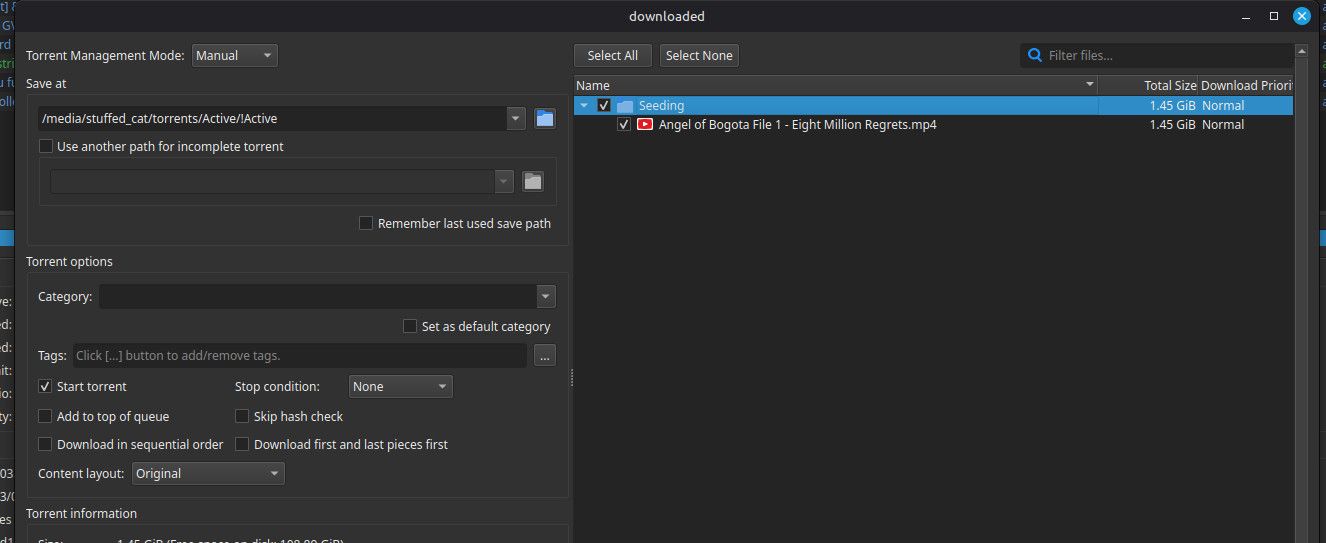
Check the file name it shows is EXACTLY the same as the file that is in that directory.
UNcheck "Start torrent (1)
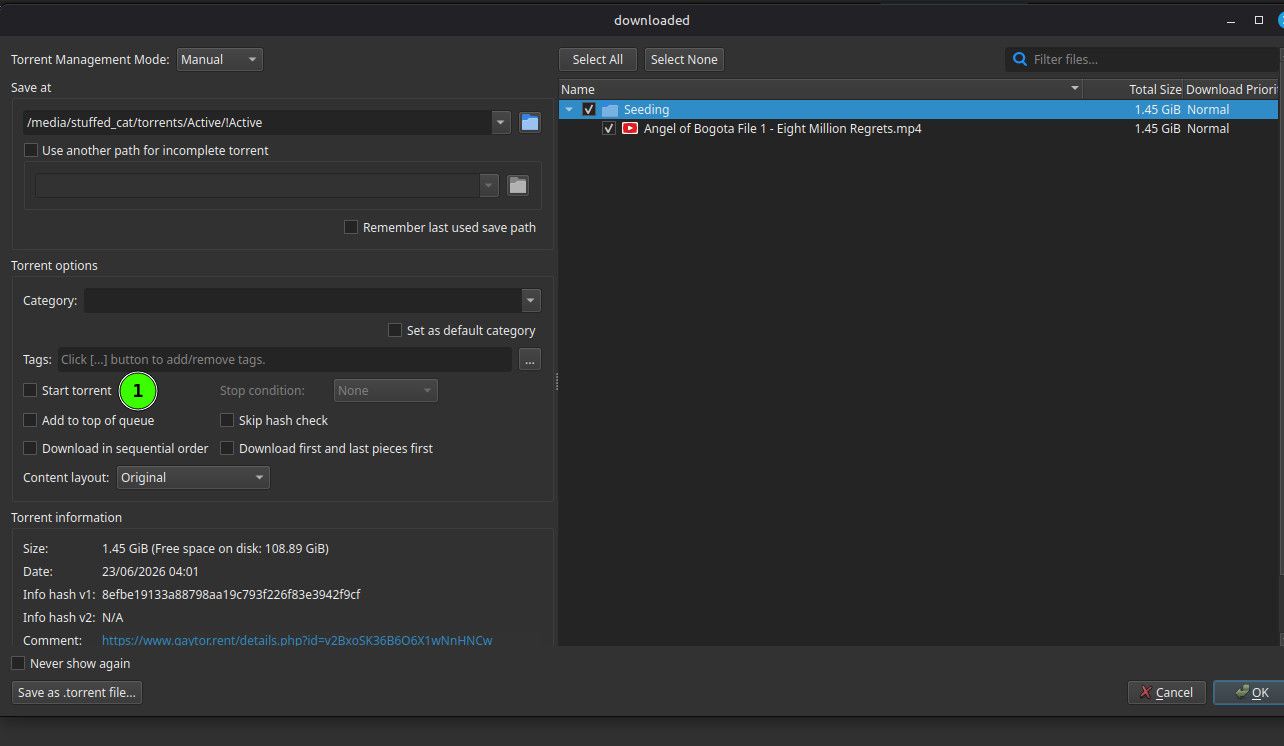
If the file name is right, and you've UNchecked "Start torrent", now you can click your favourite 'OK', bottom right.

Other opinions are also available. They're not right, obviously, but they are available.
-
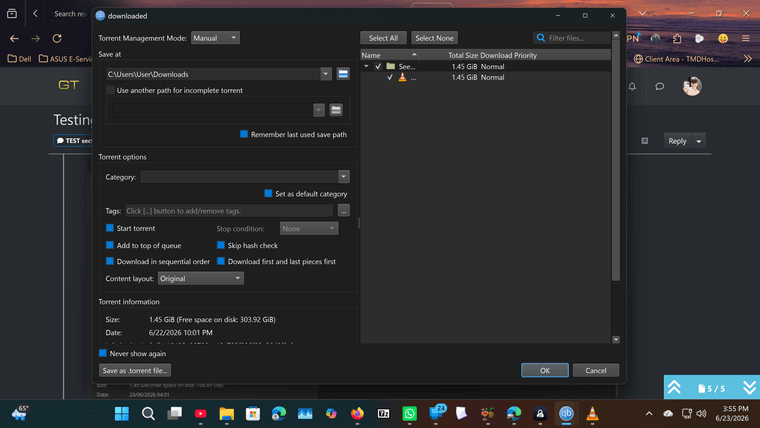
@Kevin4fm it doesnt have the name of the file


Hello! It looks like you're interested in this conversation, but you don't have an account yet.
Getting fed up of having to scroll through the same posts each visit? When you register for an account, you'll always come back to exactly where you were before, and choose to be notified of new replies (either via email, or push notification). You'll also be able to save bookmarks and upvote posts to show your appreciation to other community members.
With your input, this post could be even better 💗
Register Login