Testing
-
no its my torrent i made it
-
i have to go for about an hour or so but will be back i appreciate the help
-
@trkr4life I understand, but that doesn't answer the second question I asked.
You need to delete that torrent. JUST the torrent, not any files. Highlight the torrent "downloaded" in the list, right click it, then make sure "Also remove the files" is UNchecked. Then click "Remove" (1)
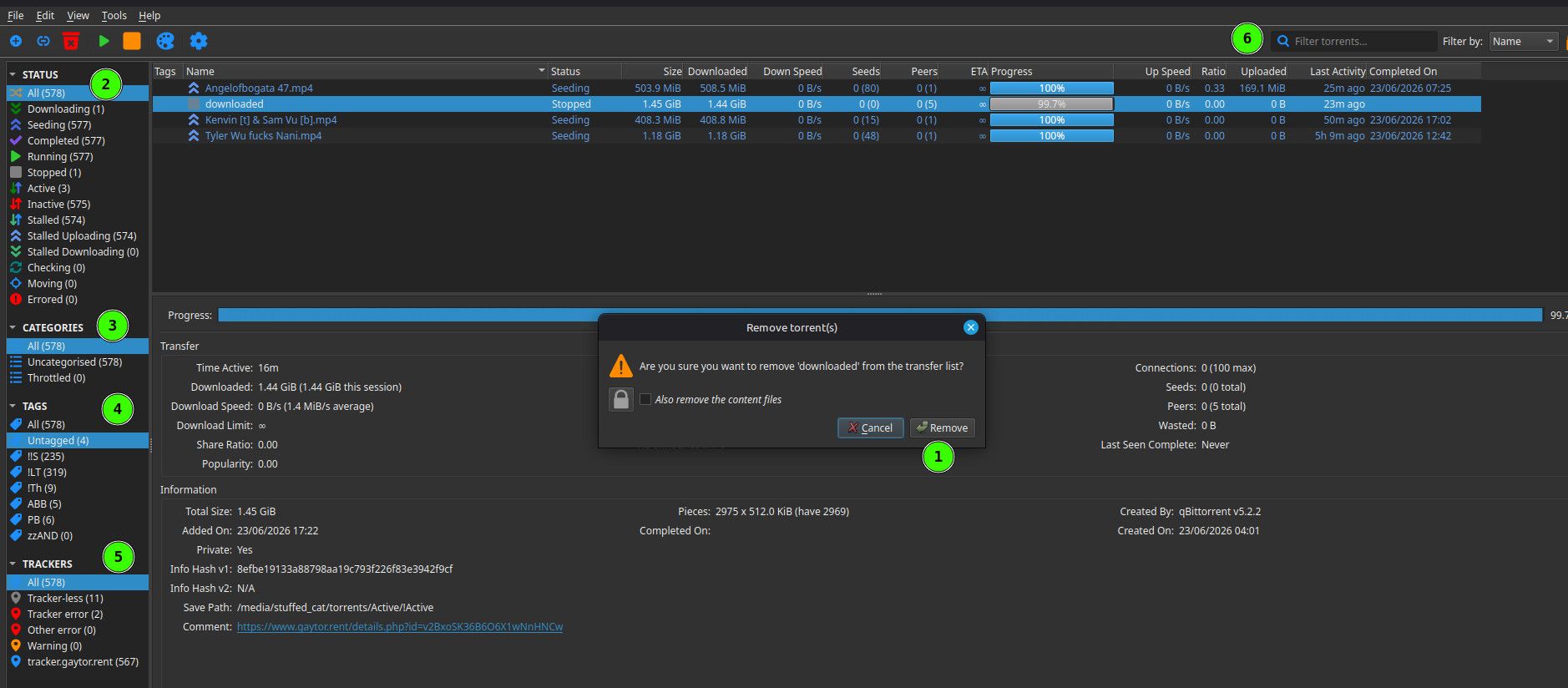
Then make sure all the filters on the left are set to "All" so the list shows ALL of your torrents. (2-5). Then type "downloaded" into the filter at (6). This will just check you don't have another torrent for the same thing. You could, because the one that you would download is not the same as the one you uploaded. If you have one, delete it - again the torrent ONLY.
Then, download the torrent from the site. DON'T use one you downloaded earlier, or may have done, or is your original. Delete all of those .torrent files from your system, and download a new one. Then go through the steps I outlined earlier. Once it's set to manual, launch the torrent, and continue the steps.
I should be around when you get back, though I may not be staring at this waiting for you to post something. Once you've got my attention though, we should be fine.
-
i did delete the file and tried it again as per your second question now i will try what you have here next
-
reupload everything on this forum too then?
-
@trkr4life So what do you have right now. No "downloaded" related torrents in qB, and the new torrent file ready to go? Not sure what you mean by "everything in this forum".
-
i deleted the torrent then made a new one and downloaded it on Qbittorant
-
@trkr4life What do you mean by "made a new one"? Made another torrent either in qB or using the site's torrent maker?
-
i did nothing on here yet
-
@trkr4life I need to understand what you meant by "made a new one".
-
i made another torrent in Qb
-
@trkr4life Ok. You need to totally ignore that! Best to just delete it, so it can't get into the mix!
Other opinions are also available. They're not right, obviously, but they are available.
-
ok where do i make a torrent here on the forum?
-
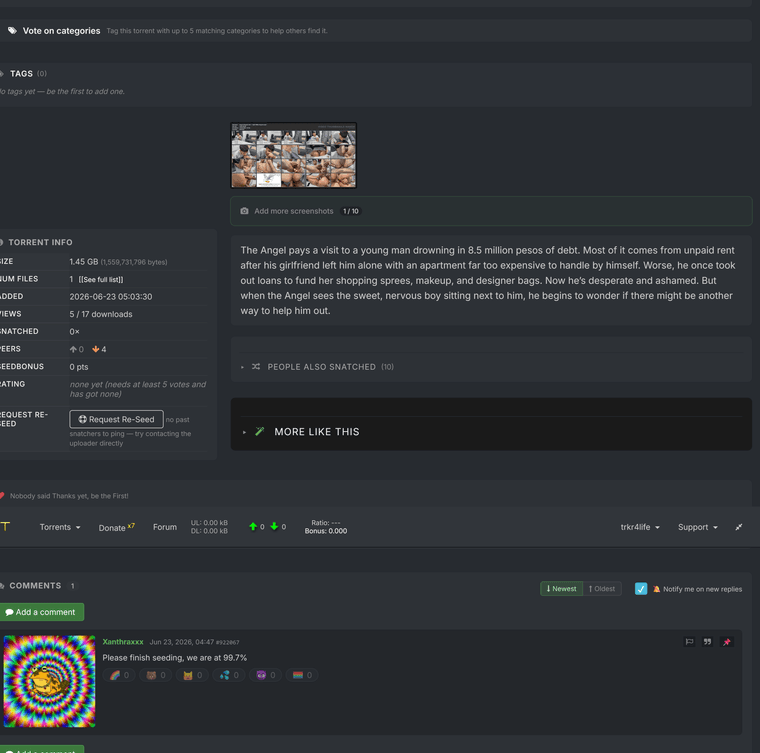
You need the .torrent file that the site created from the one you uploaded when you created the original torrent page.
You get this by downloading the torrent at https://www.gaytor.rent/details.php?id=v2BxoSK36B6O6X1wNnHNCw just as if you were simply grabbing someone else's torrent.
-
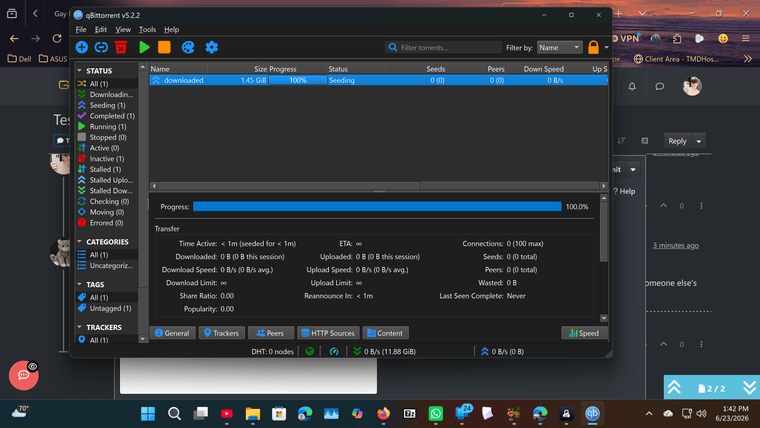
ok i downloaded the new torrent onto Qb now and its seeding
-
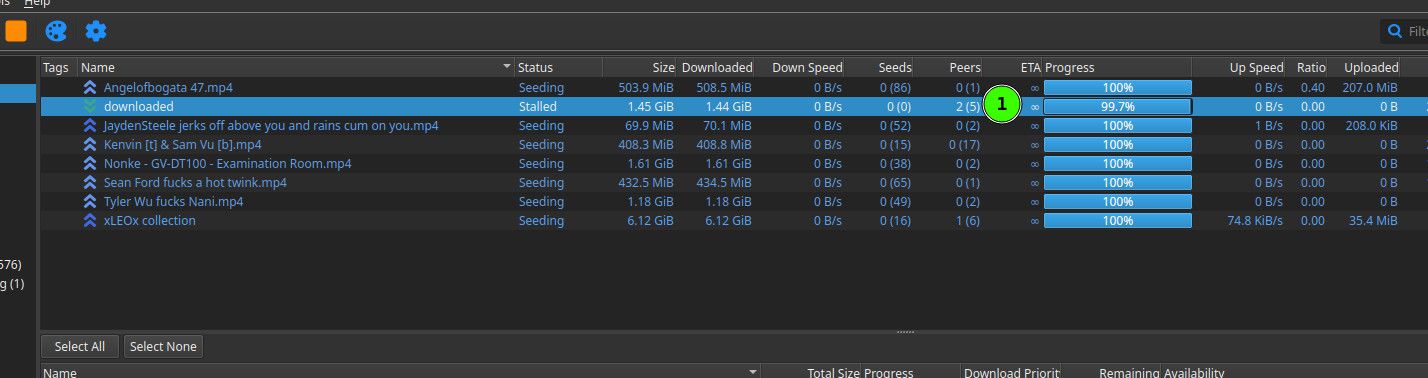
@trkr4life I don't think it is. It's not showing that there is a seeder on the description page or on my qB where I've added it.
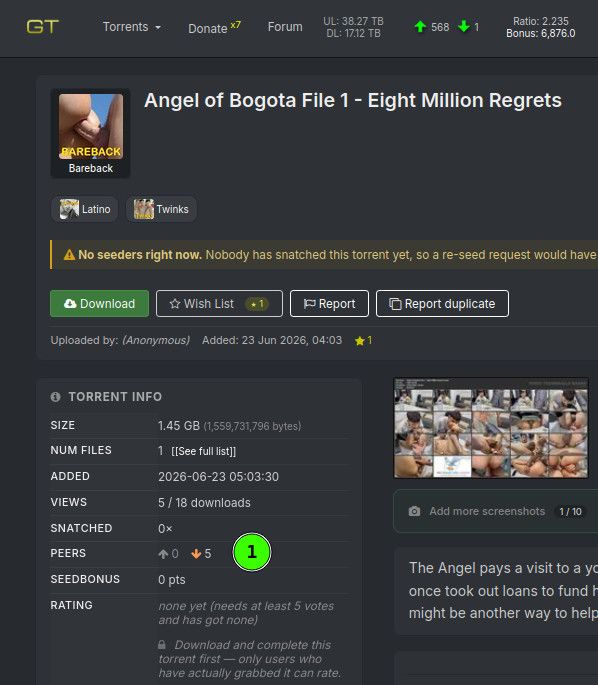
-
so now what do i do?
-
@trkr4life Your screenshot is missing the bottom section of the "General" tab. What does it say is the "Save Path"?
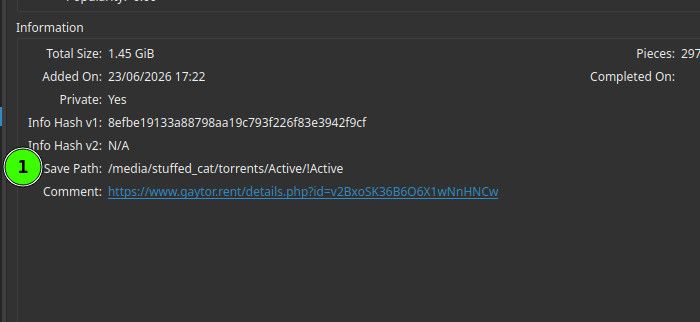
-
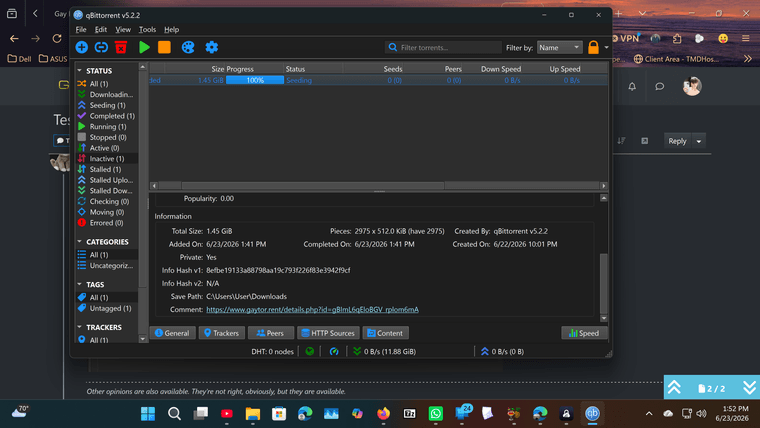
-
@trkr4life Hmm. Have you created a new torrent on the site too? If you click the link in Comment, what page does it take you to? Probably a different one, I'm guessing.


Hello! It looks like you're interested in this conversation, but you don't have an account yet.
Getting fed up of having to scroll through the same posts each visit? When you register for an account, you'll always come back to exactly where you were before, and choose to be notified of new replies (either via email, or push notification). You'll also be able to save bookmarks and upvote posts to show your appreciation to other community members.
With your input, this post could be even better 💗
Register Login