No peers No downloading
-
Hi! Can anybody help me?
I noticed today that any torrent I try from the tracker doesn't seem to work. I tried to find answer on the forum but didn't manage.
What I tried so far:- Rebooting my laptop
- Deleting all torrents in the list I had
- Deleting and reinstalling my torrent client
- Checking whether my port is open (It is)
- Checking if a torrent file has a passkey (it has)
- Aditing the host file in system32 (driver directory) adding IPs of the tracker (didn't help)
- Deactivating my antivirus
- First making utorrent like an exception in Windows Firewall after that even deactivating it (didn't help)
- check if torrents work from other sites (they do)
- Trying another client (bittorrent) and it didn't help
- after almost every step i revooted my laptop and tried to download a torrent file from forum again and the same status like in the screen
- I tried above procedures with and without VPN (didn't help)
- DHT, PeX and LSD are ticked in the settings of the torent client
I have no ideas what else to try
Desperate for help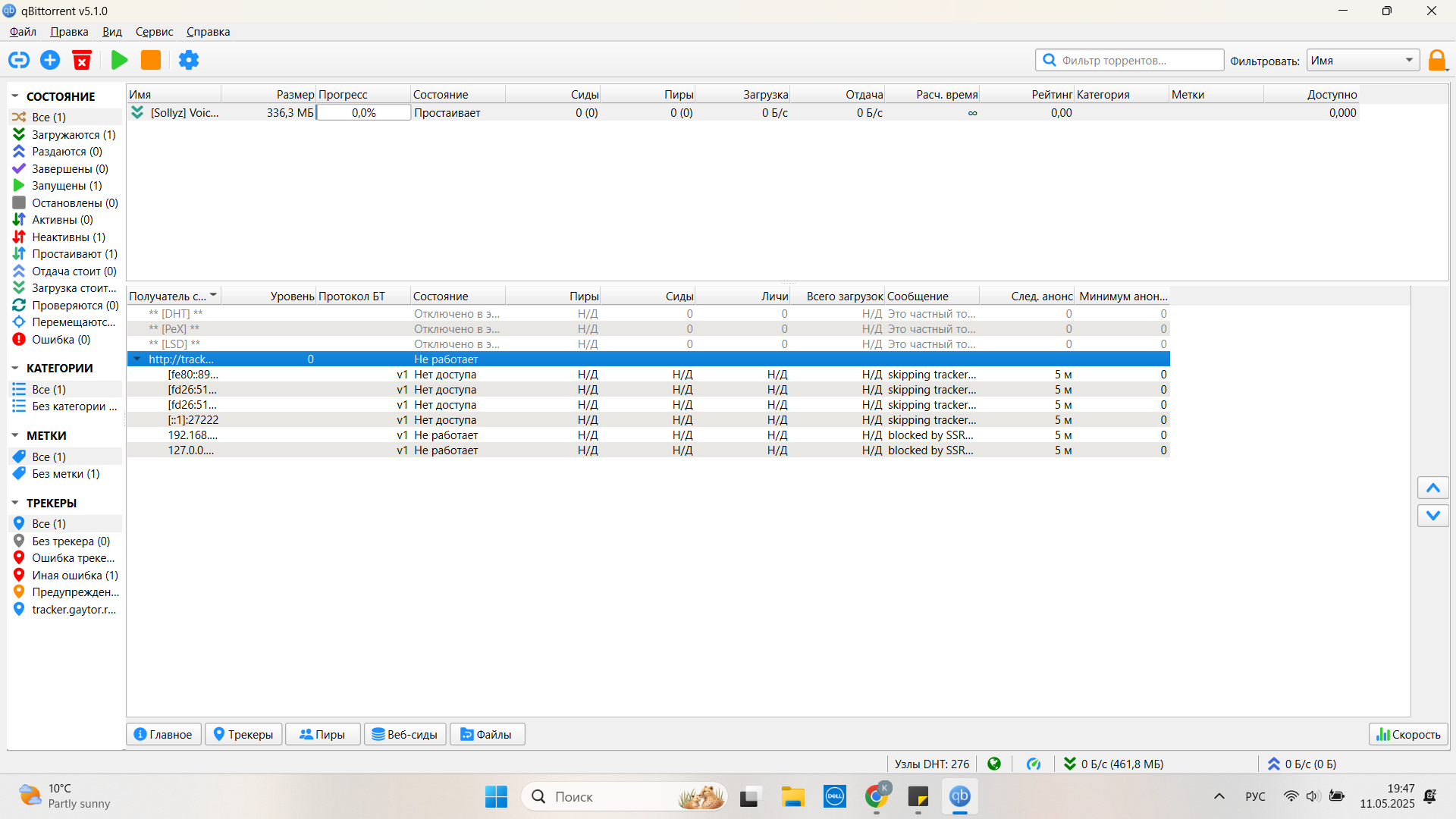
-
It is very curious that so many users started to experience DNS issues at the same time. Everything works fine for me with VPN or without VPN.
I set AdGuard as my DNS provider. You can configure your Network to use AdGuard DNS following this tutorial: https://adguard-dns.io/en/public-dns.html
Go to "Option 2: Configure AdGuard DNS manually", select your operating system and follow the instructions.
If you are using a VPN, you must check their website to know how to set a custom DNS.
-
@ianfontinell-0 It actually worked! I'm so excited and happy cause it took me so long and I almost got desperate. Thank you a million

Hello! It looks like you're interested in this conversation, but you don't have an account yet.
Getting fed up of having to scroll through the same posts each visit? When you register for an account, you'll always come back to exactly where you were before, and choose to be notified of new replies (either via email, or push notification). You'll also be able to save bookmarks and upvote posts to show your appreciation to other community members.
With your input, this post could be even better 💗
Register Login