Tracker/Client Issues - Need Help
-
Hi,
Recently I have been having issues with my torrent client resolving tracker information.
I am running qBittorrent 5.0.3.
When the tracker information does resolve - I have no issues. Is there something wrong with my account, the tracker, or my client?
I also am trying to connect by selecting the "Force Reannounce" option, but unfortunately that isn't working.
Any help would be appriciated.
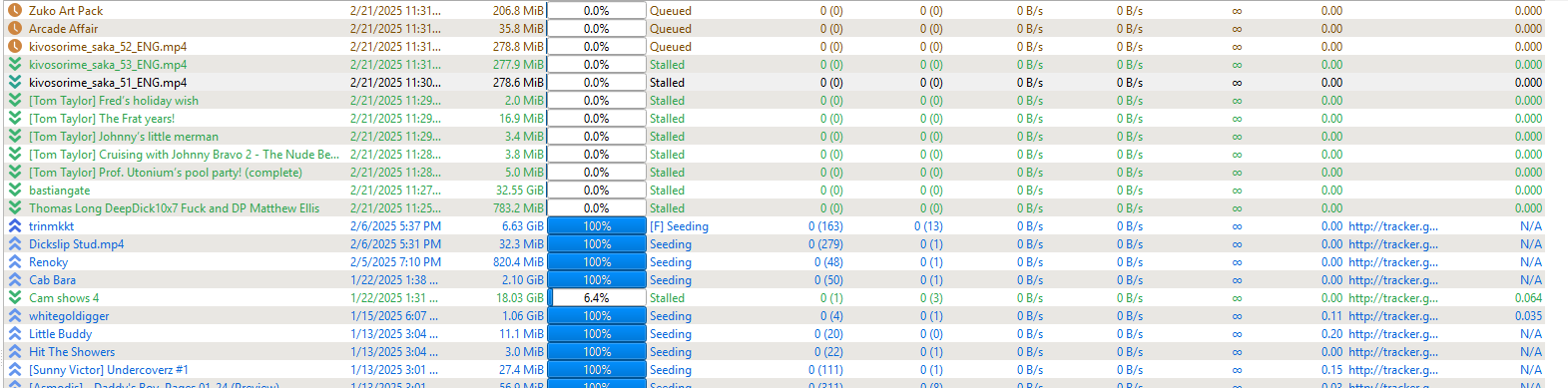
(Screenshot shows that when the tracker resolves I have no issue downloading)
-
You must ~ Enable Torrent Queueing & Download Priority in qBittorrent
change your queuing settings, set to ex: 250/250 ul/dl
SEE : https://perez.org.uk/guide/software/enable-torrent-queueing-download-priority-in-qbittorrent/A stalled qBittorrent torrent means that there is no upload or download activity, even though there should be. This can happen if there are no peers or seeders online, or if there are peers but you can't connect to them.
-
Thank you for the suggestions but unfortunately neither of those are the issues.
I am familiar with torrent queuing and have both my upload and download queues set appropriately (10 active downloads and uploads)
I also know that all these torrents have active seeders because the tracker is reporting uploaders on the website.
I’m pretty certain this is an issue with resolution of the tracker with my client because if I can get it to resolve (in the past through force reannounce) everything downloads as expected.
-
@2econdspark said in Tracker/Client Issues - Need Help:
upload and download queues set appropriately (10 active downloads and uploads)
you should go higher than that
standard in utorrent is 8/5 while I set mine to 250/250 to avoid queued torrent or do manually Force Start to get rid of queueing if there are peers connecting ... -
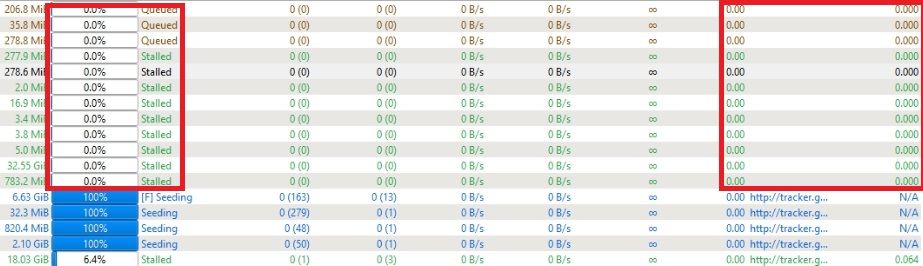
Missing Tracker - not possible to connect
Stalled and Queued must find a peer
0% are those checking files ??? -
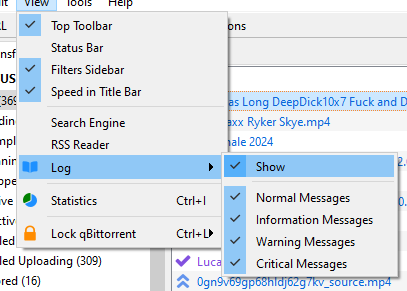
Enable the log tab:
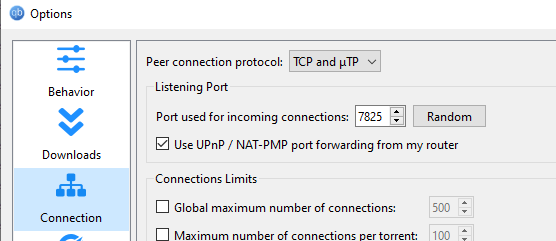
Change the incoming port in settings:
Check the log to see if IP/port mappings were successfull:
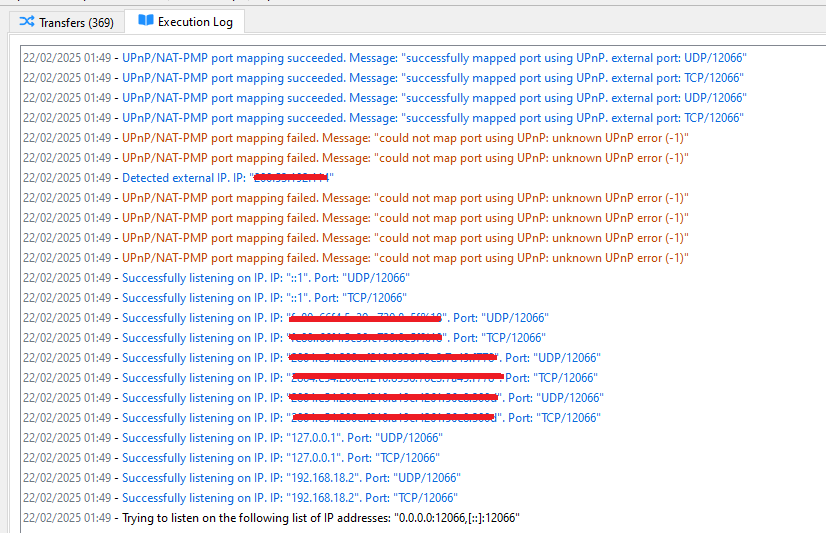
Restart qbittorrent.
If the problem persists, try disabling queing and connection limits:
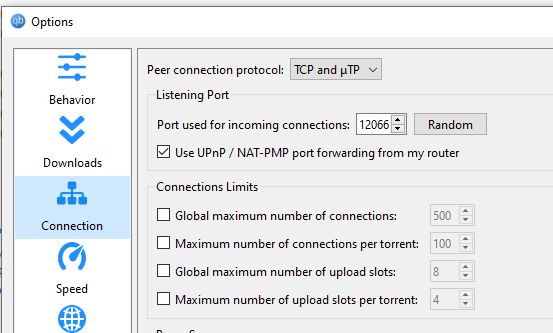
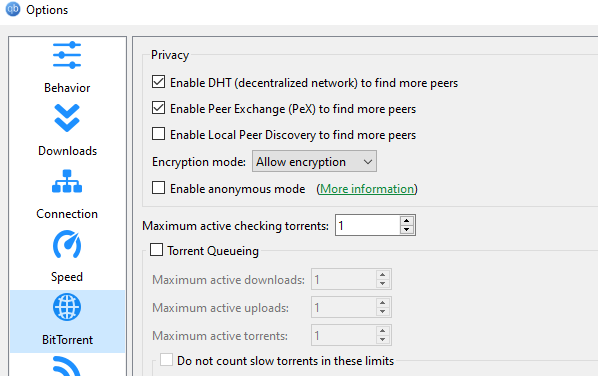
If it persists call a priest.
-
Thank you everyone for the thoughtful responses.
I did try all that was suggested and nothing seems to fix my issue.
As a santiy check I downloaded a torrent from a different tracker (BTN) and I have no issues with tracker resolution or downloading.
It appears to be specific to my gay-torrent.ru account or the tracker.
I will reach out to staff.
-
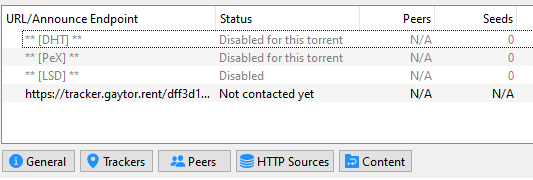
@2econdspark I have one last question, what status is reported in your Trackers tab while the torrents are stalled? Not contacted, or some sort of error?
Check if you can open this page in your browser: https://tracker.gaytor.rent/stmdd/
If it shows the tracker backend stats, you are connecting to the tracker normally, if it fails to open you could be being blocked by the tracker itself or by your internet provider.
And last but not least, you could try downgrading your qbittorrent to the previous version, 5.0.2. I suggest this because I have seen people having similar issues after updating to 5.0.3.
-
@raphjd another passkey leak above
-
@ianfontinell-0 Changing the port fixed my current problems. Thanks.


Hello! It looks like you're interested in this conversation, but you don't have an account yet.
Getting fed up of having to scroll through the same posts each visit? When you register for an account, you'll always come back to exactly where you were before, and choose to be notified of new replies (either via email, or push notification). You'll also be able to save bookmarks and upvote posts to show your appreciation to other community members.
With your input, this post could be even better 💗
Register Login