Downloading justfor.fans movies
-
Just found an easy way to download videos from justfor.fans.
First. of all: use Firefox.
Go to Home and on the left side scroll to Account.
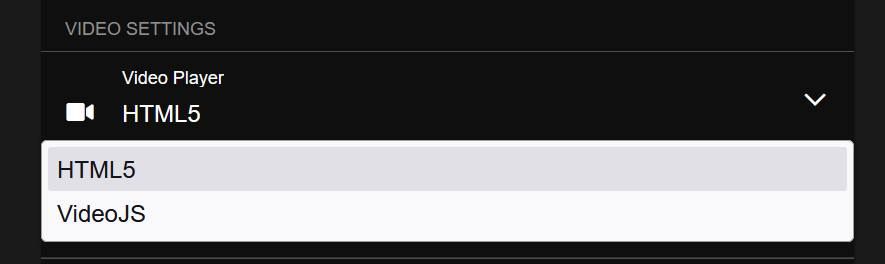
Under General Settings choose: HTML5 as Video Player (the other options forces streaming videos only)
Go to the Movie you want to download and play it.
Press left-shift-key on your keyboard and right-click in the Video.
Choose the option to download the video.
Just as simple as this. -
@pierat Unfortunately I couldn't find the session to modify the player.
-
@dhougie Hope this helps. It really is there...


-
@pierat worked for me! thank you!
-
This post is deleted! -
@pierat looks like they removed the html5 option.....annoying.
Any other suggestions? thanks!
-
aside from removing the html5 option, just a few days ago they switched from m3u8 stream to mpd with drm, so streamrecorder and IDM also don't work anymore. Have anyone found a way around it?
-
I did.
Turns out JFF is only using a rather weak DRM called Clearkey. And luckily someone just released a tool to extract decryption key from Clearkey last week.
So here's the steps:
-
Download the encrypted media files using The stream detector extension and yt-dlp.
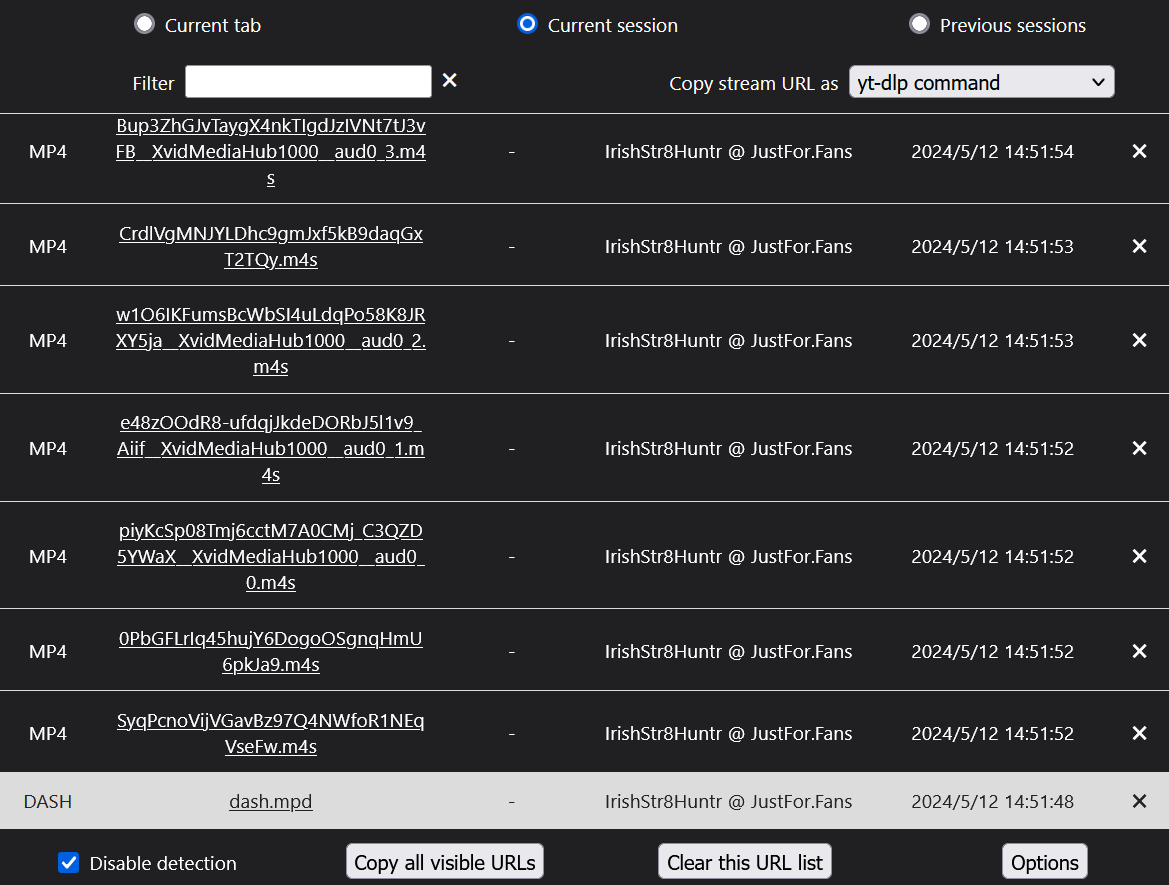
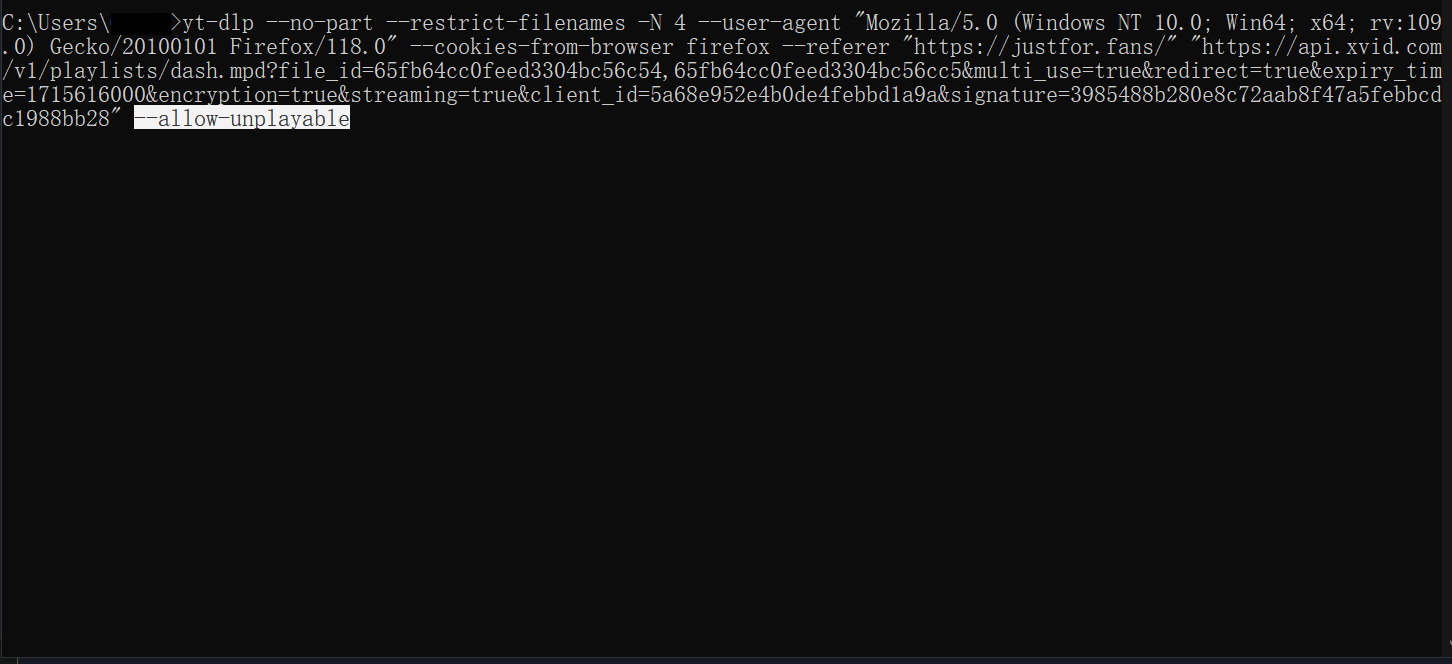
(After copying download command in cmd, you need to add --allow-unplayable option, otherwise yt-dlp will only download audio file.) -
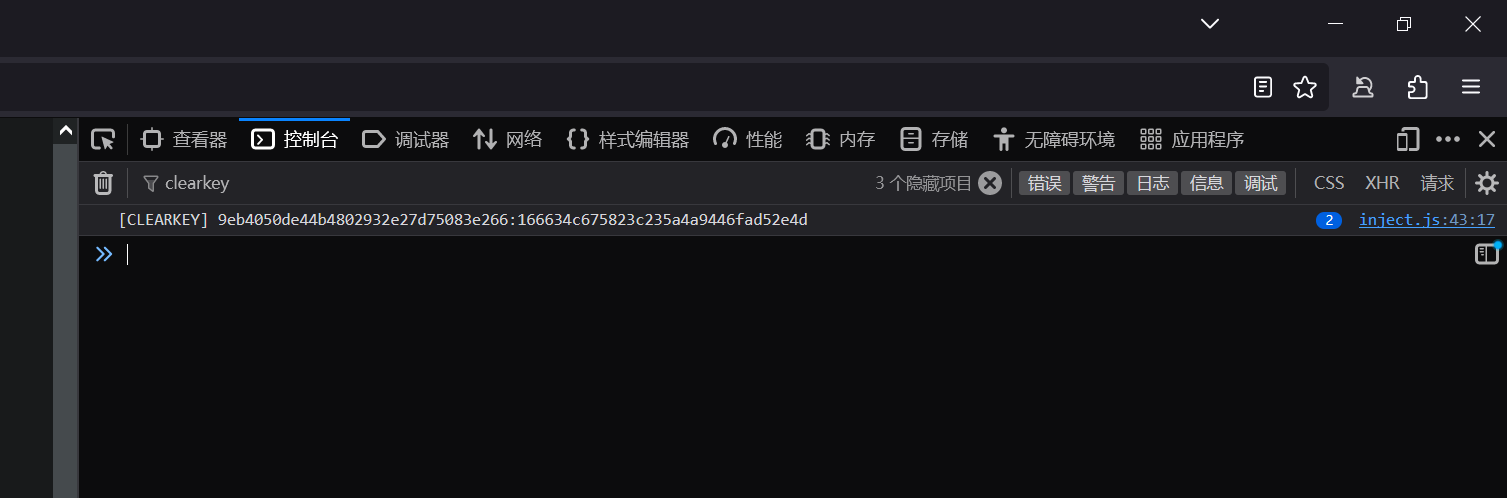
Using Widevine L3 Guesser Extension to acquire Clearkey decryption key pair. (You don't need to setup CDM to use the extension, since it's not about Widevine.)
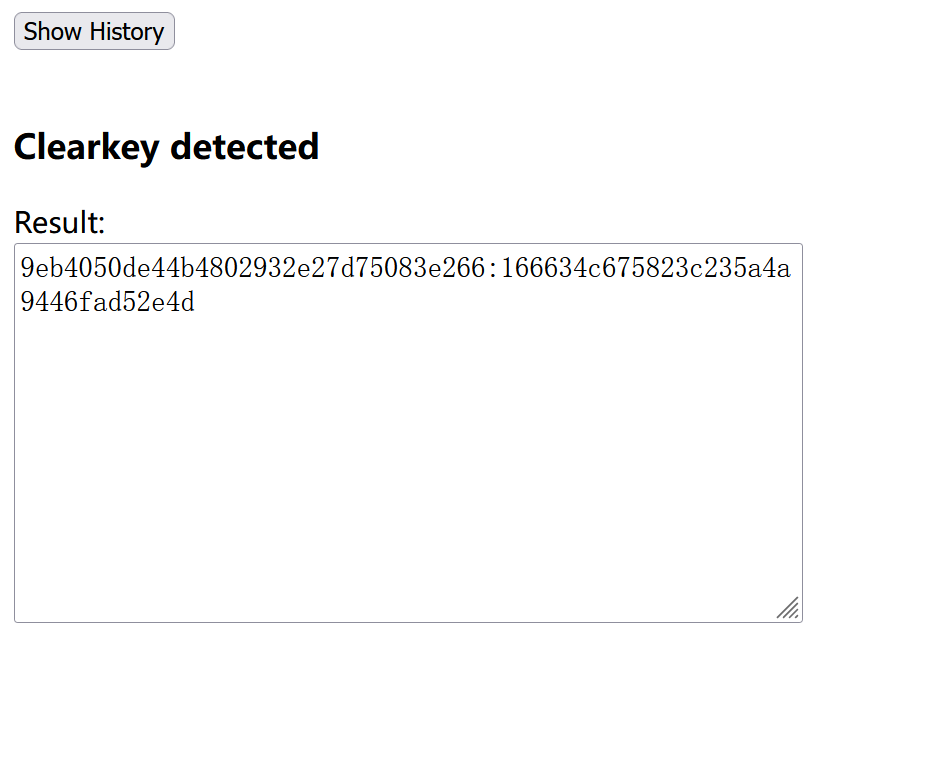
(If the extension didn't detect clearkey, you can also find the entry in browser's web console in dev tools)
-
Using ffmpeg and decryption key to decrypt and merge file. (Although MP4Decrypt is also a tool you can use, it outputs corrupted audio file when decrypting. No idea why.)
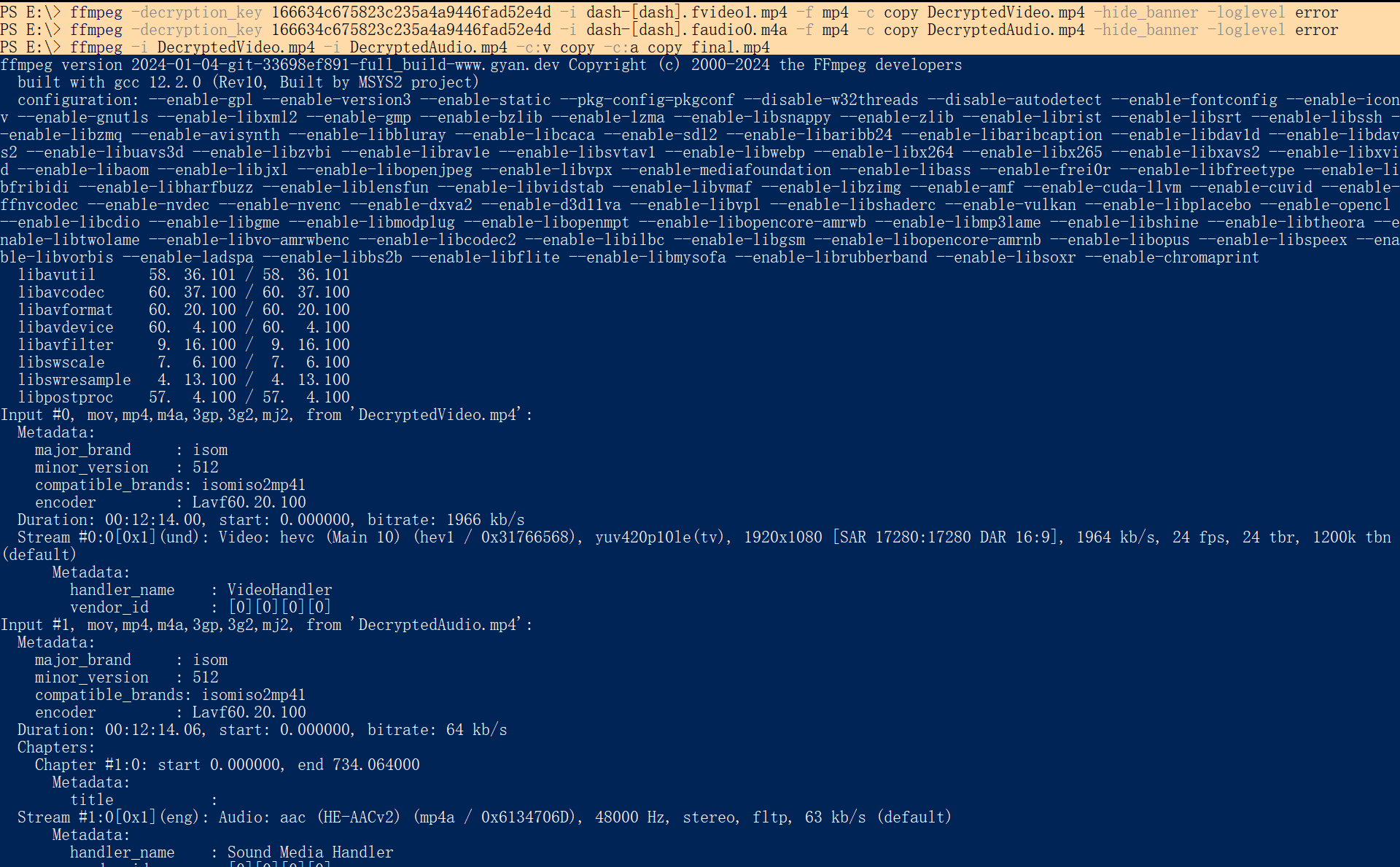
In the future, if JFF switches to other strong DRM like Widevine, the second process of acquiring decryption key will be somewhat more complicated. But the steps to download DRM content should be the same.
Widevine L3 Guesser
Useful resources
OF-Scapper (OF uses Widevine)
https://of-scraper.gitbook.io/of-scraper/cdm-optionsCDRM project guide
https://cdm-project.com/How-To/Downloading-Video-and-Audio
https://cdm-project.com/How-To/Decrypting-Video-and-Audio
https://cdm-project.com/How-To/Merging-Decrypted-Video-and-Audio -
Hello! It looks like you're interested in this conversation, but you don't have an account yet.
Getting fed up of having to scroll through the same posts each visit? When you register for an account, you'll always come back to exactly where you were before, and choose to be notified of new replies (either via email, or push notification). You'll also be able to save bookmarks and upvote posts to show your appreciation to other community members.
With your input, this post could be even better 💗
Register Login