Uploading for Dummies. Please Help
-
Can someone help me and tell me what I'm doing wrong? Every time I try to upload a torrent it says that it is dead, but I follow the instructions given.
-
I create the torrent
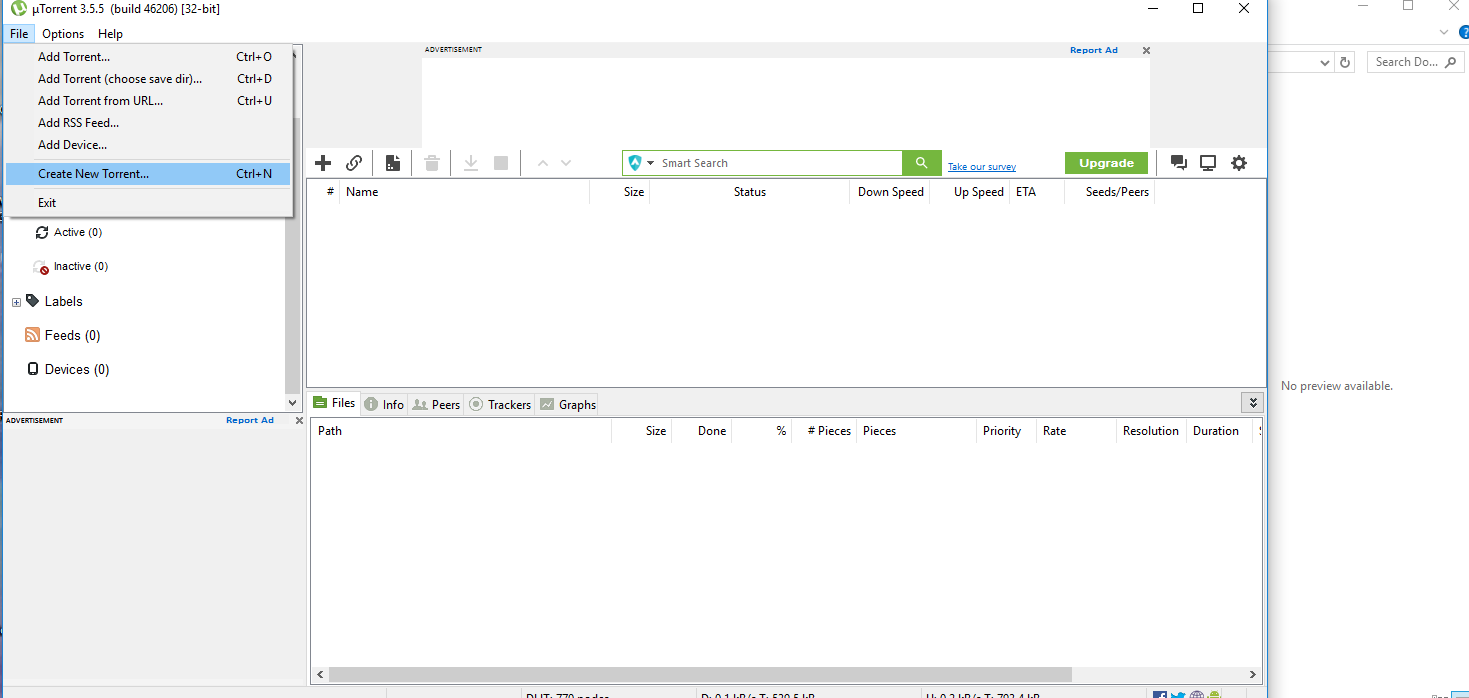
-
Since I am doing multiple videos I select the folder
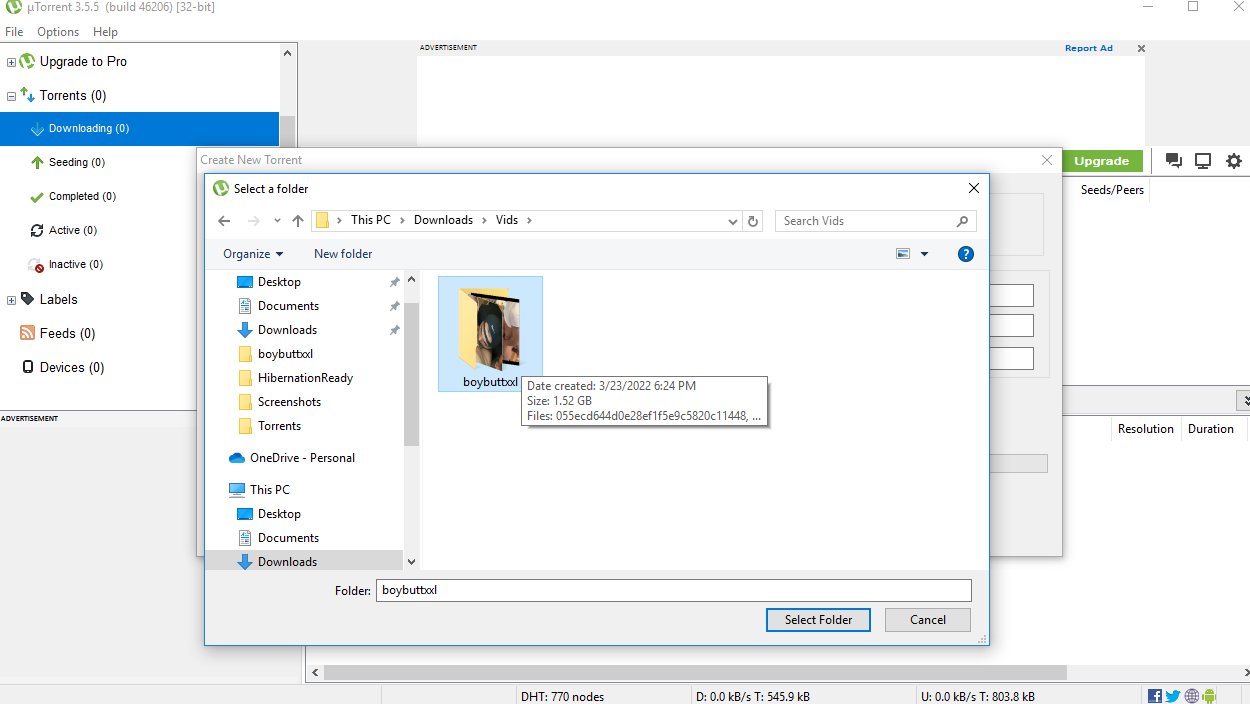
-
I copy and paste the given tracker, uncheck the start seeding box, and check the private torrent box. Then hit create
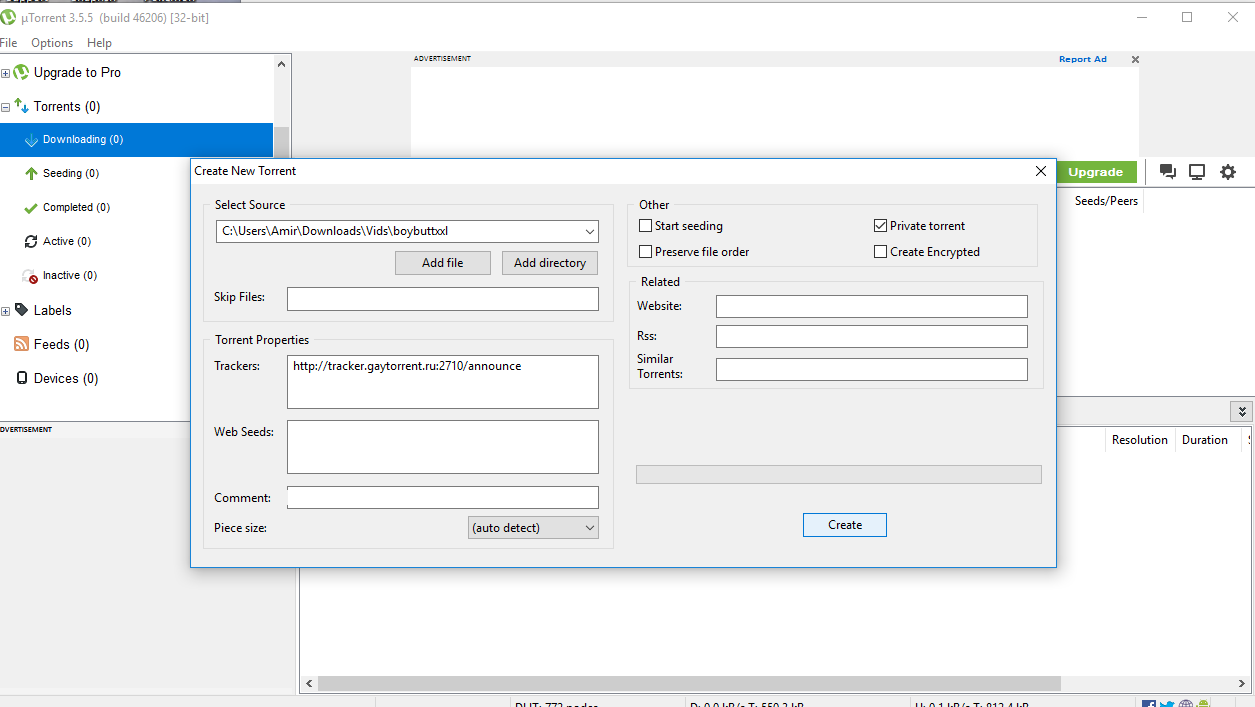
-
The torrent is created. I put it in a folder called torrents
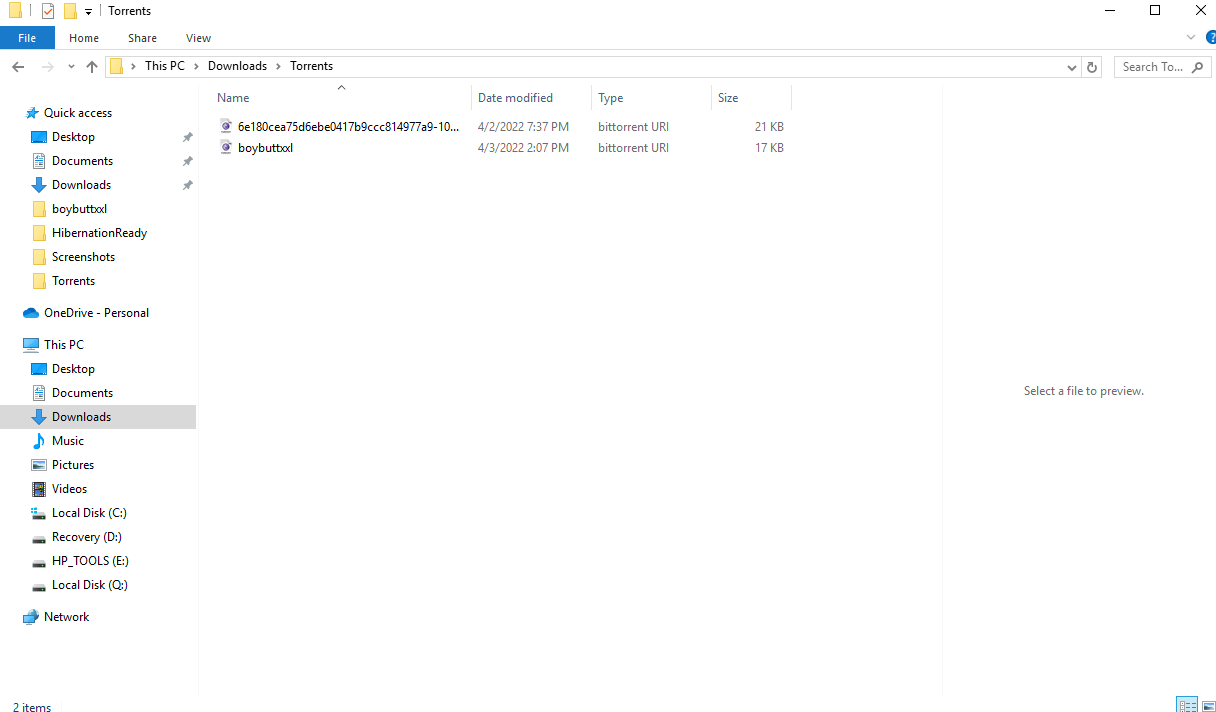
-
I then upload the torrent. And then download it again because that's what the instructions said
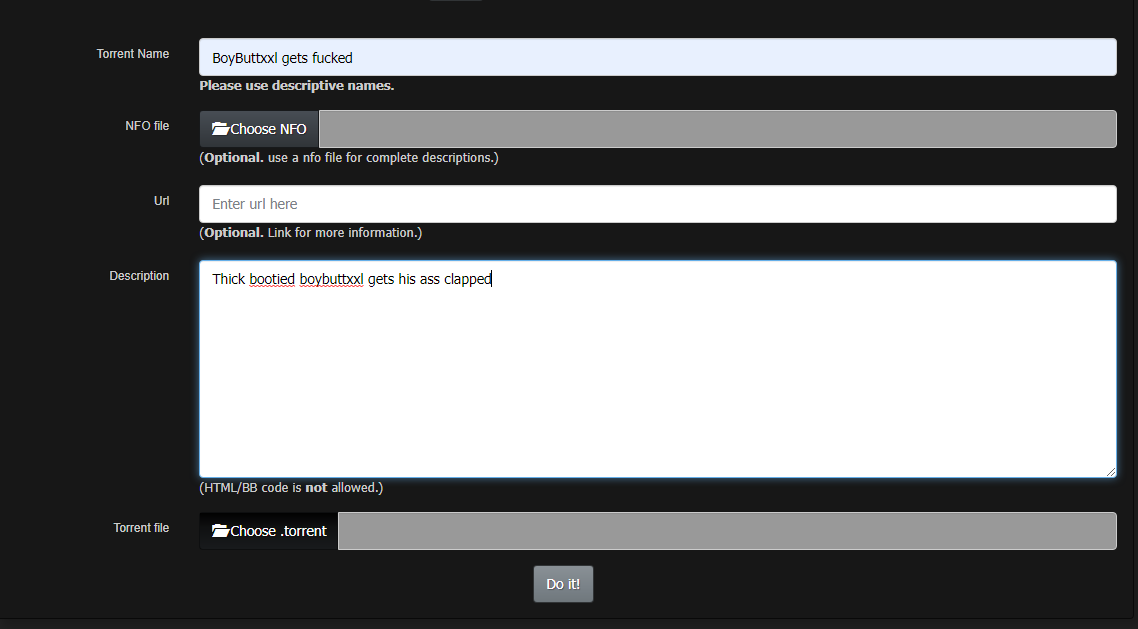
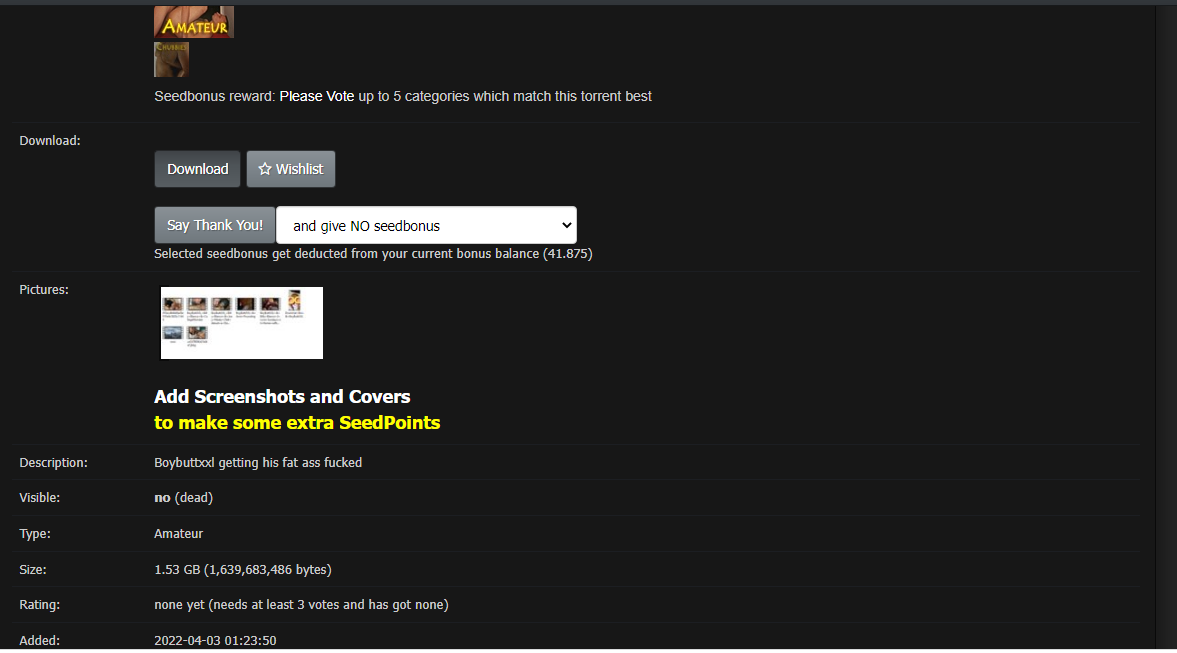
-
I put downloaded torrent in a separate folder from the initial one I uploaded
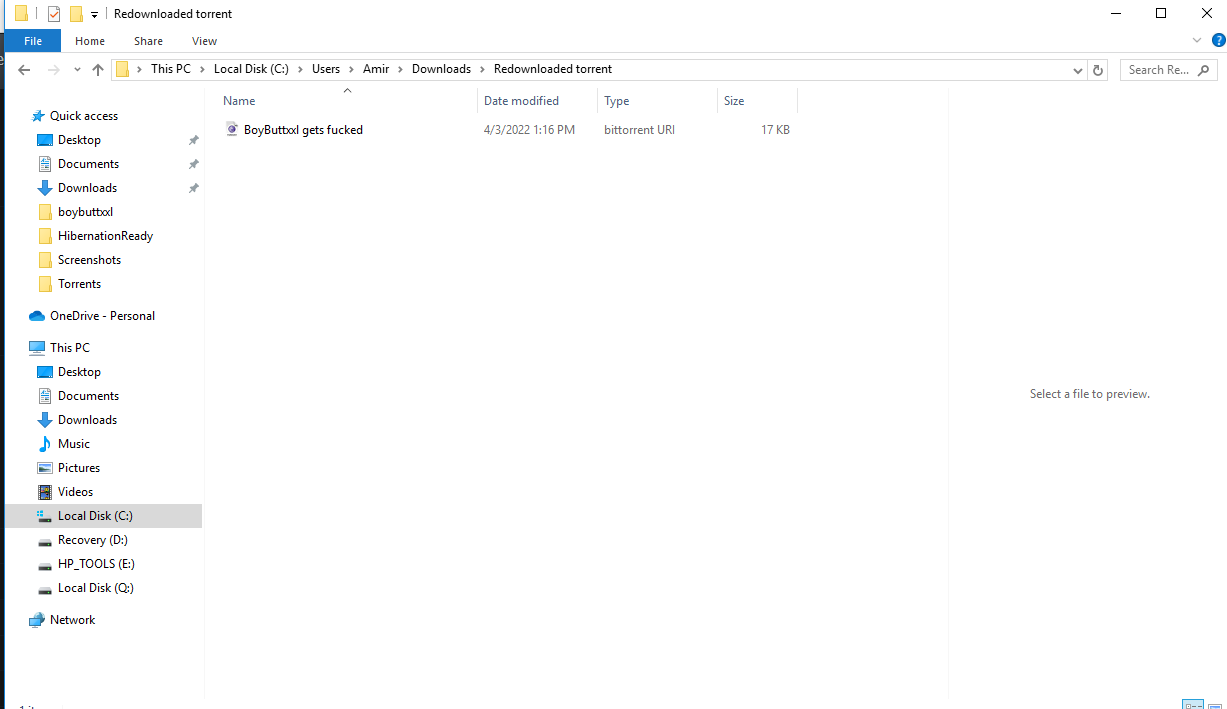
-
I then add the torrent to uTorrent. But after I add it, the torrents stays stuck on download and finding peers 0.0%.
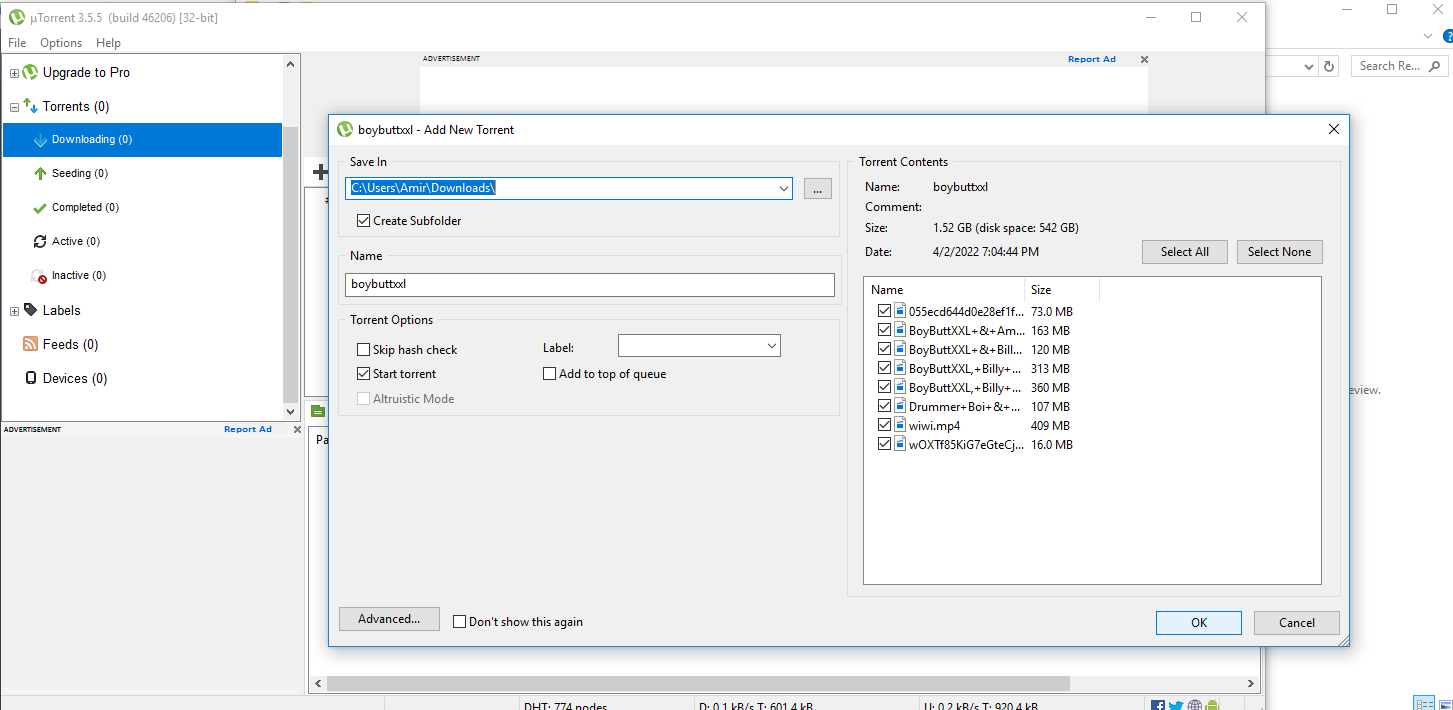
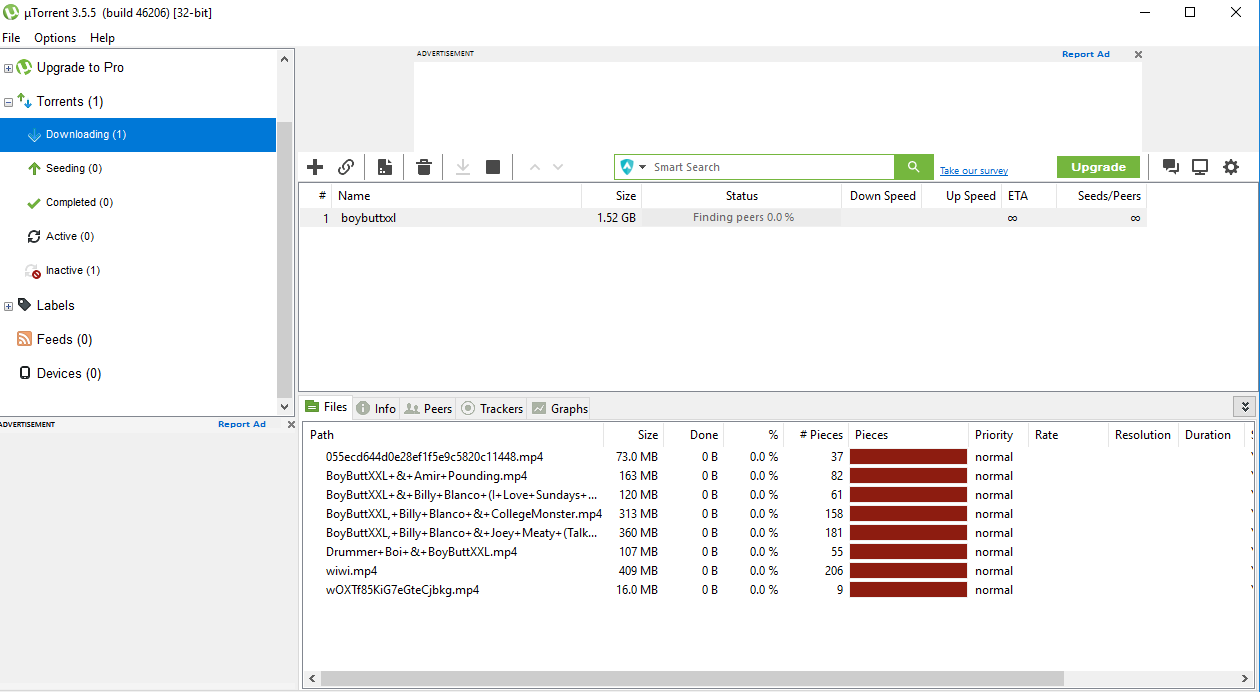
Am I missing a step or doing something wrong? Please help
-
-
How to Reseed?
https://www.gaytor.rent/faq.php#28GUIDE: https://www.gaytor.rent/uploadguide.php
[please review all the details here all the information is provided]you need to download the small torrent here and locate the correct location ...
your torrent upload/download path location is not right
[that is why you are downloading instead of seeding] ...
choose the directory [torrent upload/download folder] where the torrent folder you are posting not the torrent folder name with multiple files you are posting ... -
@BroZeph you did everything right from creating torrent and posting here ...
However you locate the file in wrong directory ...
[w/c is why you are downloading instead of seeding and stuck in finding peers] ...
To resolve this stop the torrent, right click and delete/remove the torrent not the torrent file ... And start all over again ...
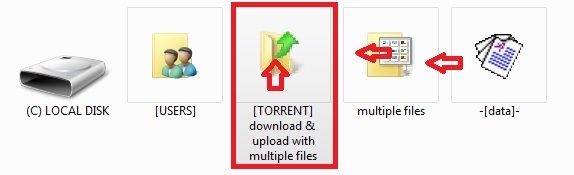
[make sure to re-download the torrent here not the torrent created by your client [it won't work] ...Below is the image I provided for you to understand:
-
To add directory file folder select [TORRENT] w/c contains the folder w/ multiple files you are trying to post ...
[not the folder w/ multiple files] ... -
To add file or single file point to multiple files containing data or data ...
Always know where your upload/download folder location is ...
Review where you locate all your files: path/folder/name/directory location to get familiar w/ ...
-
-
You did everything flawlessly, but when you add the torrent to your torrent client, you have to precisely point the download location to where your files are sitting already.
For example, you uploaded a folder called "educational content totally not porn" and that folder is originally located in your Desktop. When selecting the downloading location before downloading, you should point it to your Desktop. Be careful, do not choose the folder where the files are, choose the folder where the folder you uploaded is.
After selecting the proper location, make sure you UNCHECK "START TORRENT, otherwise all your files will be replaced with random data and you'll lose them forever. So again, select the proper location, uncheck start torrent and then press OK. After that, right click the torrent and do a recheck.
If everything went alright, the download bar will start filling up to 100% and your torrent will be listed as "completed". And now finally you can start seeding the torrent.
-
I've been uploading files to this site.. for probably 20 years. However, a few weeks ago, I lost the ability to upload.
It could have something to do with the site name changing from:
gaytor.rent
to
gaytor.rent -
 J john32123666 referenced this topic on
-
J john32123666 referenced this topic on
-
J john32123666 referenced this topic on
-
J john32123666 referenced this topic on
Hello! It looks like you're interested in this conversation, but you don't have an account yet.
Getting fed up of having to scroll through the same posts each visit? When you register for an account, you'll always come back to exactly where you were before, and choose to be notified of new replies (either via email, or push notification). You'll also be able to save bookmarks and upvote posts to show your appreciation to other community members.
With your input, this post could be even better 💗
Register Login