New downloads are stalled for 2 days.
-
Does anyone know how to fix this? Any new download (even freeleech with lots of seeders), I tried searching the forum and tried anything that was suggested here,
https://community.gaytor.rent/topic/65140/torrent-stalled-help?_=1746896419904, also tried restarting, stopping seeded torrents, but nothing works.I'm using qbittorrent, updating to the new version didn't work. I have 1.13 site ratio and using VPN. I also tried downloading from other private tracker but seems to only have the problem here.
-
@chubinky30 tell us what the tracker status is, that's the imporant bit:

If it says "working" and has no actual tracker message, then the reason why it's stalling is because you and the seeders are unreachable to each other.
If there's any other message there, that'll probably be enough to explain what's wrong.
If you provide a screenshot of the tracker status like I did, make sure to hide your tracker URL.
-
@ianfontinell-0 its says not working


-
@chubinky30 Your VPN is failing to resolve the tracker's DNS address. Check if your VPN's app allows you to set a custom DNS resolver, it most likely does.
Some apps allow you to pick from a list of providers such as Google (8.8.8.8) or Cloudflare (1.1.1.1), while some allow you to enter a DNS over HTTPS address such as Adguard (https://dns.adguard-dns.com/dns-query)
I like to use Adguard, but changing it from whatever is currently being used is probably going to fix it for you.
If you need more help ping me and say which VPN you're using.
-
@ianfontinell-0 I definitely need more help. I'm using Nord.
-
@chubinky30 Sadly NordVPN does not have the option to set a custom DNS from their client. You need to do it manually.
Assuming you are on Windows, you need to open the Network adapter list:
type ncpa.cpl in the start menu and open the first correspondence (alternatively, press Winkey+R and type "ncpa.cpl")It will open this screen:
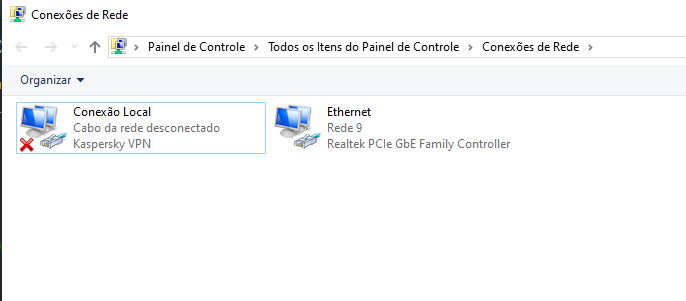
Right-click the adapter that corresponds to your VPN and go to properties:
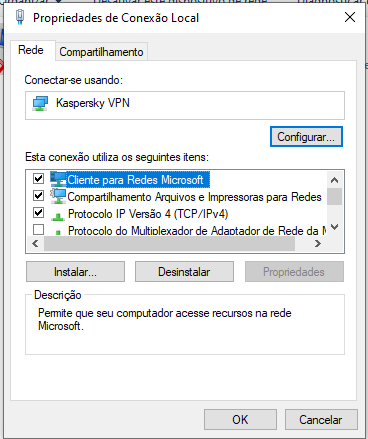
In this list, pick for "Internet Protocol 4 (TCP/IPv4)" and click "Properties"
This window will open, here you must enter the DNS provider:
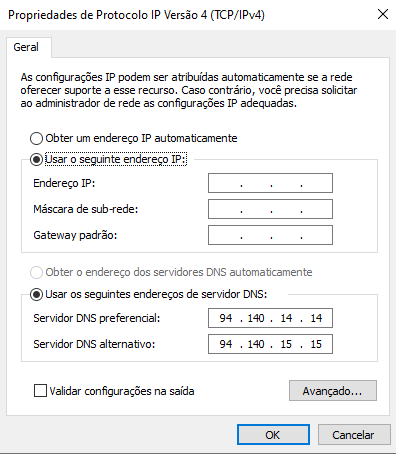
I suggest using either Google or AdGuard.
For Google DNS, use 8.8.8.8 as primary and 8.8.4.4 as secondary.
For AdGuard use 94.140.14.14 as primary and 94.140.15.15 as secondary.Save the changes and that's it, they should take effect instantly. If not, restart your VPN.
-
@ianfontinell-0 Did I do something wrong? Download is still stalled. This is the screenshot of what I did:
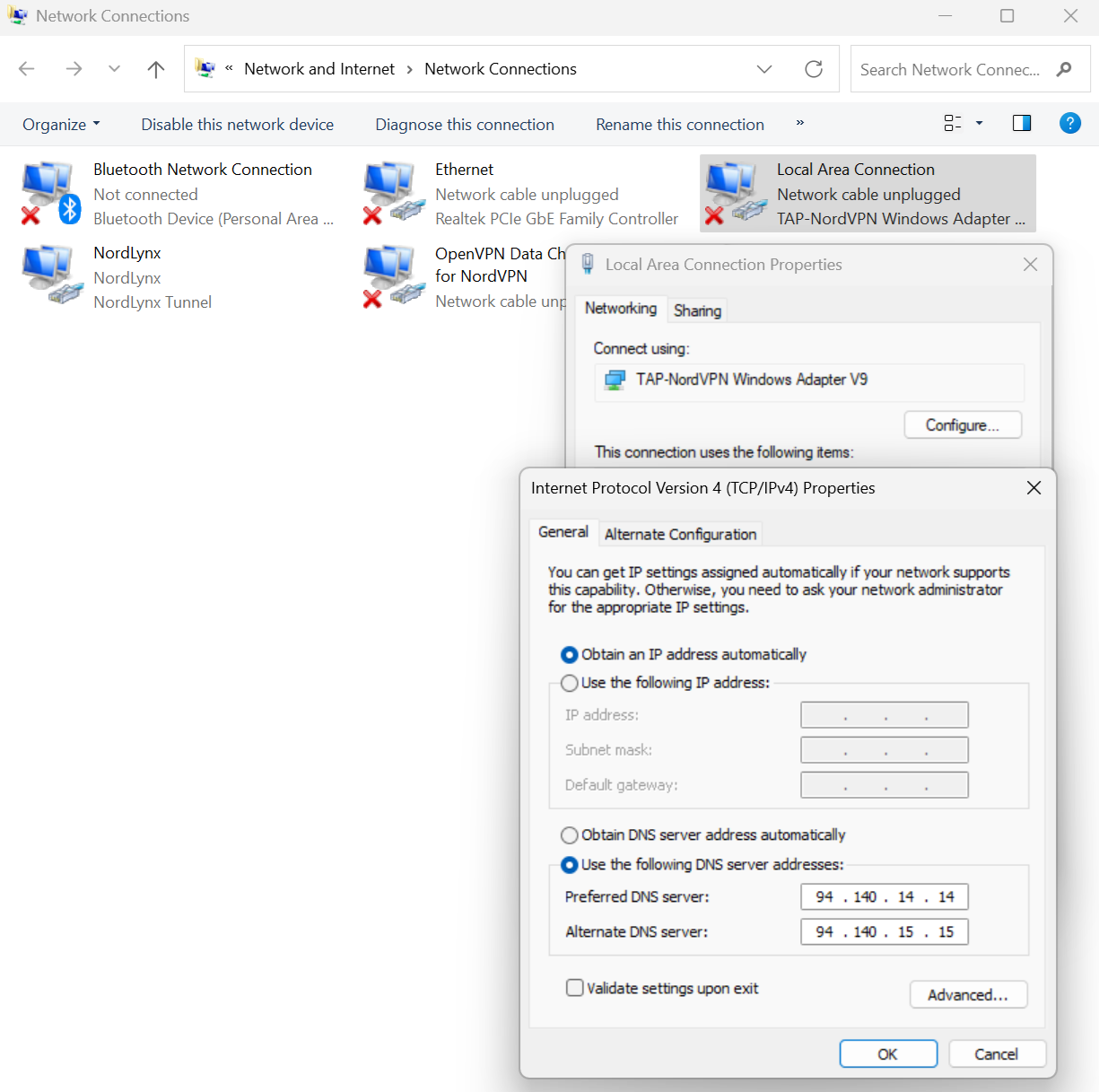
I restarted Nord and my PC but it didn't work.
-
@chubinky30 because you are using NordLynx protocol, the DNS settings should be applied to the NordLynx adapter. As you can see in the list, the adapter that you modified is inactive.
-
other than that you did it correctly, just the wrong adapter
-
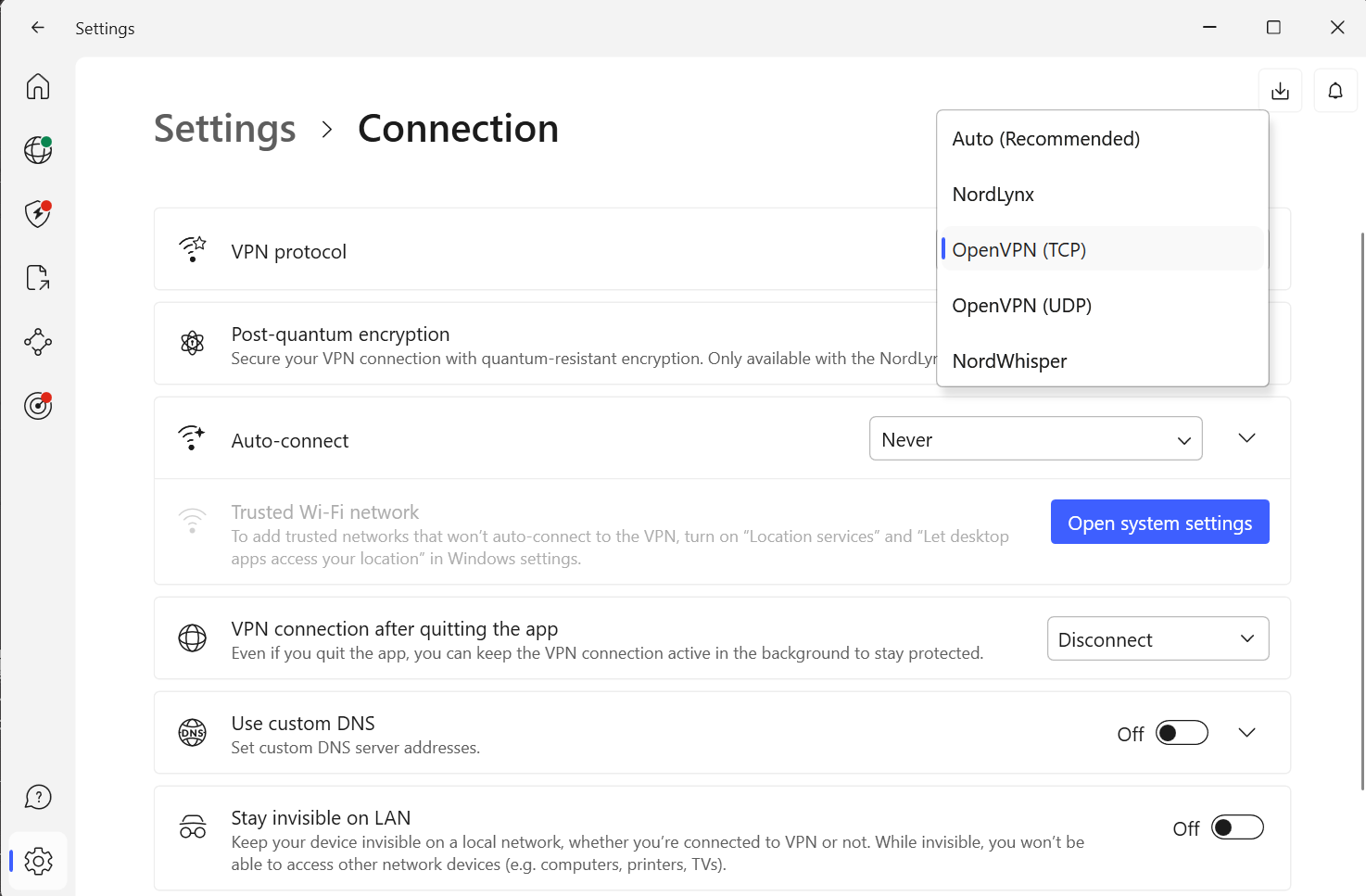
@ianfontinell-0 I tried switching to OpenVPN (TCP and UDP) but can't connect to the internet after that. I also tried manually changing the DNS for NordLynx, but it won't let me connect to internet too and it changes every time I restart Nord.
-
@chubinky30 ooh you have the custom dns option in the app settings, i thought nordvpn didn't have that! you ony need to use that option instead of doing it manually
-
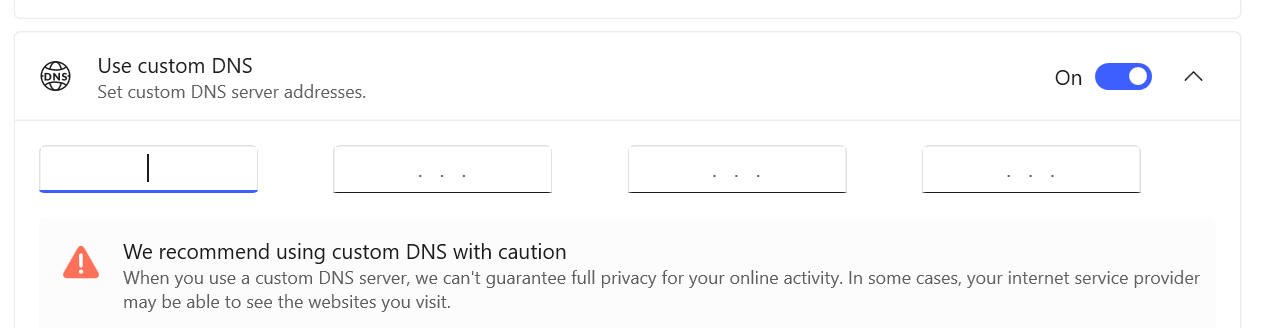
@ianfontinell-0 It has slots. Do I need to choose between Google and AdGuard? or should use both?
-
@chubinky30 you will type only 1 DNS address, for example if you want to use Google you must enter a single 8 in each slot. If you want to use AdGuard you enter 94 140 14 14
-
@ianfontinell-0 Added the custom DNS and restarted my PC. Unfortunately, downloading is still stalled after multiple rechecking and reannounce.
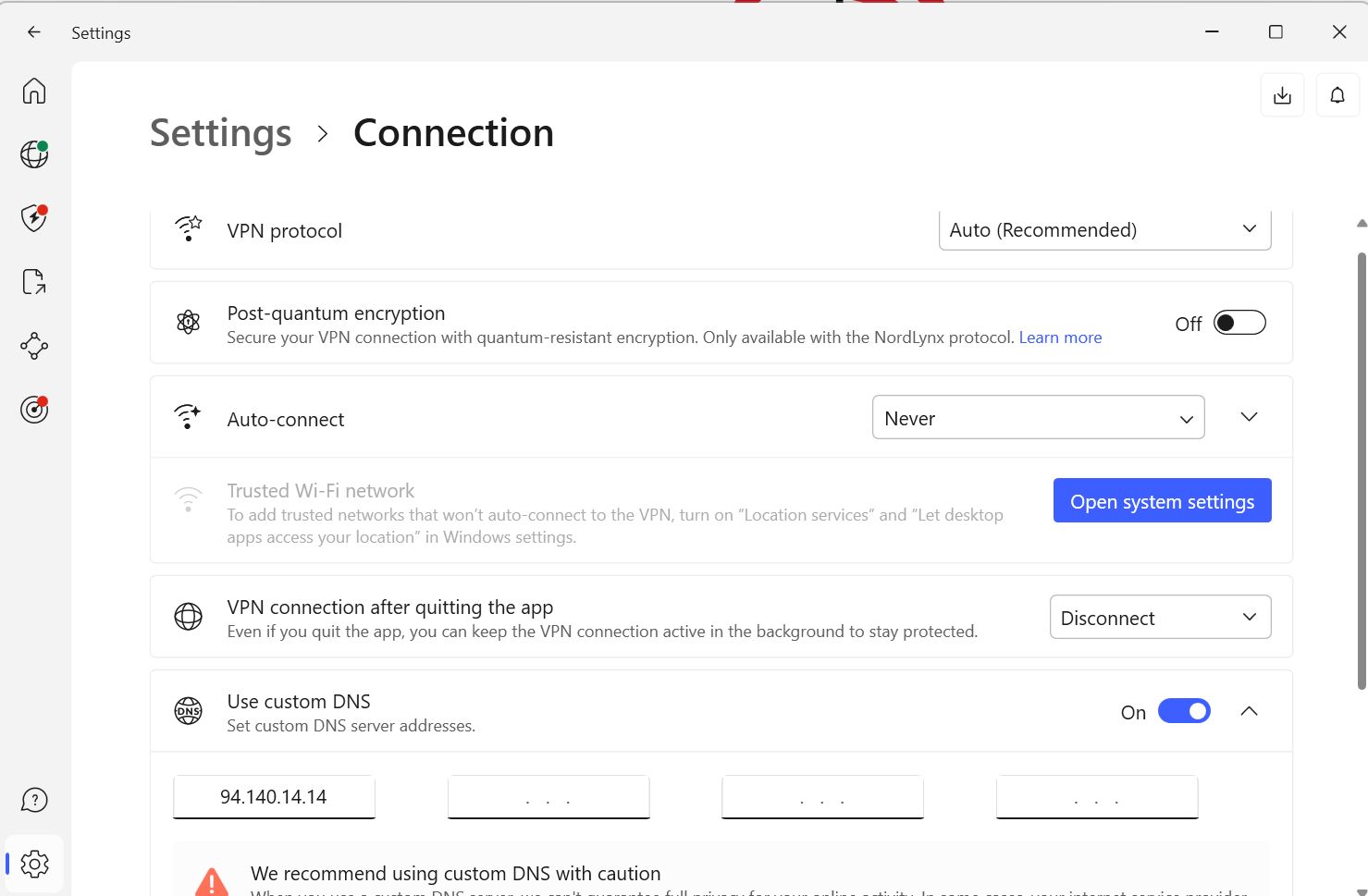
Tested this freeleech with the highest number of seeders without a leecher:

Unfortunately, still stalled:

-
@chubinky30
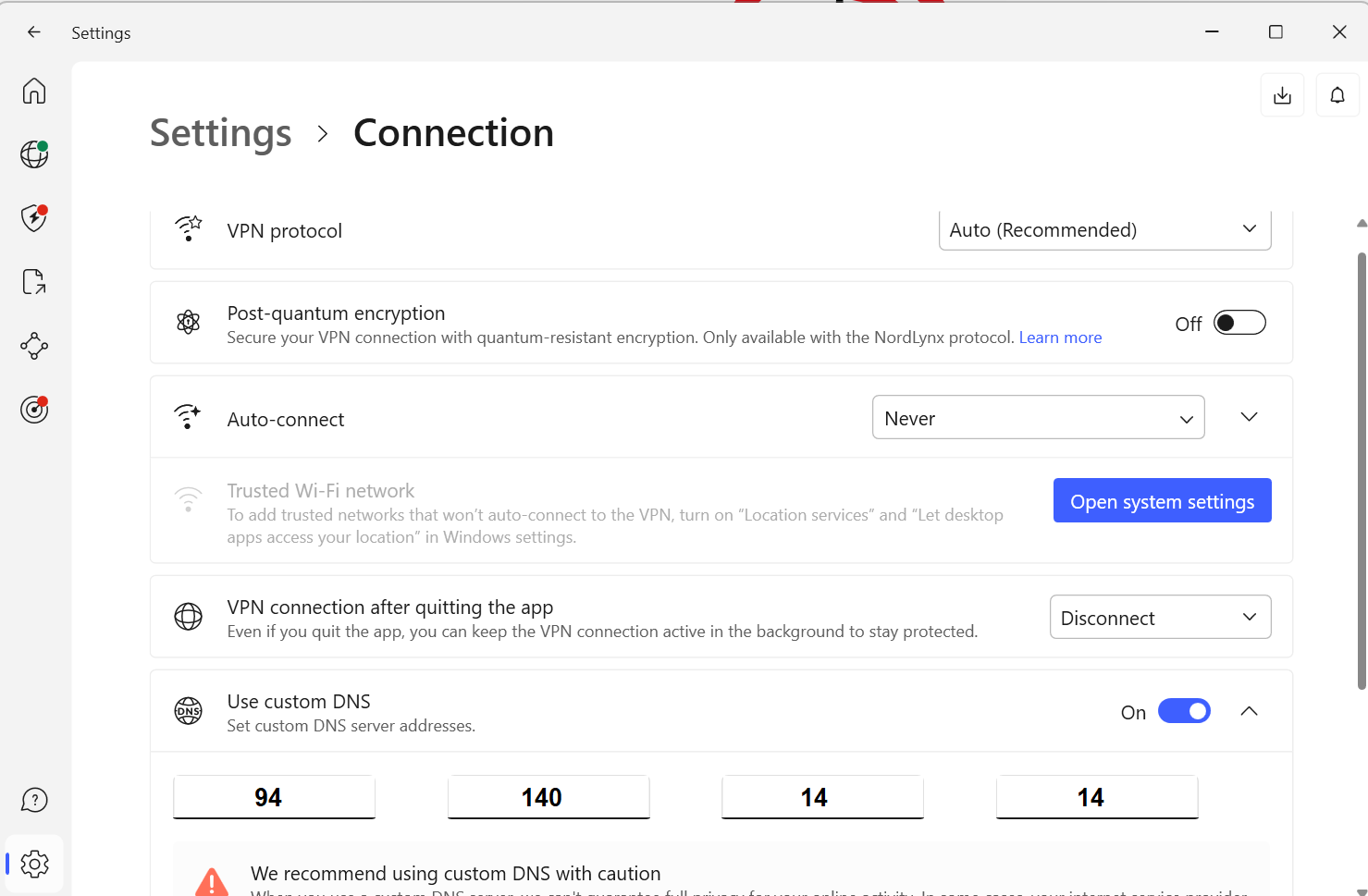
This is the proper way, not all in the first slot. Also you don't need to restart the PC, if it's correct it'll work instantly, you might need to restart your torrent client, though. -
@ianfontinell-0 I tried doing this but it won't let me save it:
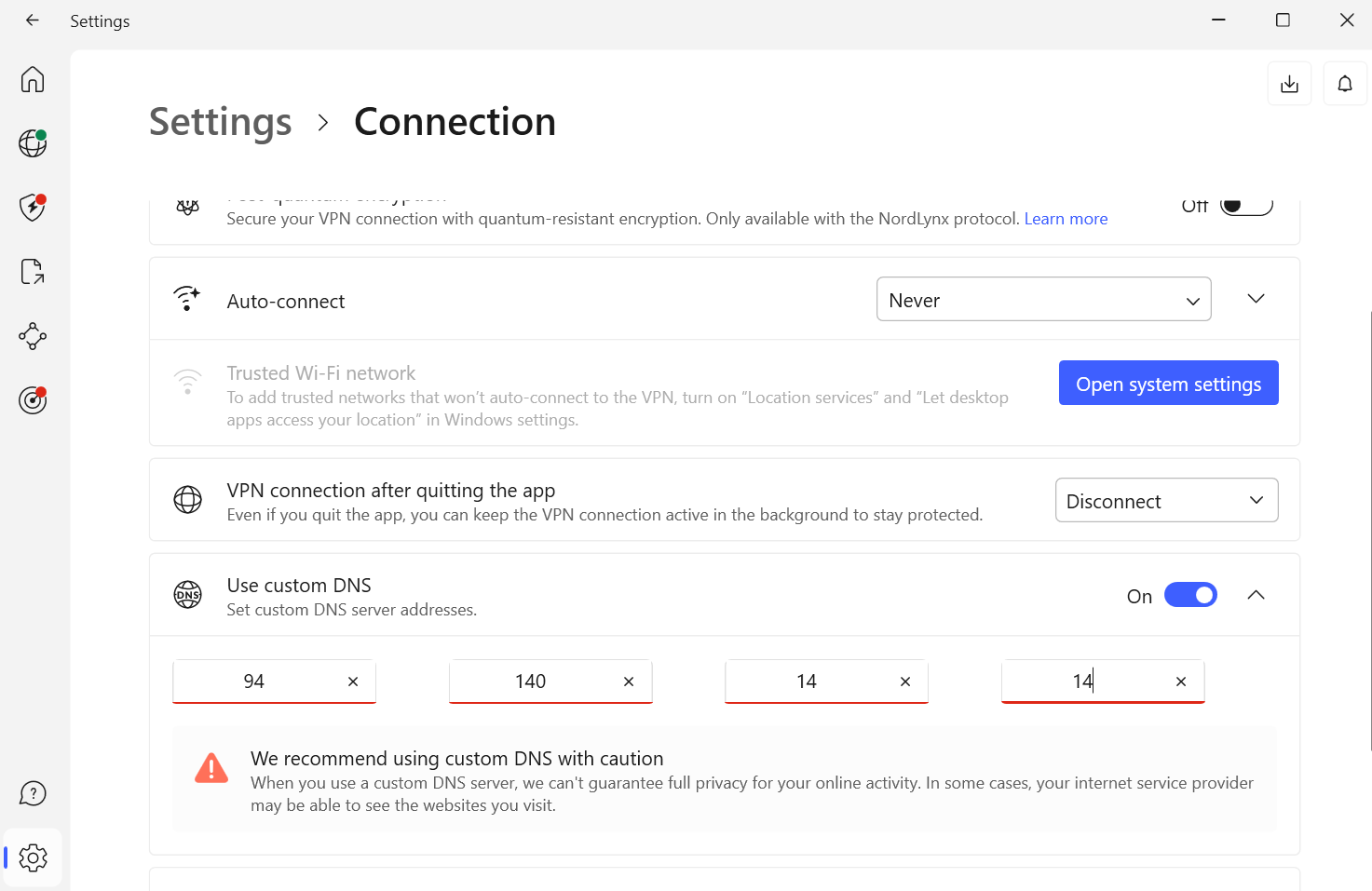
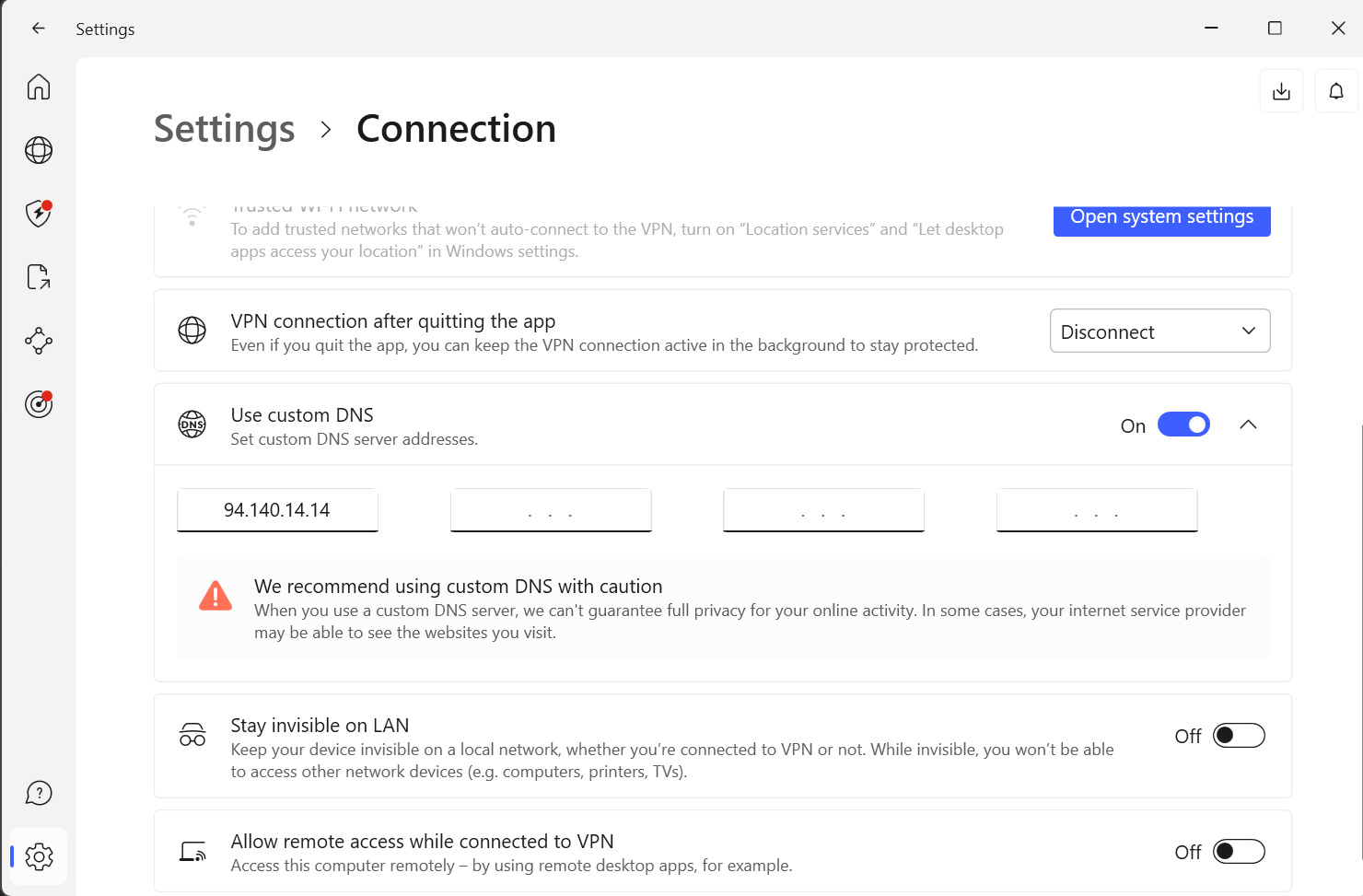
after restarting Nord, it goes back to this:
-
@chubinky30 sorry for that, you were doing it correctly. i only assumed it was like that because it has exactly 4 slots,
The problem is, since it was right the first time you set it, it should have worked. On this site you can check which DNS provider is resolving your requests: https://whoismydns.com
If you set your VPN to use 94.140.14.14 it should return this:
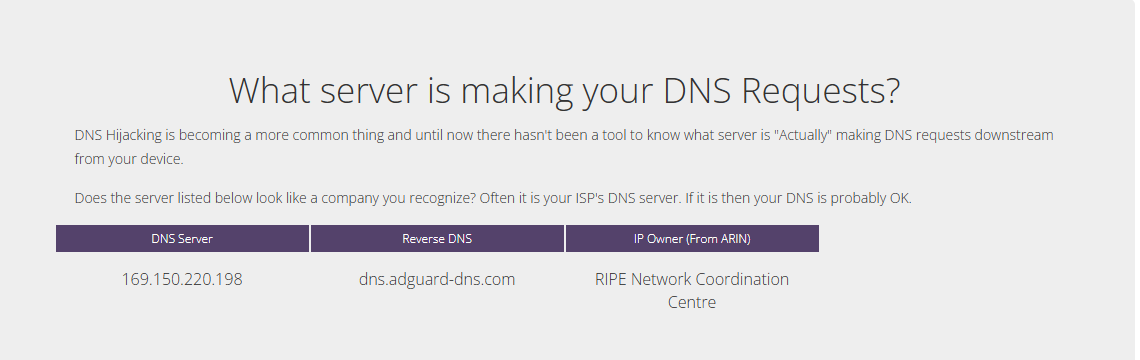
If you set it correctly and it shows a different DNS in that page, then I don't know how to help any more.
-
@chubinky30 Also on a side note, you mentioned the issue started 2 days ago, so you were using NordVPN before that?
-
@ianfontinell-0 Im experiencing basically the same problems: Since two days my utorrent is not connecting anymore. Been running it since ages with NordVPN, never had any real problems.
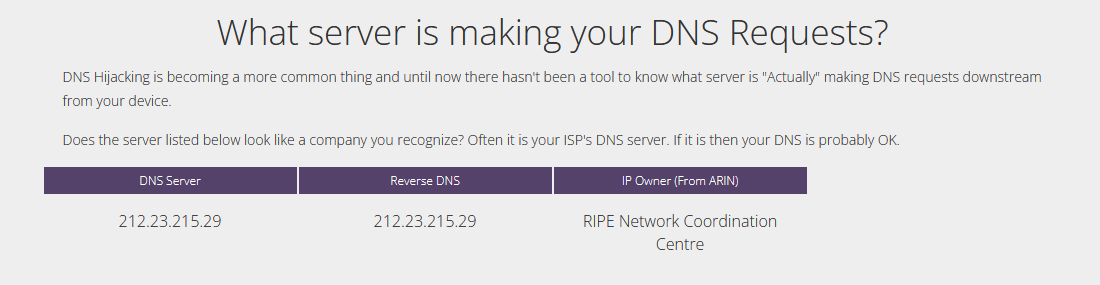
Happens aswell for at least one other tracker.I changed the DNS in NordVPN to 8888, afterwards the whoismydns shows the following:
-
@ianfontinell-0 It seems old torrents using the gaytor.rent adress are still connecting, new ones using gaytor.rent arent
Hello! It looks like you're interested in this conversation, but you don't have an account yet.
Getting fed up of having to scroll through the same posts each visit? When you register for an account, you'll always come back to exactly where you were before, and choose to be notified of new replies (either via email, or push notification). You'll also be able to save bookmarks and upvote posts to show your appreciation to other community members.
With your input, this post could be even better 💗
Register Login