Testing
-
@trkr4life You haven't deleted the torrent. You've tried to add it again.
Highlight "downloaded" in the torrent list, then right click while hovering over it. Then click Remove. You will se this:
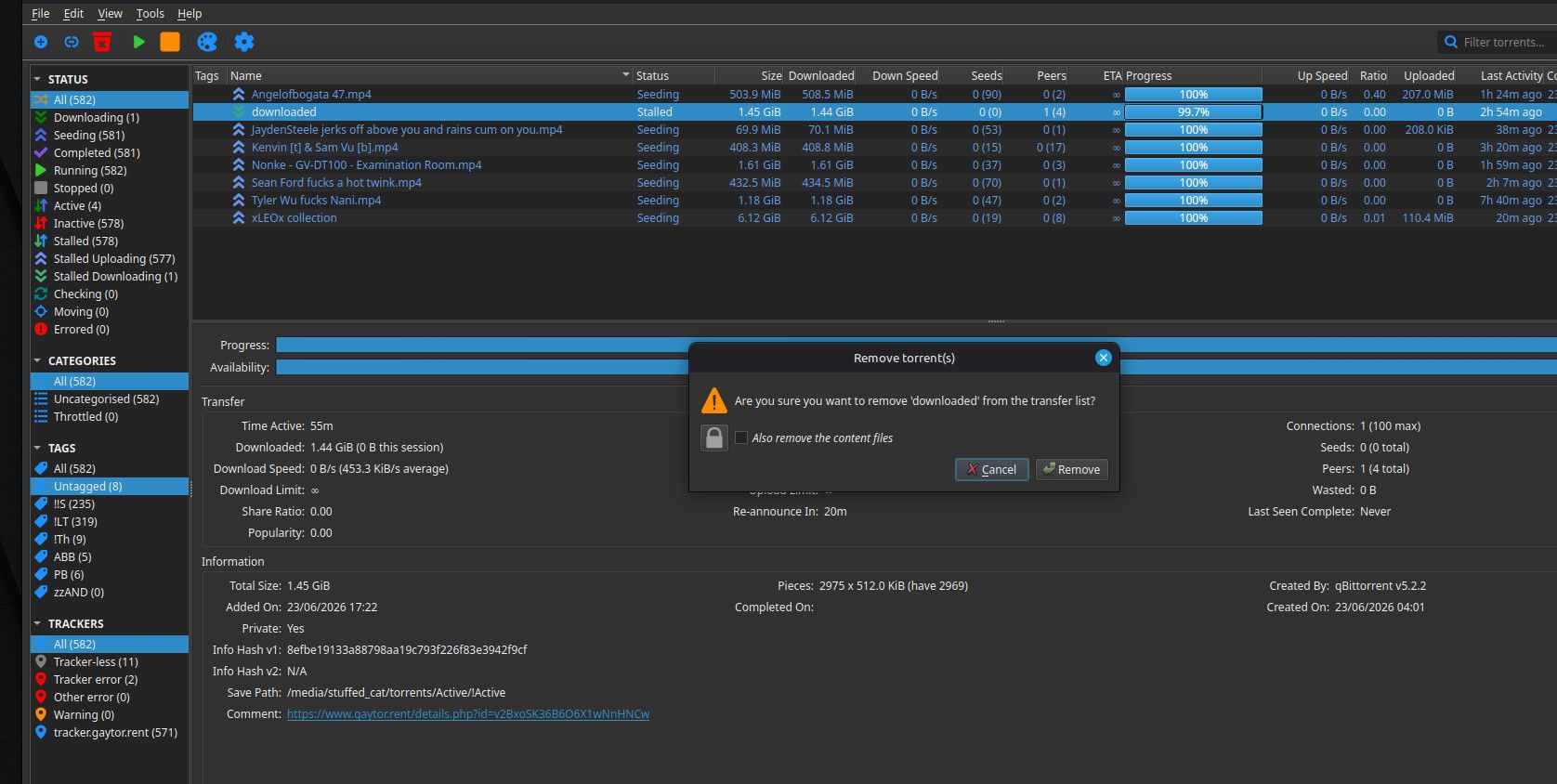
-
there is nothing in the list!
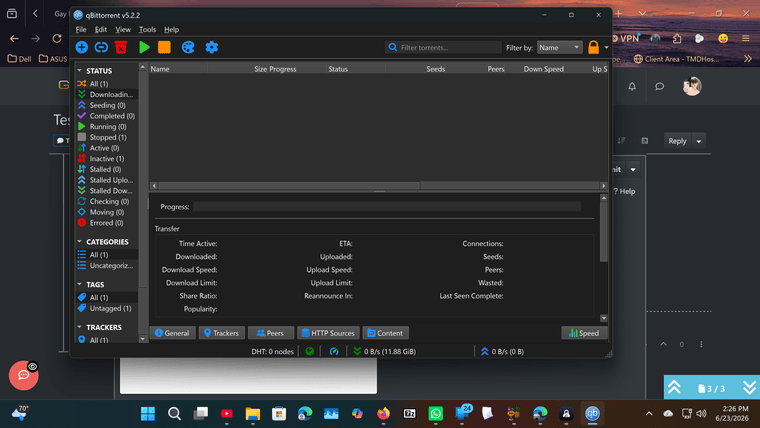
-
@trkr4life Cool. Give me a minute. I'm having a conversation with my AI friend, cos the wording / action for the popup don't match!
-
OK. The wording there is wrong, but don't let that confuse you. It needs to be UNchecked.
-
So set that so it's UNchecked. Then, just to be sure, download the .torrent from the site again. Then launch it.
Just that! Don't do anything else. Then tell me what you're seeing in qB.
-
It should be this:
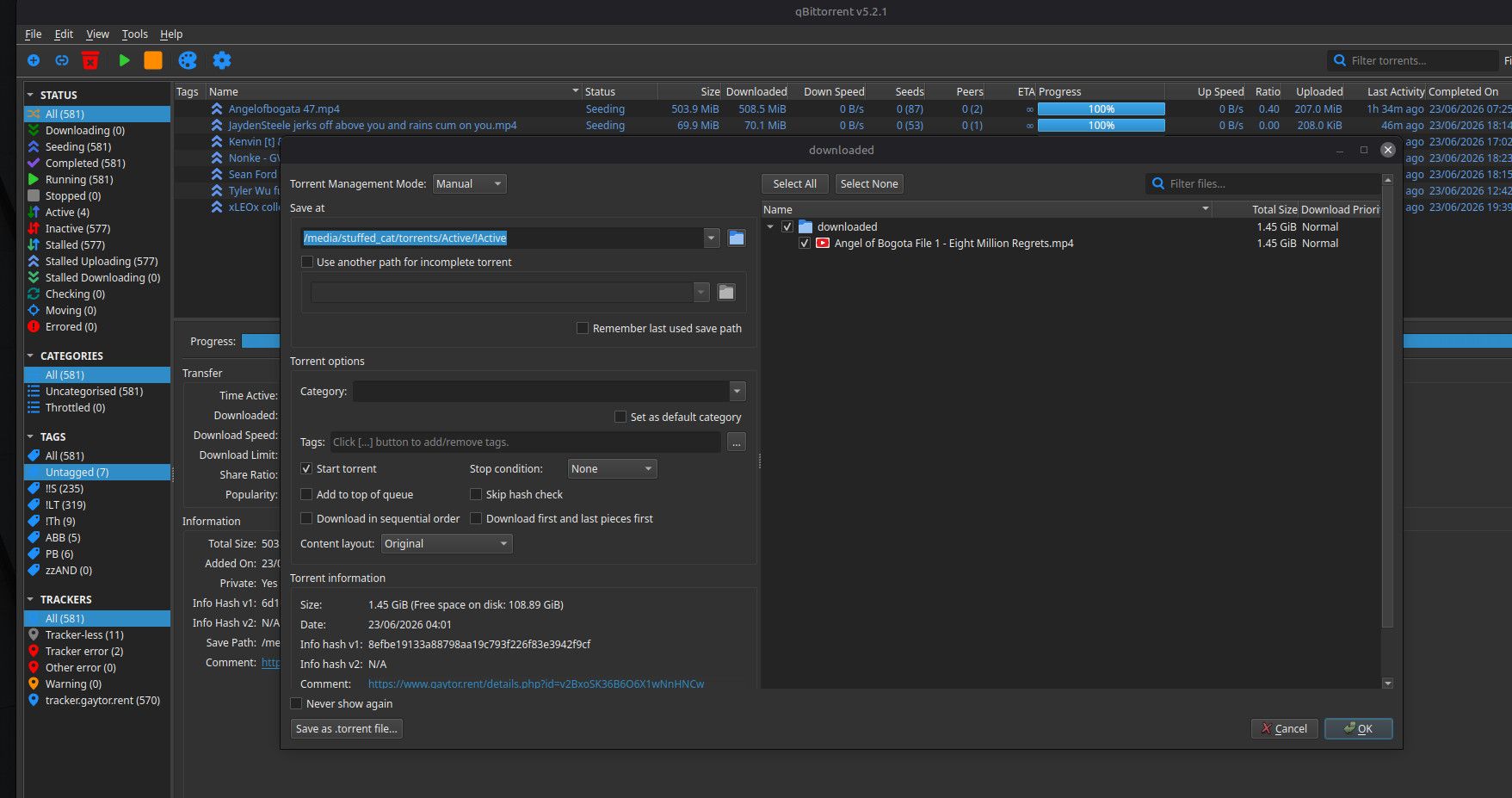
-
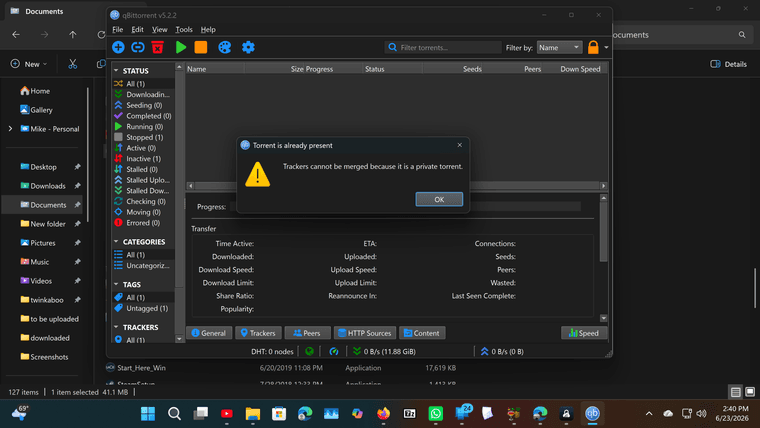
this is what i get
-
@trkr4life That message is what you get when you're trying to add a torrent that is already in the list.
Do you really have no torrents in qB at all at the moment? Or are you filtering them somehow?
Other opinions are also available. They're not right, obviously, but they are available.
-
ok i got rid of it
-
@trkr4life I don't think you have. See where it says (1) on the left-hand side? Next to "Stopped"? What is that? Make sure all things there are set to "All".
If you still can't ee anything, set everything else to "All" then click on that "Stopped". It should show you the one that i in there, but not active at the moment.
-
-
Oh, do you mean you just got rid of the one that was showing as stopped?
-
 Excellent. We're where we need to be!
 -
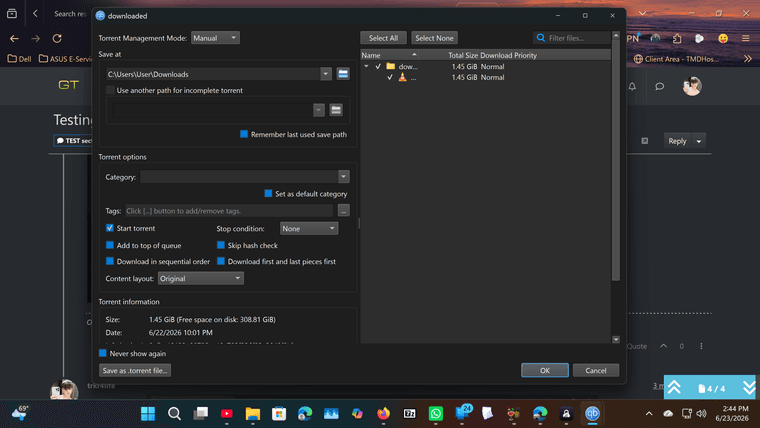
@trkr4life OK. Where do you want the file to be while you seed it? Do you really want it in your "Downloads" folder? I suspect "no", and that isn't where it is right now... which is what the problem is.
-
so should i make another folder and move the files to that one?
-
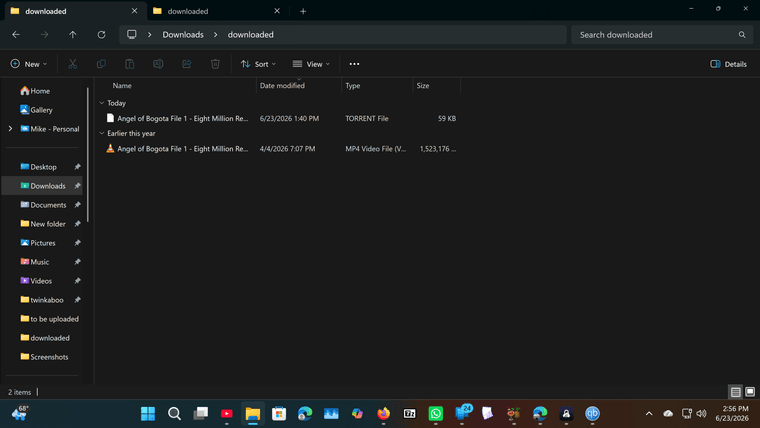
@trkr4life Yeah. But before that, where is it now? Do you have a folder within "Downloads" called "Downloaded"? Or is that folder somewhere else?
-
i have a folder called downloads in my download folder yes
-
@trkr4life Hmm. OK. It should be seeing it then.
In your last screenshot, the name of the file was hidden. Is that EXACTLY the same as the name the torrent has? If you do any screenshots, make sure things like that are shown in full, not truncated. Saves you having to do another.
No need this time, so long as those names are exactly the same.
-
If you need to so you can check, you can cancel that popup for now so you can get to other things. You can just click the torrent again to bring it back. "Cancel" not "OK" though.
-
here is whats inside my download folder


Hello! It looks like you're interested in this conversation, but you don't have an account yet.
Getting fed up of having to scroll through the same posts each visit? When you register for an account, you'll always come back to exactly where you were before, and choose to be notified of new replies (either via email, or push notification). You'll also be able to save bookmarks and upvote posts to show your appreciation to other community members.
With your input, this post could be even better 💗
Register Login